Storage
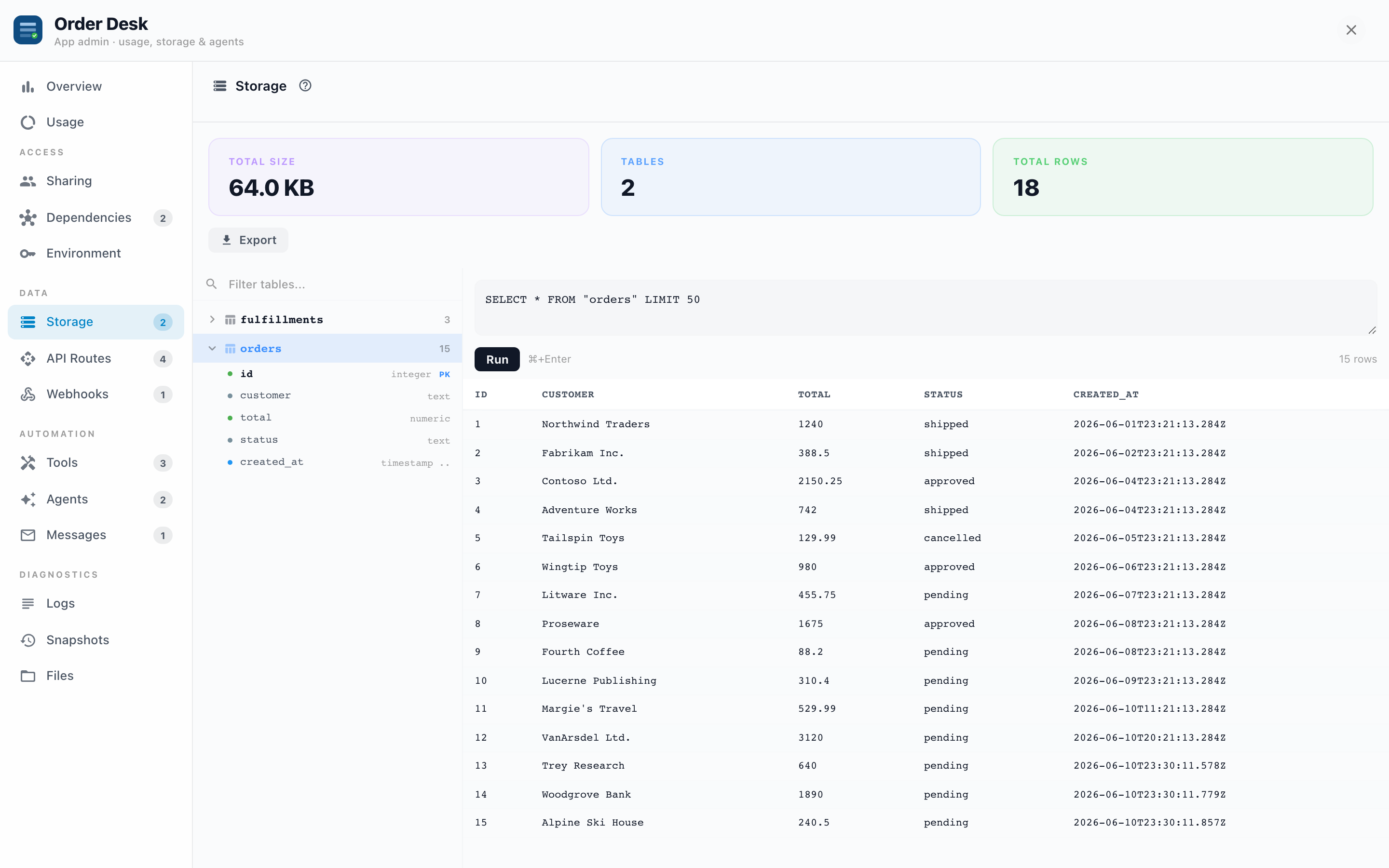
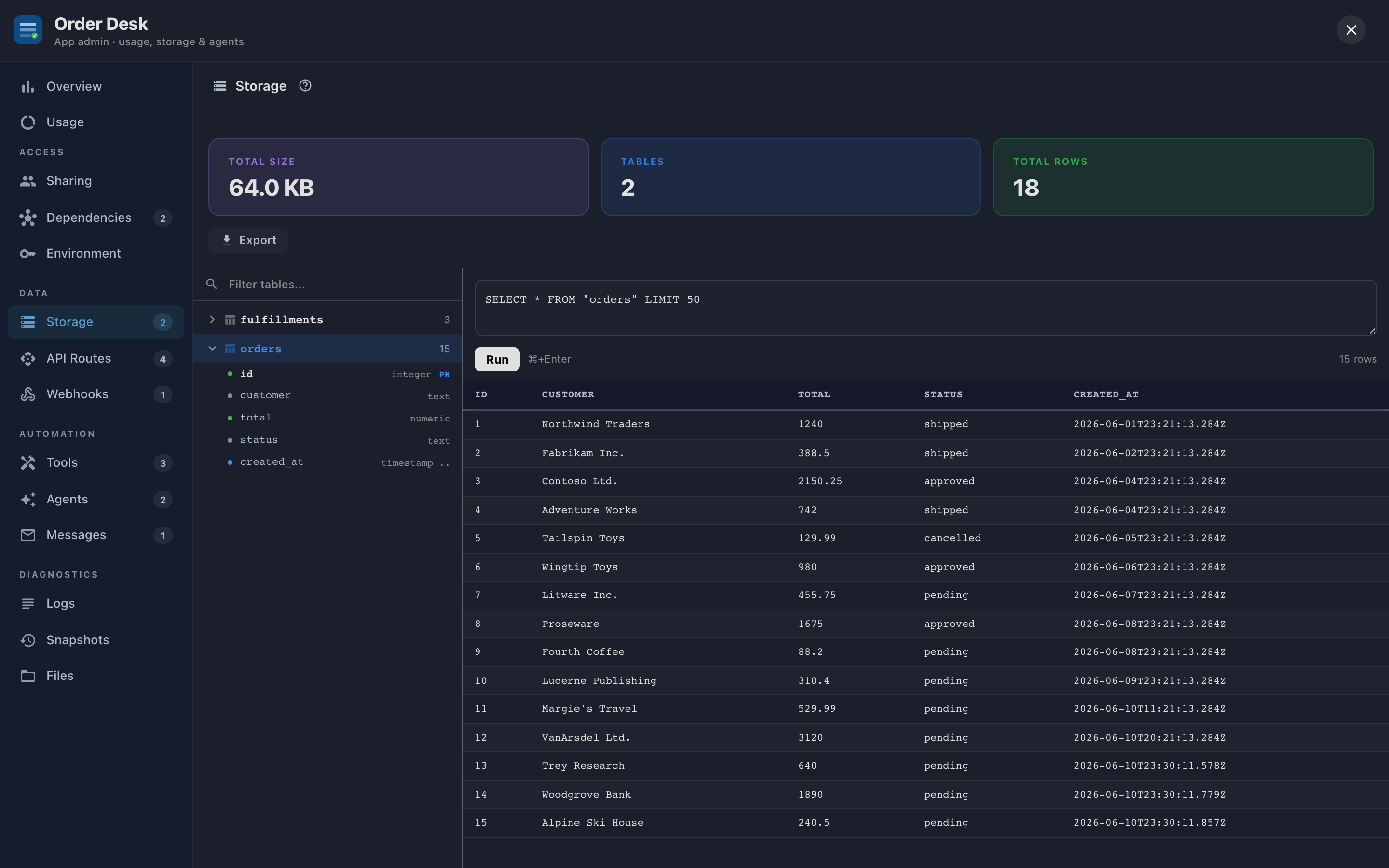
Apps that keep their own data (requests, approvals, inventory, anything a form saves) get a workspace: a private database on your Informer server, isolated per App and per tenant. The Storage tab is your window into it: browse the tables, run SQL, export everything.
Why it exists
Normally the App's own screens are the only way to see its data. That's fine until you need to answer "how many requests are stuck in pending?", fix a typo'd record, or pull everything out for an audit. Storage gives an admin direct access without writing a single line of App code.
The table browser
The top of the tab shows Total Size, Tables, and Total Rows. Below, the left pane lists every table with its row count; expand one to see its columns, with types, PK badges on primary keys, and FK badges on foreign keys (hover one to see what it references). The badges make unfamiliar schemas readable: find the PK, follow the FKs, and you've mapped the App's data model without documentation.
Clicking a table loads its first 50 rows on the right, no SQL required.
The SQL console
Type a query, press Run (or Cmd/Ctrl+Enter):
- Results page 50 rows at a time, with NULLs shown in italics and JSON columns stringified.
- Write statements work and report what they did: "UPDATE: 3 rows affected".
- Errors come back verbatim from the database.
Examples of real uses:
- Triage:
SELECT status, COUNT(*) FROM requests GROUP BY statusto see where a workflow is piling up. - Spot fix:
UPDATE requests SET status = 'open' WHERE id = '…'to unstick a record the App's UI can't reach. - Verification after a bug: check what an agent actually wrote before trusting its summary.
The console runs against the App's live data with no undo. Before a risky UPDATE or DELETE, take a snapshot (snapshots can include workspace data) or click Export for a full SQL dump. And prefer a SELECT with the same WHERE first, so you know exactly what you're about to touch.
Export
The Export button downloads the entire workspace as a single .sql dump: schema and data. Use it for backups before risky changes, for moving data to another environment, or for handing to whoever asks "can we get that data out of the App?" (Answer: yes, always.)
Troubleshooting
- The tab shows no tables. The App either doesn't use a workspace, or hasn't created its tables yet (workspaces are provisioned lazily, on first use).
- A query fails with a permissions error. The console operates within the App's own workspace only; you can't reach other Apps' schemas or Informer's internal tables from here, by design.
- Total size keeps growing. Find the big table (row counts in the browser), then decide with the App's builder whether old rows can be archived; Export first.