Working with Queries
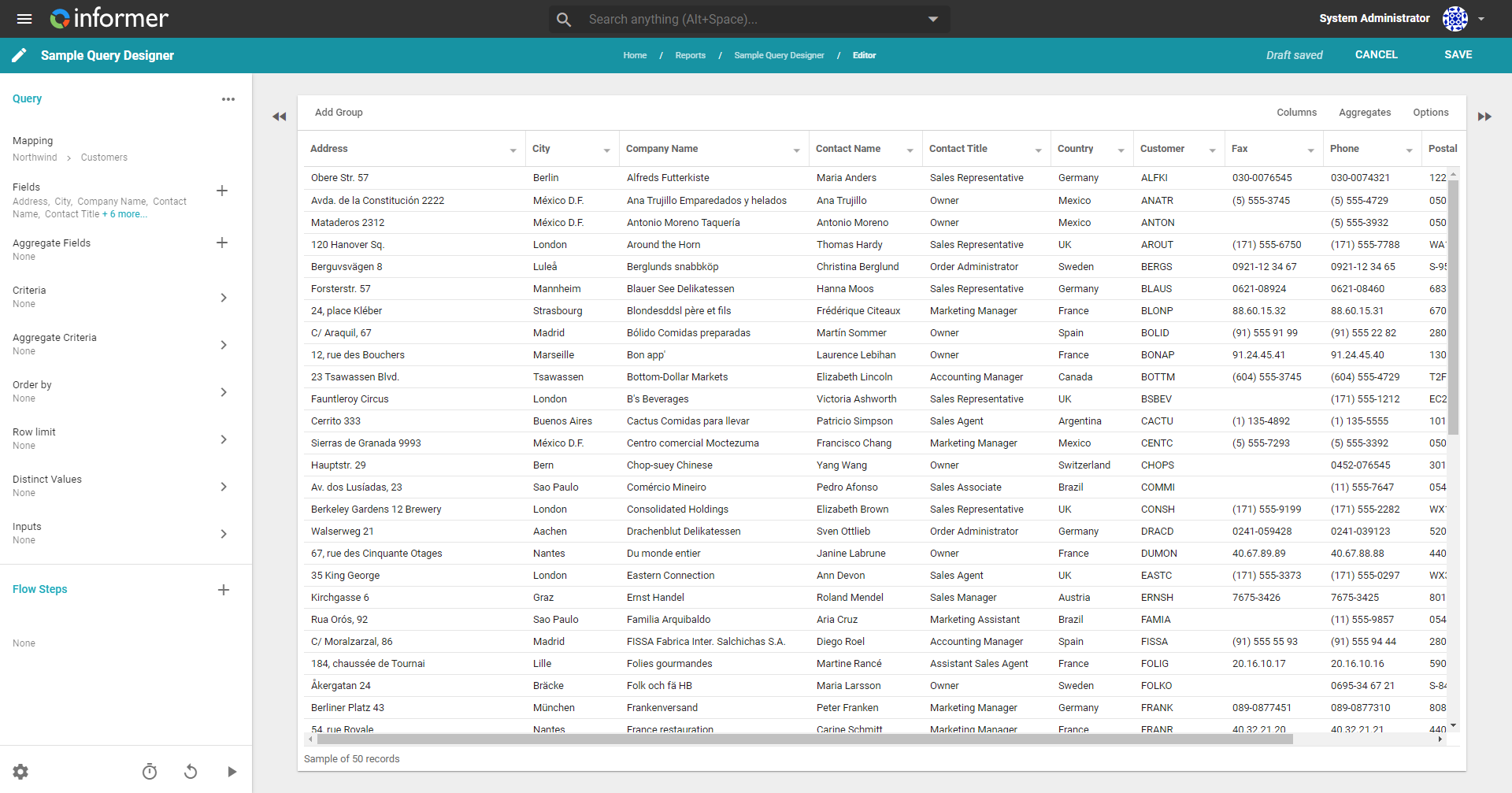
A Query pulls data from a DatasourceA connection from Informer to a database or other system of record, such as PostgreSQL, SQL Server, or UniVerse.. Its two main parts are Fields, the columns it returns, and Criteria, the conditions that decide which rows come back. Build a Query visually with the Query Designer, or write the statement yourself in Native SQL.
Why Queries matter
A Query is the question you ask a DatasourceA connection from Informer to a database or other system of record, such as PostgreSQL, SQL Server, or UniVerse.. Get the Fields and Criteria right once, and that question can feed a DatasetA saved, queryable collection of data pulled from one or more Datasources. Datasets are the foundation for reports, dashboards, and AI data analysis., drive a Report, or run on demand for a quick, live answer. The same builder produces both kinds of Query, so the skills you learn here carry across everything Informer reads from a database.
The two kinds of Query
| Dataset Query | Ad Hoc QueryA saved, parameterized query in Informer. Together with Datasets, Ad Hoc Queries are the data foundation Magic Reports build on. | |
|---|---|---|
| Stores results? | Yes, indexed and reusable | No, results are live and short-lived |
| Who sees the results | Anyone with access to the Dataset | Only the user who ran it |
| Can save Visuals? | Yes | No |
| Best for | One source of truth shared across Reports | Fast, temporary answers with run-time parameters |
Both run against a Datasource, both have Fields, Criteria, and Flow Steps, and both are built the same way. An Ad hoc Query is a kind of Report; a Dataset is its own category of content. You can convert an Ad hoc Query into a Dataset Query when you decide its results are worth keeping.
The building blocks of a Query
The Query Designer's left rail breaks a Query into the pieces you can shape:
| Block | What it does |
|---|---|
| Fields | The columns the Query returns, drawn from the Datasource's mapping. |
| Criteria | The conditions (Where clauses) that filter which rows come back. |
| Order By | The sort order of the results. |
| Row Limit | A cap on how many rows the Query returns. |
| Inputs | Run-time parameters that prompt the person running the Query. |
| Flow Steps | Post-query transformations: add Fields, reshape, combine, and more. |
In this section
| Chapter | In one line |
|---|---|
| Overview | What a Query is, and Ad hoc vs. Dataset Queries. |
| Fields and Actions | Add Fields, aggregate Fields, field options, and Query actions. |
| Criteria | Filter which records a Query retrieves. |
| Order By and Row Limit | Sort results and cap the row count. |
| Inputs | Run-time parameters that prompt for a value. |
| Flow Steps | Reshape results after the query runs. |
| Viewing Data | Field options while viewing a result set. |
| Filtering Data | Post-query Filters: create, configure, and save. |
| Actions | Export, copy, bundle, benchmark, and organize. |
| Appendix | Date keywords, Saved Lists, and Power Script variables. |
Where do I look when...
| You want to... | Where |
|---|---|
| Build a new Query | Overview |
| Choose which columns appear | Fields and Actions |
| Narrow the rows returned | Criteria |
| Prompt the runner for a value | Inputs |
| Transform results after the query runs | Flow Steps |
| Narrow the results without changing the Query | Filtering Data |
| Export, bundle, or organize a Query | Actions |
| Keep a Query's results for reuse | convert it to a DatasetA saved, queryable collection of data pulled from one or more Datasources. Datasets are the foundation for reports, dashboards, and AI data analysis. |