Working with Datasources
A DatasourceA connection from Informer to a database or other system of record, such as PostgreSQL, SQL Server, or UniVerse. is a connection from Informer to a database or other system of record. Once it is connected and scanned, the system's tables and fields become Mappings inside Informer, the metadata that DatasetA saved, queryable collection of data pulled from one or more Datasources. Datasets are the foundation for reports, dashboards, and AI data analysis.s and Queries read from.
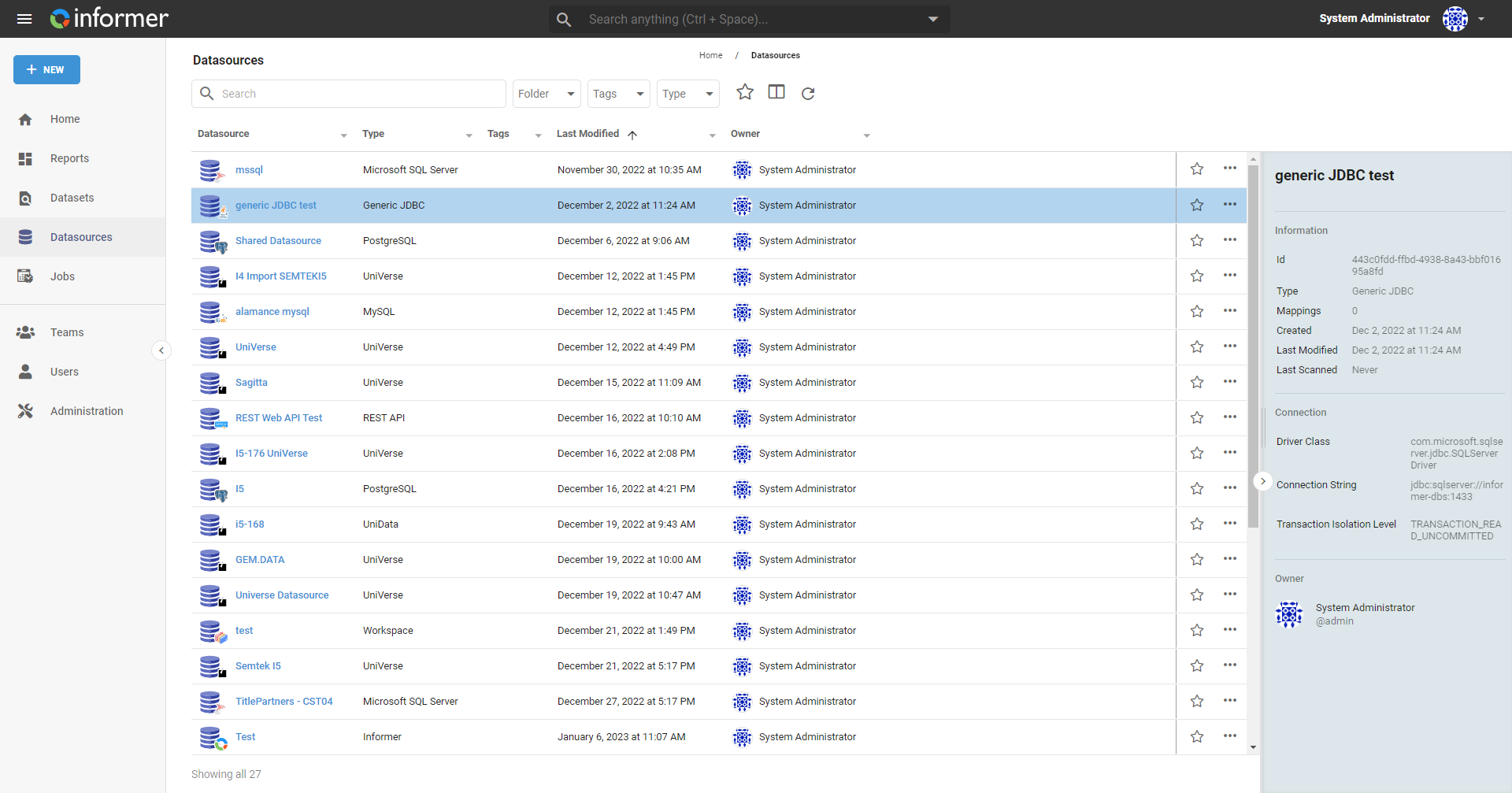
Why Datasources matter
Everything Informer knows about your data starts at a Datasource. Connect once, scan to bring in Mappings, and from then on every Dataset, Query, and Report draws on that connection without anyone re-entering credentials or rediscovering the schema. Because access and scanning are managed here, the Datasource is also where you decide which tables and fields are even visible to the people building on top of them.
The kinds of Datasource
Informer connects to several families of system. You choose the kind when you create the Datasource:
| Kind | Connects to |
|---|---|
| Informer | The internal Informer database, for querying Informer's own metadata. |
| SQL | A relational database over JDBC: PostgreSQL, SQL Server, Oracle, MySQL, and other JDBC-compatible engines. |
| REST Web API | A web service that returns data over HTTP, shaped into records by a response parser. |
| GraphQL API | A GraphQL service (Beta), connected much like a REST web service. |
| Multi-value | A U2 system, UniVerse or UniData. |
| Workspace | A standalone Datasource whose Mappings come from uploaded Files rather than a live connection. |
Mappings: how Informer sees your data
Before Informer can query a database, it has to learn what is in it. Scanning a Datasource creates Mappings (the files and tables) and their Fields (the columns). You can scan for Mappings only (fast, fields filled in later) or do a Full scan (Mappings and their Fields in one pass). New Mappings start hidden until you choose to show them, so a large database does not flood the system with tables nobody needs.
Scanning behavior varies by Datasource kind: REST Web API Datasources have no Mappings to scan, U2 Datasources do not offer a Full scan, and Workspace Mappings are controlled entirely by the Files you upload.
In this section
| Article | In one line |
|---|---|
| Connecting a Datasource | The Datasource families and the connect-then-scan flow that produces Mappings. |
| Managing Mappings | Hide, link, and add custom-expression Fields to a Datasource's Mappings. |
| Datasource access | Ownership, sharing, and the Full/Restricted/Dataset-Only access levels. |
| Appendix | Connection-specific topics: time zones, MSSQL Windows auth, PostgreSQL SSL, CSV files, JDBC changes, and U2 subroutines. |
Where do I look when...
| You want to... | Where |
|---|---|
| Connect a new system | Connecting a Datasource |
| Bring in tables and columns | Scan the Datasource |
| Show a hidden table | Managing Mappings |
| Add a Field the database doesn't expose | a custom expression in Managing Mappings |
| Pull from a REST web service | a REST Web API Datasource |
| Load data from files with no live database | a Workspace Datasource |
| Control who can use the connection | Datasource access |