Messages
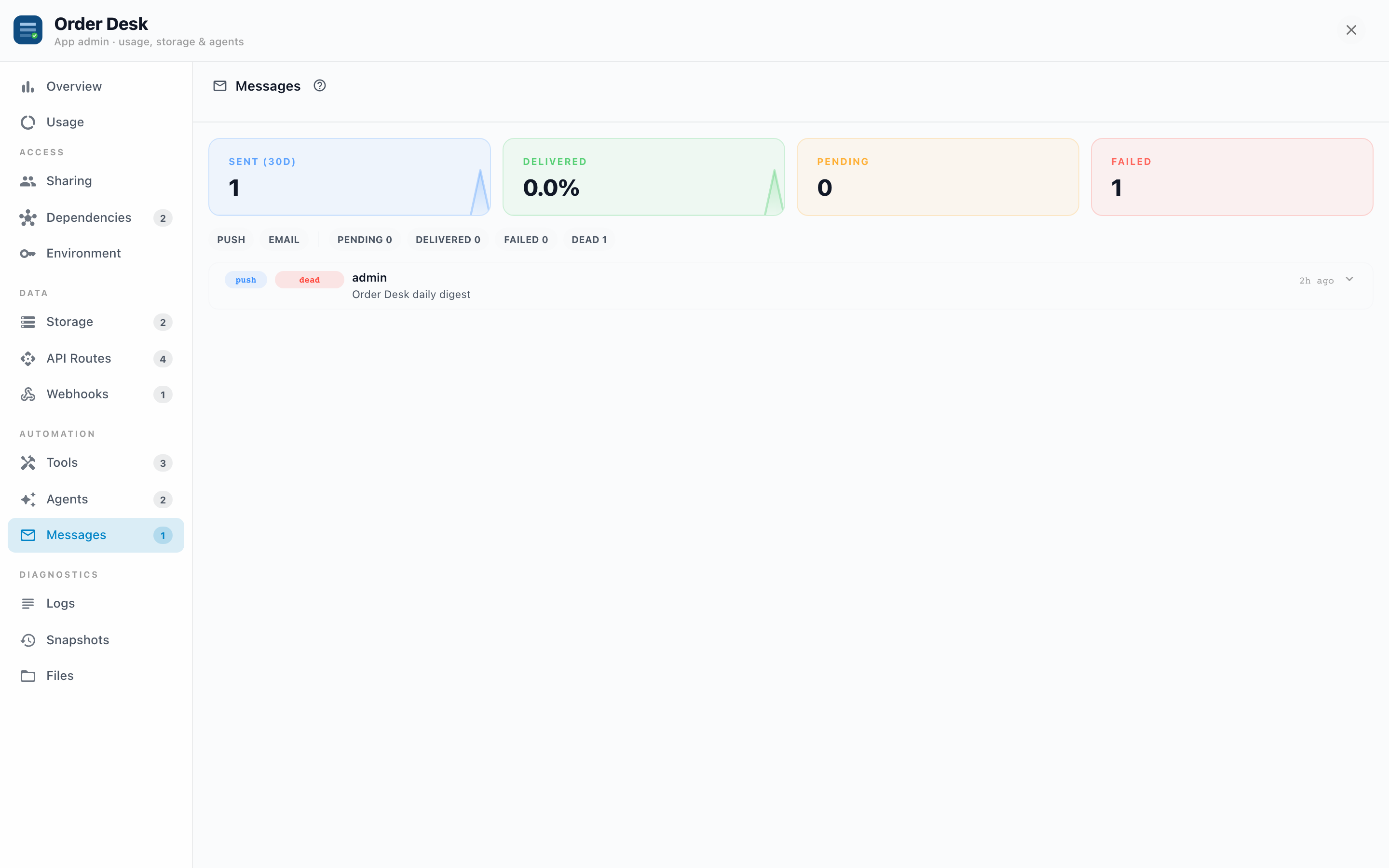
Apps can notify people: a push notification when an approval lands, an email when a report is ready. The Messages tab is the complete sent-mail of the App: every message, its delivery status, and a retry button for the ones that didn't make it.
Why it exists
"I never got the email" is unanswerable without a record. This tab turns it into a lookup: find the message by recipient, see its status, read the exact payload that was (or wasn't) delivered, and see how many delivery attempts were made.
Reading the tab
Four KPIs up top: Sent (30d), Delivered (as a rate), Pending, and Failed. Below, every message with its channel (push or email), recipient, title, age, and status:
| Status | Meaning |
|---|---|
| pending | Queued, not yet handed to the delivery channel. |
| dispatched | Handed off; waiting on the channel to confirm. |
| delivered | Confirmed delivered. |
| failed | A delivery attempt failed; retries may still be scheduled. |
| dead | All attempts exhausted. It will not deliver without your intervention. |
Filter by channel or status; the status chips carry live counts, so "FAILED 3" is visible before you even look at the list.
Inspecting and retrying
Expand a message to see:
- The error that stopped it, verbatim, when there is one.
- Attempts: "2 of 5 attempts", so you know whether the system is still trying or has given up.
- The payload: the actual title, body, and addressing the App produced.
- A Retry button on failed and dead messages, which re-queues that exact message.
Example: the missing approval email. Filter to email, find the recipient. If it's delivered, the problem is on the receiving end (spam folder, filtering rules); the payload shows exactly what was sent and to which address. If it's dead with "mailbox unavailable", the address is wrong at the source. If everything to everyone is failed, the server's mail configuration is the suspect, not the App.
Troubleshooting
- Lots of pending, nothing moving. The queue isn't draining; that's a server-level issue (job workers), not this App. Flag it to your Informer administrator.
- One recipient always fails, others deliver. Bad address or full mailbox; the expanded error says which. Fix the address where the App gets it (often the App's own data, via Storage).
- A burst of dead messages overnight. Check Agents: an agent run probably generated them. The run detail and the message payloads together reconstruct what happened.
- Retry keeps failing. The expanded error is the same every time? Then retrying won't help until the cause (address, mail config, payload) changes. Fix first, then retry.