Output
Context Viewer
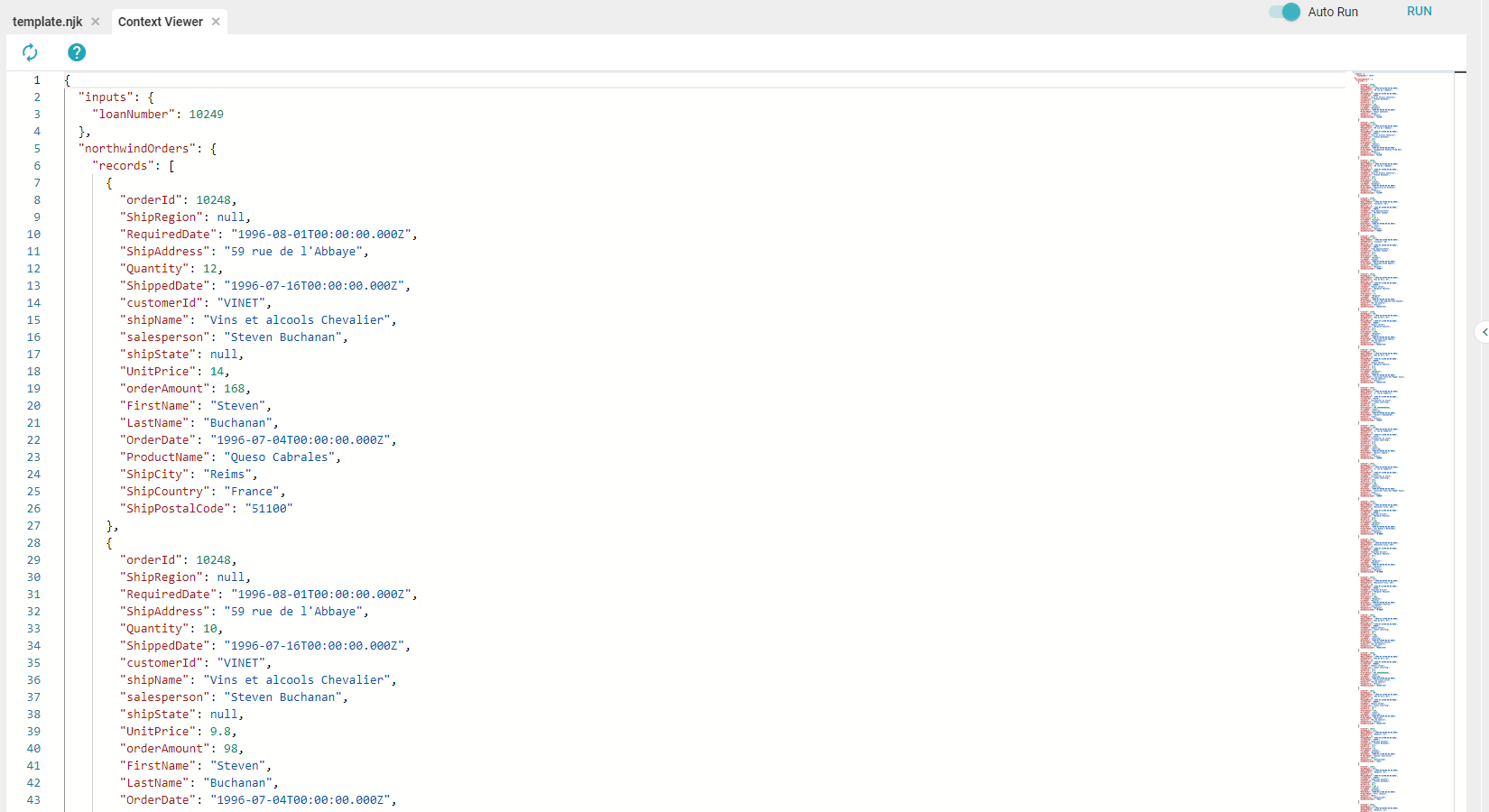
The Context Viewer shows the data currently stored in the context. Components can manipulate and access the context: Inputs and Processors can add or remove data, while Assets and the Template files can accept data injections from it. Use the Context Viewer to find and use data added to the Template from Processors.
PDF
The PDF section of Outputs customizes the PDF export of the Template.
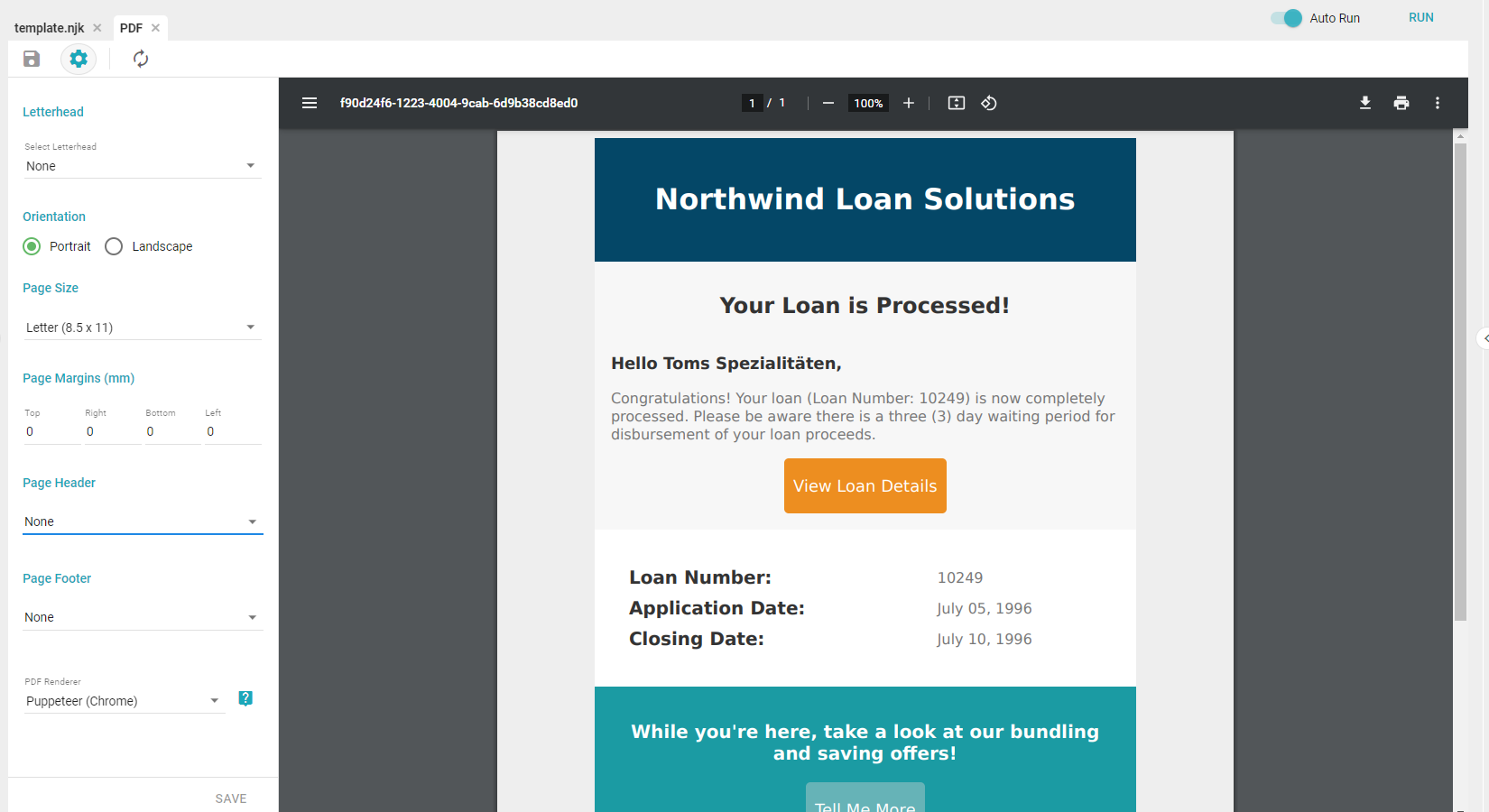
- Letterhead: applies a Letterhead to the PDF export.
- Orientation: sets the page orientation to portrait or landscape.
- Page Size: sets the size of the export. The default and most common is Letter (8.5" x 11"). Other options are Legal (8.5" x 14"), Ledger (11" x 17"), A4 (8.3" x 11.7"), and Half-Letter (8.5" x 5.5").
- Page Margins: sets the individual margins of the PDF in millimeters.
Setting the top or bottom margin to 0 mm prevents headers or footers from rendering, respectively.
- Page Header/Footer: adds a header or footer to the PDF.
- None: no header or footer.
- From a File: select an Asset to use as the header or footer. Useful for adding images such as logos.
- Enter Text: adds custom text to the left, center, and right of the header or footer.
- Left/Center/Right Text: the text that appears in the header or footer. The following reserved variables can also be added:
[page],[frompage],[topage],[webpage],[section],[subsection],[date],[isodate],[time],[title], and[doctitle]. - Font Name: the font of the header or footer.
- Font Size: the size of the header or footer font.
- Spacing: the spacing, in millimeters, between the header or footer and the main body.
- Left/Center/Right Text: the text that appears in the header or footer. The following reserved variables can also be added:
Do not exceed the page size with excessive margins and spacing, as it can lead to rendering errors.
- PDF Renderer: the renderer used to preview the PDF, either Puppeteer or wkhtmltopdf. Puppeteer is newer and allows modern CSS and HTML, but does not allow full-body HTML headers and footers. If you need linked resources such as a stylesheet or script in the header and footer, wkhtmltopdf allows this.
Troubleshooting PDFs
This setting is only needed when PDF exports fail due to network reachability issues, which can occur in containerized or proxied environments. Not all deployments require it.
If PDF exports fail or time out while other export formats work, the PDF renderer may not be able to reach Informer's URL from within the server environment.
Add the internalPdfServiceUrl setting to Informer's config.json to provide a URL the PDF renderer can use to reach Informer directly:
"internalPdfServiceUrl": "<yourAddressToInformerHere>"
Replace <yourAddressToInformerHere> with the URL that Informer's server process can use to reach itself, then restart Informer. In most cases this is http://localhost:<port>. If HTTP is disabled and TLS is enabled, use https://localhost:<port>. The listening port is listed in config.json.
The PDF service URL is localhost, because the request originates from the containerized environment itself and does not require external name resolution. Using HTTPS when TLS is enabled and HTTP is disabled works without issue with localhost, as the Puppeteer renderer does not require site certificate validation.
The following config.json example illustrates the most common deployment, where HTTP is enabled and listens on port 80 (listing it is redundant since 80 is the default):
{
    "http": "80",
    "internalPdfServiceUrl": "http://localhost",
    "loadBalancer": {
        "rules": [
            { "regex": ".*\\/jobs\\/[^\\/]*$", "url": "http://informer-schedules" },
            { "regex": ".*_(query|run|refresh)+", "url": "http://informer-query" },
            { "regex": "$", "url": "http://informer-api" }
        ]
    }
}