Adding Users from a Domain
Informer can scan a Domain to create Users, and optionally Teams, in bulk from the users and groups that exist on the directory service. After adding Users from a Domain, they can use their network credentials to log into Informer. If a Domain User does not exist in the system before they try to log in, Informer creates an account for that User at login time, provided they enter valid credentials and meet the scope of the configured Search Filter. This method does not let administrators set up permissions for that User beforehand, so it may not be ideal for every situation.
Note: After a Domain User is created in Informer, that User is maintained independently from the matching credentials in the directory service. For example, deleting the user from AD does not remove them from Informer, but they would not be able to log in because those credentials would no longer match on the directory service. Any changes to the user principal in the directory service (group membership, name change, and so on) are not reflected in Informer and must be changed manually.
To scan a Domain, navigate to the Administration page and click the Domains icon in the navigation panel. Click the Domain and choose Scan for Users and Teams in the Actions menu in the bottom-right corner of the page. The scan function only applies to Active Directory and LDAP-based Domains, which support polling.
When scanning a Domain, choose whether to scan for just Users, or both Users and Teams. If scanning both at the same time, Informer can automatically assign Users to Teams based on their group membership on the directory service.
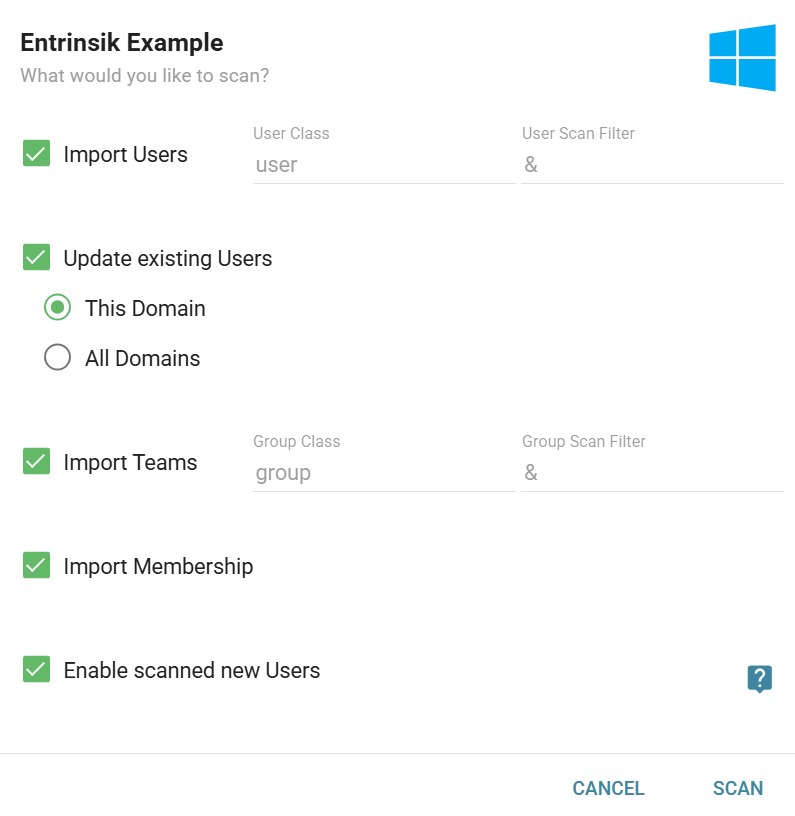
The Enable scanned new Users option enables immediate login for any accounts scanned in. Checking it sets new Users created by the scan to "enabled"; leaving it unchecked sets them to "disabled." The current enabled/disabled setting of any scanned User who already exists in Informer is preserved.
Specify the Domain class for users and groups (if scanning for Teams). The scan filters determine where the scan finds users and groups on the directory service. The scan filter incorporates the Search Base from the Domain settings, plus any additional filters configured for the scan. At a minimum, the scan filter for users should begin with:
&(objectcategory=person)(objectclass=user)
Add additional criteria to restrict the user scan to members of a specific group. For example:
&(objectcategory=person)(objectclass=user)(memberOf=CN=Informer Users,CN=Users,dc=mydomain,dc=com)
The above filter would only return users who are members of the "Informer Users" group within the broader "Users" group. The same principle applies to the group scan filter, except the object category and class adjust accordingly.