Export Saved List
The Export Saved List Action creates a saved list on a U2 Datasource and populates it with values from a data component on the Job. This Action is only available on Jobs that contain at least one data component built off of a U2 Datasource.
After adding the Export Saved List Action, choose which data component the saved list is generated from, the name of the new saved list, which Datasource the saved list is saved to, and which Field in the selected data component is used to generate the values in the saved list.
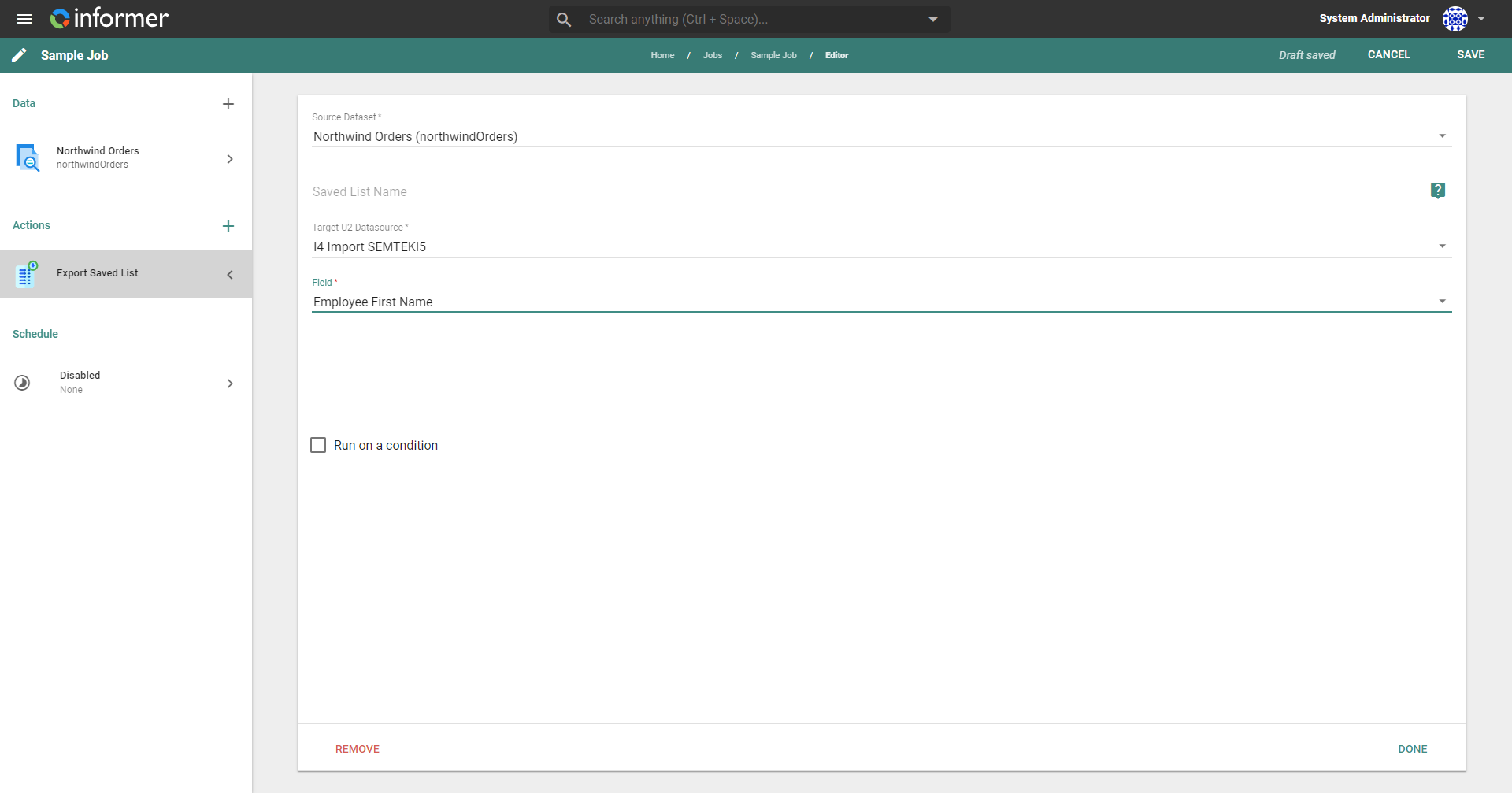
Run on a condition
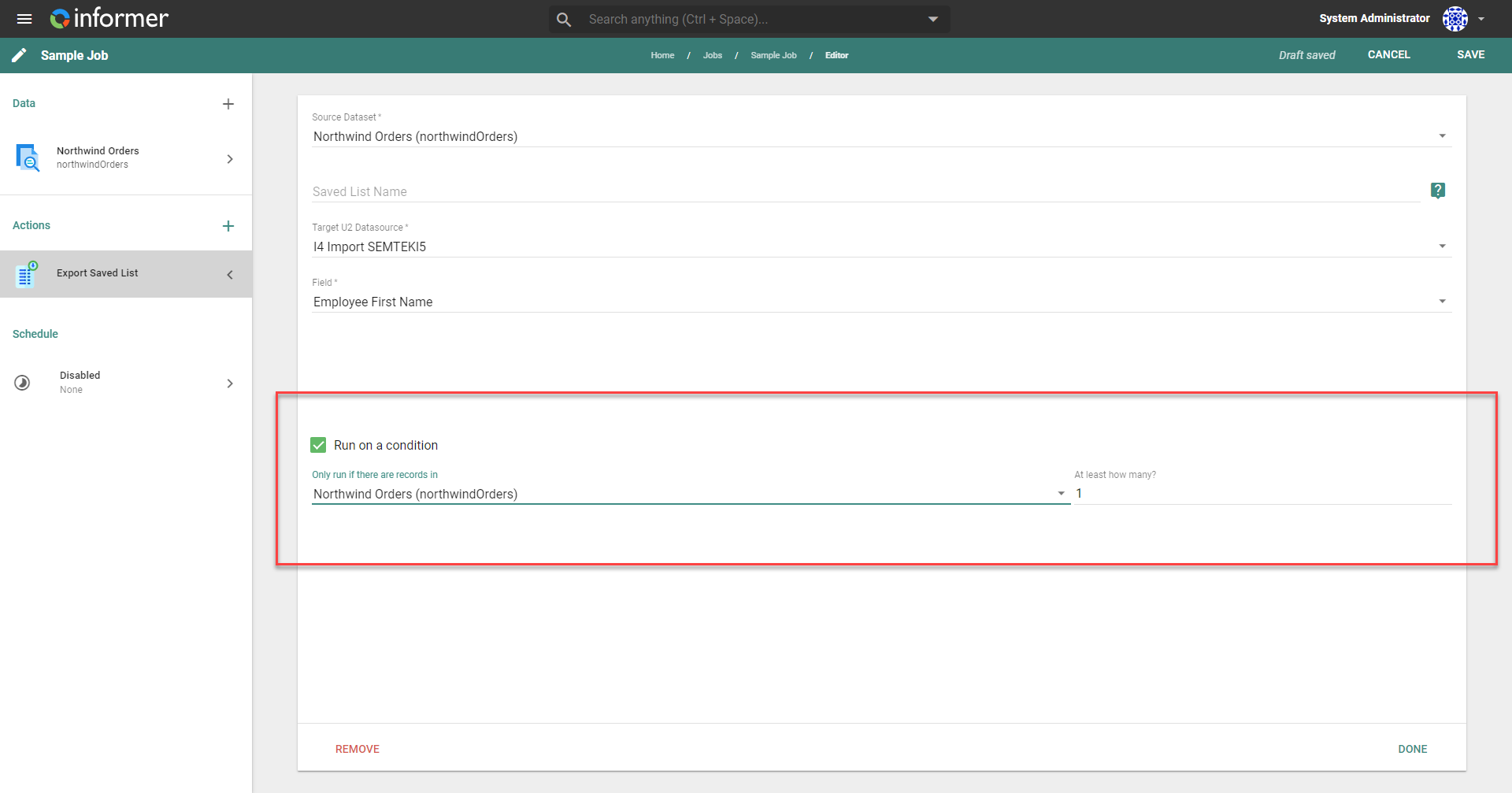
The Run on a condition checkbox configures this Action to run only when a specific number of records are returned from a specific data component. This is helpful when you do not want to act on a result containing zero records.
Also available through the REST API
Everything on this page is built on Informer's public REST API, the same one the product uses, so your scripts and integrations can do it too. Developer reference: Jobs.