Datasource listing page
The Datasource listing page is where you find and manage your DatasourceA connection from Informer to a database or other system of record, such as PostgreSQL, SQL Server, or UniVerse.s.
Opening the listing page
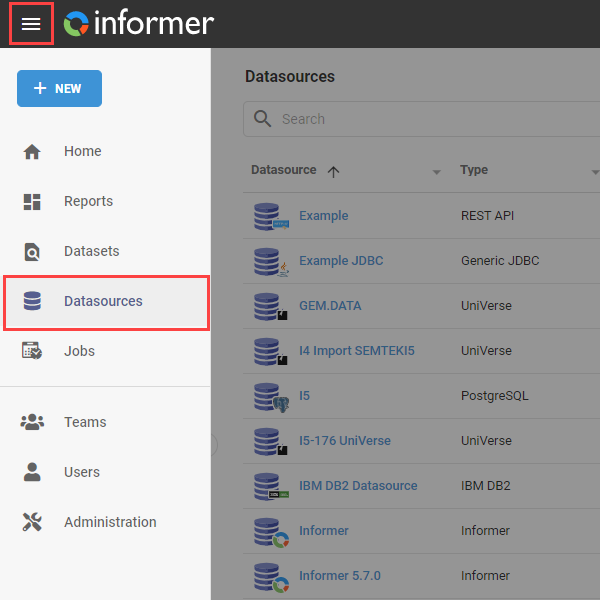
Open it by clicking Datasources on the Home page, or from the navigation menu in the top-left corner of the application.
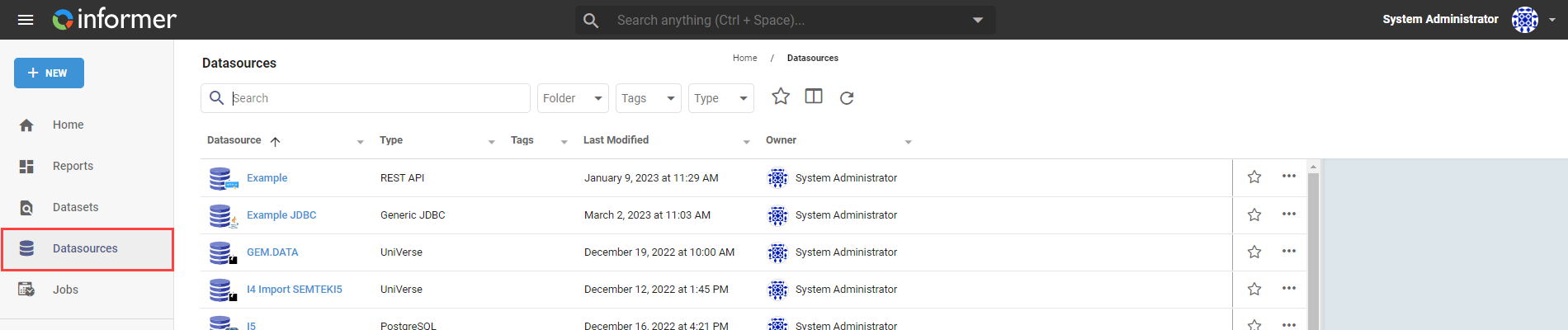
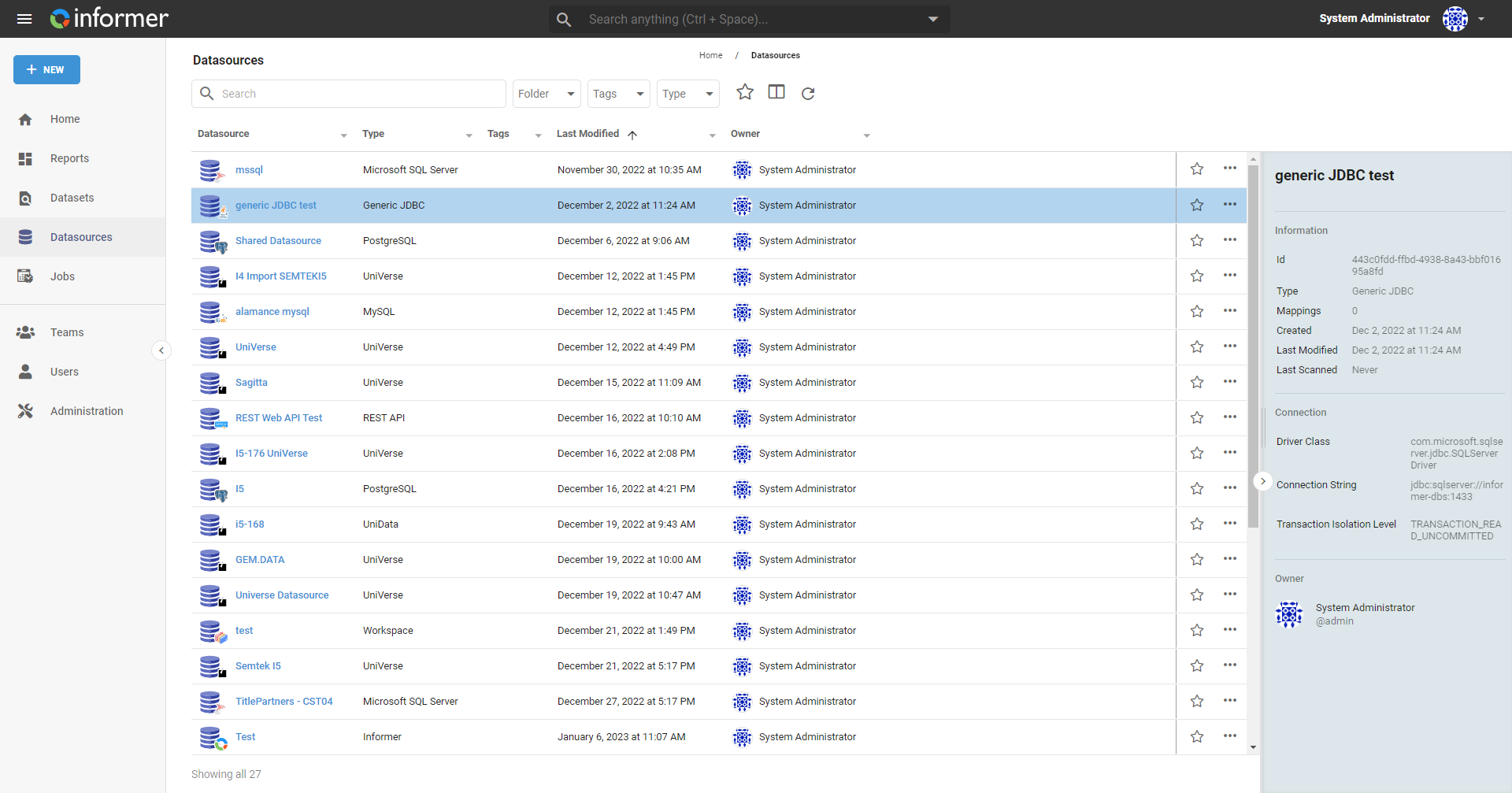
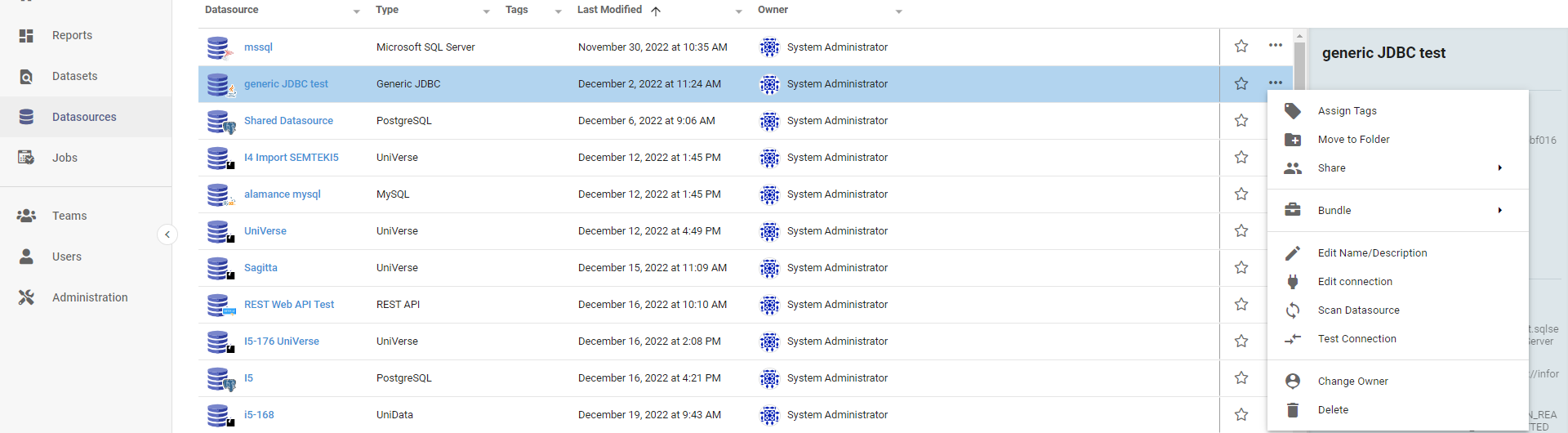
The listing page shows summary information about each Datasource, with a search bar and filters for folder, tags, and type.
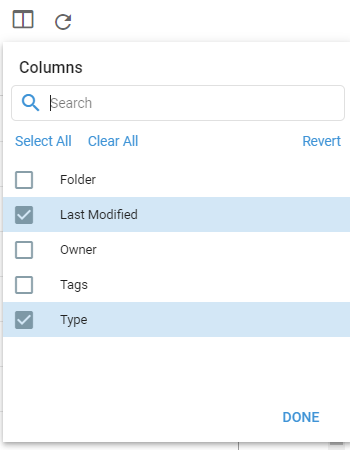
Use the Choose Columns button to pick which columns appear, by checking or unchecking them.
Actions
Select a Datasource and click the ... in the bottom-right corner to open its Actions menu:
- Assign Tags: assign existing tags to the Datasource.
- Move to Folder: move it to a new or existing folder.
- Share: share it with users and Teams.
- Bundle:
- Add to Bundle: add the Datasource to an existing or new Bundle (which can also include Datasets, Ad Hoc Queries, and Reports).
- Bundle and deploy to Tenant: add it to a Bundle and deploy to a Tenant (Multi-tenancy installations only).
- Bundle and download: add it to a Bundle and create a download file.
- Edit Name/Description: change the name or description.
- Edit connection: modify the connection details.
- Scan Datasource: scan to update Mappings. See Scanning a Datasource.
- Test Connection: test whether Informer can connect.
- Change owner: assign ownership to another Team or User.
- Create a query token: generate an API token that grants access to the Datasource outside Informer.
- Delete: permanently delete the Datasource.
For what each action does in detail, see Datasource Actions overview.
Also available through the REST API
Everything on this page is built on Informer's public REST API, the same one the product uses, so your scripts and integrations can do it too. Developer reference: Datasources.