Creating a Multi-value Datasource
Multi-value databases use dynamic, multi-level data structures that mean fewer tables, fewer joins, and better performance. Informer connects to one as a Datasource.
Choosing the type
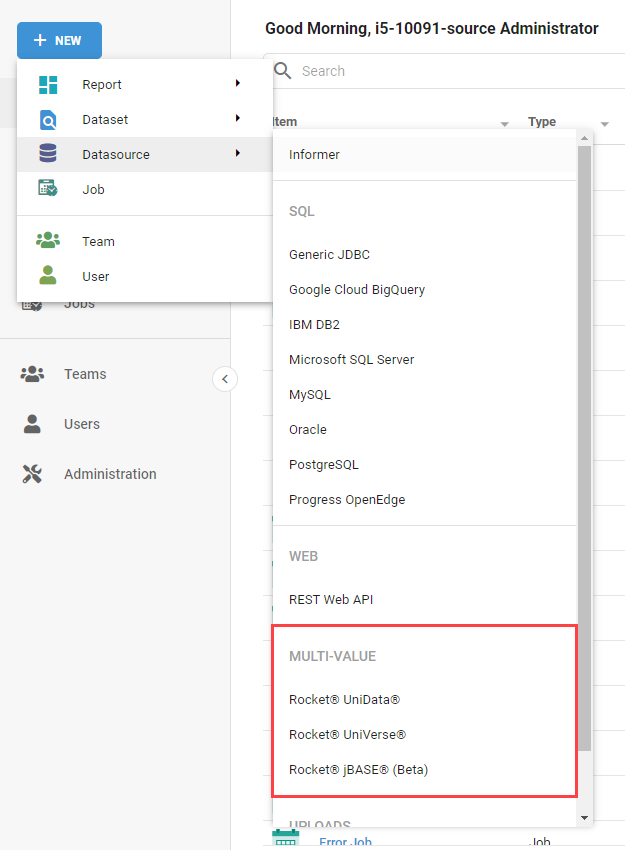
Click + New and select the Multi-value type. Informer supports three:
- Rocket UniData
- Rocket UniVerse
- Rocket jBASE (Beta)
Many queries need the database configured with a larger VFIELDSIZE variable. See Check the VFIELDSIZE.
UniData and UniVerse
UniData and UniVerse use the same connection panel, with small differences.
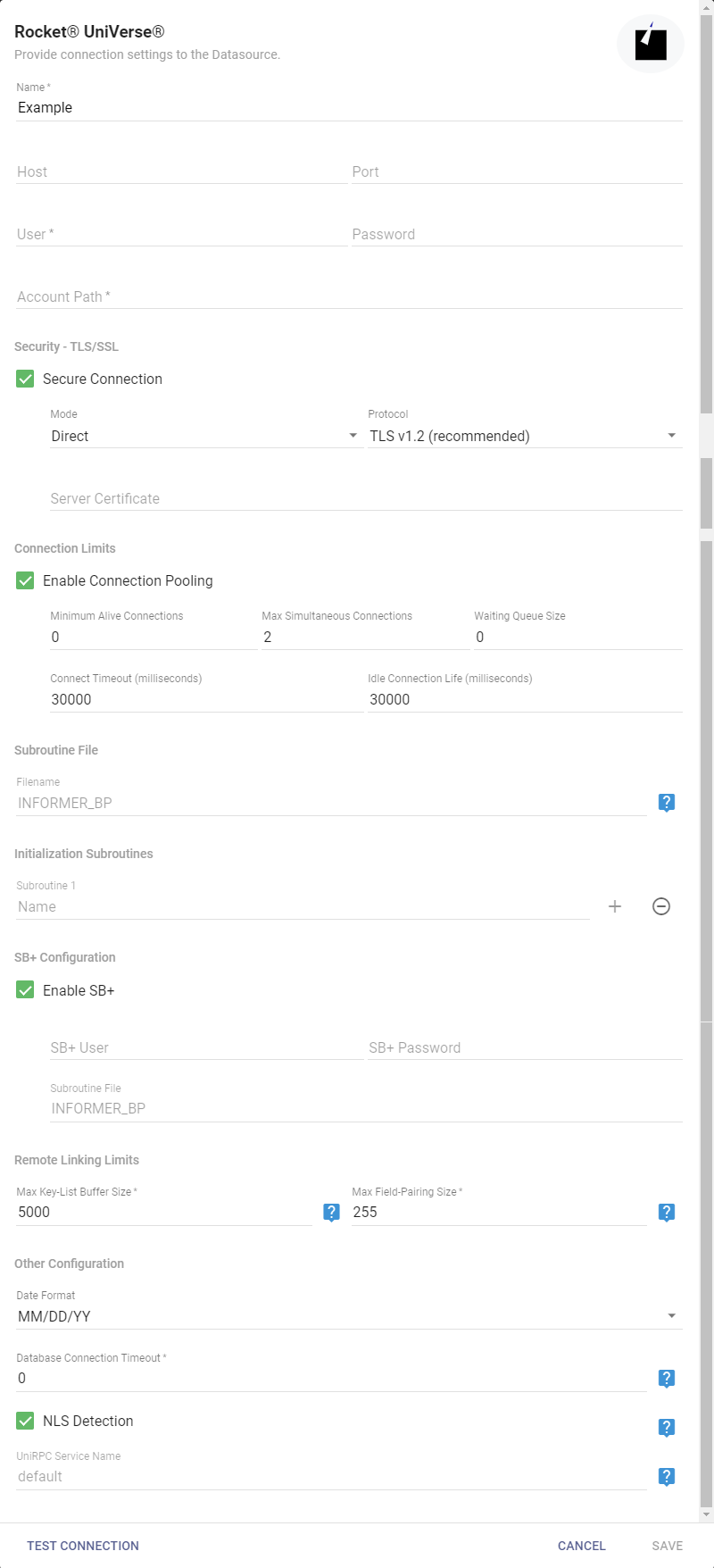
- Name: a name for this Datasource.
- Host: the database location, a server name on the network or its IP address.
- Port: the port Informer uses to connect. If left blank, Informer defaults to
31438. - User and Password: the credentials to connect to the database.
- Account Path: the account path of the database files.
- Security - TLS/SSL: encrypts communications between client and server.
- Mode: Direct is the only mode currently available.
- Protocol: the security protocol; TLS v1.2 is the recommended supported protocol.
- Server Certificate: the certificate that establishes the secure connection.
- Connection Limits: check Enable Connection Pooling to set pooling parameters:
- Minimum Alive Connections: the minimum connections kept alive in the pool (must be lower than the maximum).
- Max Simultaneous Connections: the maximum simultaneous connections (default
2). - Waiting Queue Size: how many connection requests wait for an available connection; requests beyond this are rejected.
- Connect Timeout: how long Informer waits for a response, in milliseconds (default
30000). - Idle Connection Life: how long a connection above the minimum may sit idle before it closes.
- Subroutine File: the file where Informer installs its custom subroutines in the target account. If unspecified, Informer creates and uses
INFORMER_BP. - Initialization Subroutines: any subroutines needed to initialize the database environment.
- Enable SB+ Support: check if the database uses SB+.
- SB+ User and Password: valid SB+ credentials.
- Subroutine File: like the Subroutine File above, but for SB+ routines.
- Remote Linking Limits: apply when using linked I-descriptors, Remote Links, or the "Fields from another Datasource" Flow Step.
- Max Key-List Buffer Size: a key-list buffer establishes a Link relationship efficiently when a
TRANScannot be used. A higher value means fewer executions against the database, at the cost of more memory and CPU on the Informer server. Typically10000-20000, and can be higher depending on hardware (default5000). - Max Field-Pairing Size: the maximum field-pairing comparisons per Query in rare, complex linking situations where neither a
TRANSnor a key-list buffer can be used. Raising it can help those cases, but mind the underlying database's command-size limits. Usually does not need to change.
- Max Key-List Buffer Size: a key-list buffer establishes a Link relationship efficiently when a
- Database Date Format: the default date format when no conversion code is applied (corresponds to the native
DATE.FORMATcommand):MM/DD/YY,DD/MM/YY, orYY/MM/DD. - Database Connection Timeout: how long Informer keeps a connection open during a query;
0runs until the query completes (default0). - NLS Detection (UniVerse only): enables automatic Native Language Support detection. When the U2 server has NLS enabled, the connection uses
utf-8encoding and ignores configured command response block sizes. After changing this, reset all the Datasource's connections with the Reset Connections action. - UniRPC Service Name: an alternate UniRPC service name; leave empty if unknown.
Click Test Connection to verify, then save. Then scan the Datasource to bring in its Mappings and Fields. See Scanning a Datasource.
jBASE (Beta)
Rocket jBASE is another Multi-value database, with different connection parameters.
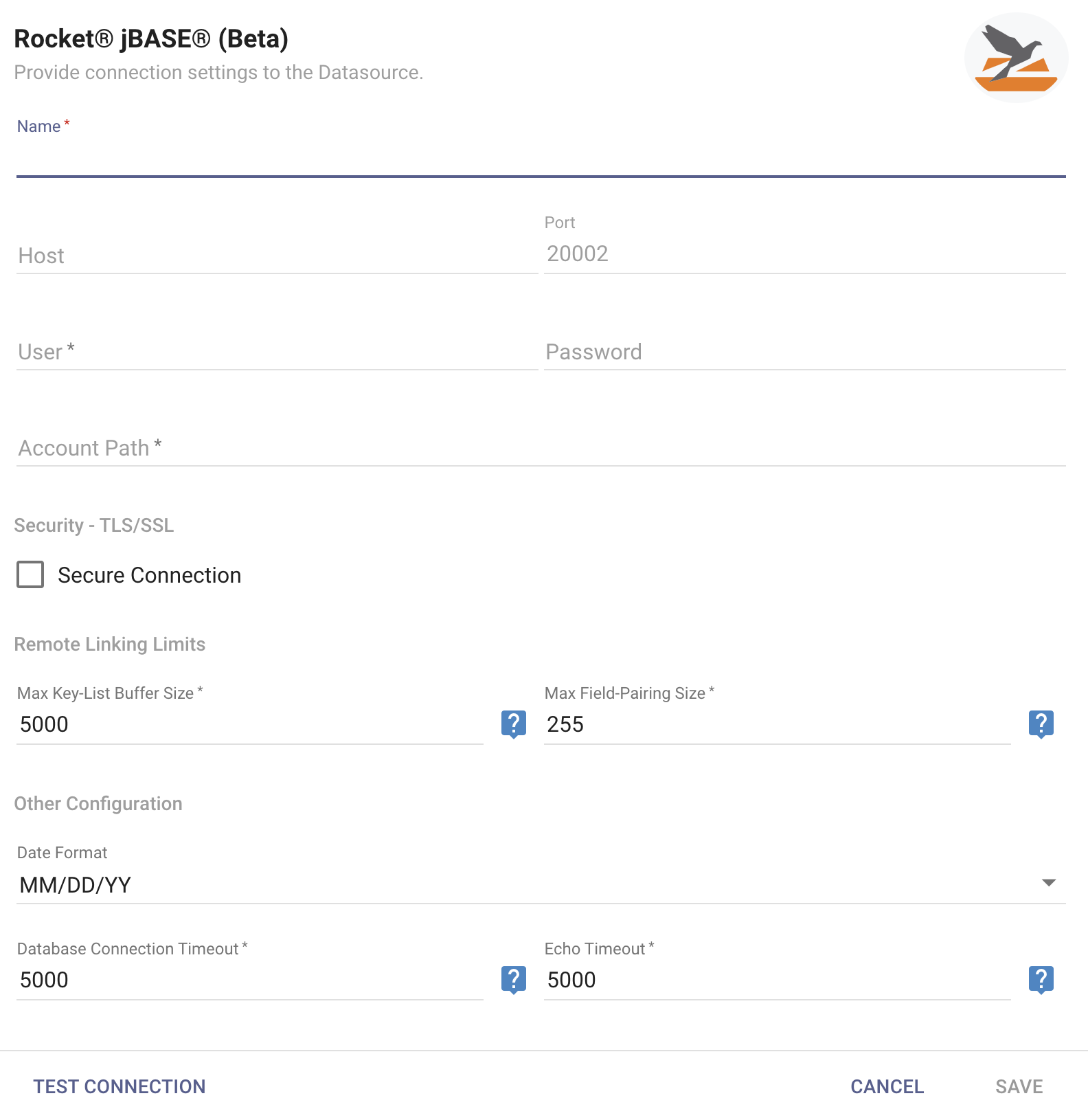
These fields work the same as for UniData and UniVerse: Name, Host, Port, Username, Password, Account Path, Max Key-List Buffer Size, Max Field-Pairing Size, Date Format, and Database Connection Timeout. jBASE also has a Security - TLS/SSL checkbox, but unlike UniVerse and UniData it has no server-certificate subsection.
The one jBASE-specific field is Echo Timeout: how long, in milliseconds, Informer waits for a response after sending a one-length echo request when checking for a dead connection (default 5000). It usually does not need to change.
Click Test Connection to verify, then Save to create the Datasource.