Hiding and unhiding Mappings
A Datasource scan often brings in Mappings that are irrelevant to writing Queries. Hide them so people do not accidentally build content from them.
Hiding Mappings
Open the Datasource with the irrelevant Mappings from the Datasource listing page. Select the Mappings to hide, click Actions in the top-right corner, and choose Hide.
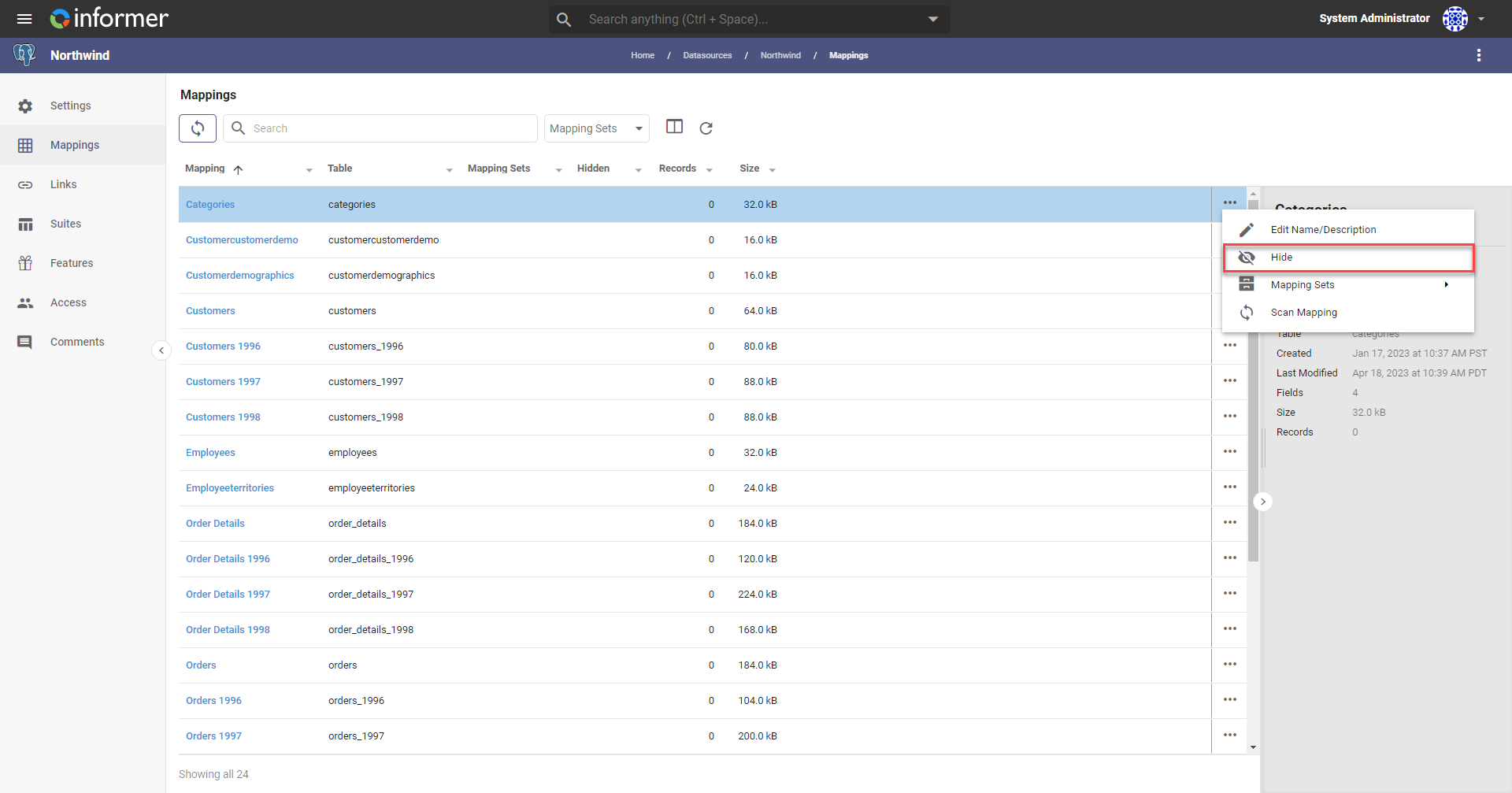
Hiding empty Mappings
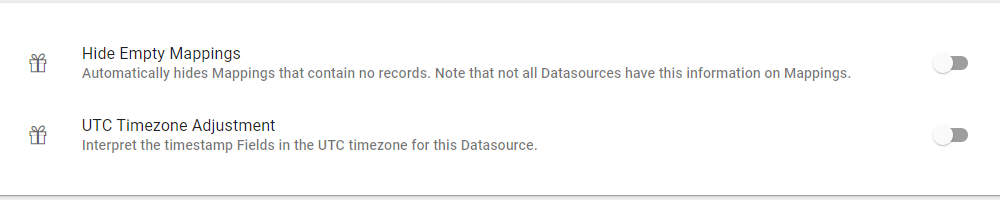
To hide Mappings that contain no records automatically, click the Features icon in the left navigation panel and turn on Hide Empty Mappings.
Unhiding Mappings
To unhide a hidden Mapping, choose Hidden in the left panel to list all hidden Mappings, select the ones to unhide, then click Actions and choose Unhide.
note
To unhide empty Mappings, follow the steps above for hiding empty Mappings and turn the Hide Empty Mappings switch off.
Also available through the REST API
Everything on this page is built on Informer's public REST API, the same one the product uses, so your scripts and integrations can do it too. Developer reference: Datasources.