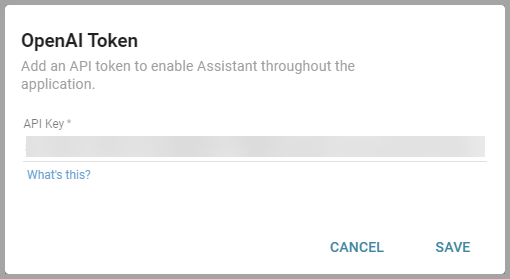
Informer Assistant Tokens
Older versions of Informer required an OpenAI API key (a "token") to connect Informer to the OpenAI API and power Assistants.
As of 2026.1, AI no longer requires you to supply an OpenAI token. AI runs on Informer credits by default, and an administrator can optionally connect your own provider account (bring-your-own-key) from Settings → Models. See also AI Features to turn AI on. This page describes the older token-based setup for installations on earlier versions.
Creating a token (older versions)
Super Users created an OpenAI API key from their OpenAI account. Each Informer Tenant needed only one key, not one per User or Assistant. After creating an OpenAI account and joining an organization:
- Log in to OpenAI, open the API keys page from the left navigation, and click Create new secret key.
- Give the key a name to identify it as the Informer token and select All for permissions.
- Click Create secret key, then copy and save the key somewhere safe. After the dialog closes, OpenAI does not show the key again, so a lost key must be regenerated.
OpenAI tokens are rate-limited at the organization level and by model. See OpenAI's documentation for managing organizations, rate limits, and key safety.
Using a token in Informer (older versions)
- Log in to Informer and navigate to Administration.
- Enable Informer Assistants in the Assistant section.
- Click OpenAI Token, enter the token, and click Save.
- Click OpenAI Settings and select the model the token connects to.