Assistants Action Overview
The Actions menu contains options for viewing, modifying, and distributing an Assistant. Access it from the Assistant listing page: select an Assistant, then click the three vertical dots in the top-right corner.
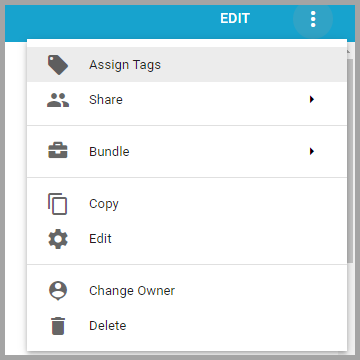
Assign Tags
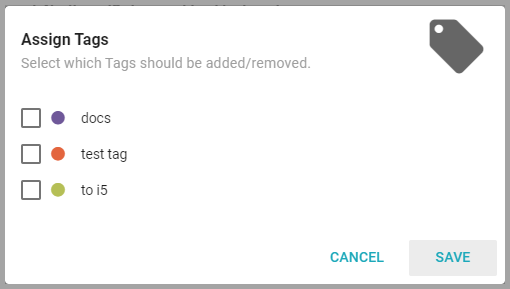
Assign Tags attaches existing tags to an Assistant, which helps organize and filter content.
Share
Share grants access to specific Users or Teams, or generates an external link to share the Assistant outside Informer. See Assistant Access for more information.
Bundle
Bundles are packs of Informer content. Use the Bundle options to add the Assistant to a Bundle:
- Add to Bundle exports the selected Assistant to an existing or new Bundle.
- Bundle and Download immediately creates a Bundle of the Assistant and downloads the file.
- Bundle and Deploy to Tenant exports the Assistant and imports it to one or more Tenants.
See Bundles.
Copy
Copy creates a copy of the current Assistant.
Edit
Edit opens the Assistant's edit page. Edit is also available from the Edit button in the top-right corner.
Change Owner
Change Owner gives ownership of the Assistant to another Team or User.
Delete
Delete permanently removes an Assistant from the system. This action cannot be undone.