Bundles
Bundles are packs of Informer content. Export them from one instance of Informer and import them into another to copy the content. Create a new Bundle or add to an existing one via the Actions menu. To create a new Bundle or view existing Bundles, navigate to Administration and click Bundles.
Note: Only Super Users can create Bundles.
Actions
To access the Actions menu, select a Bundle in the Bundle listing page and click ... on the right of the row.
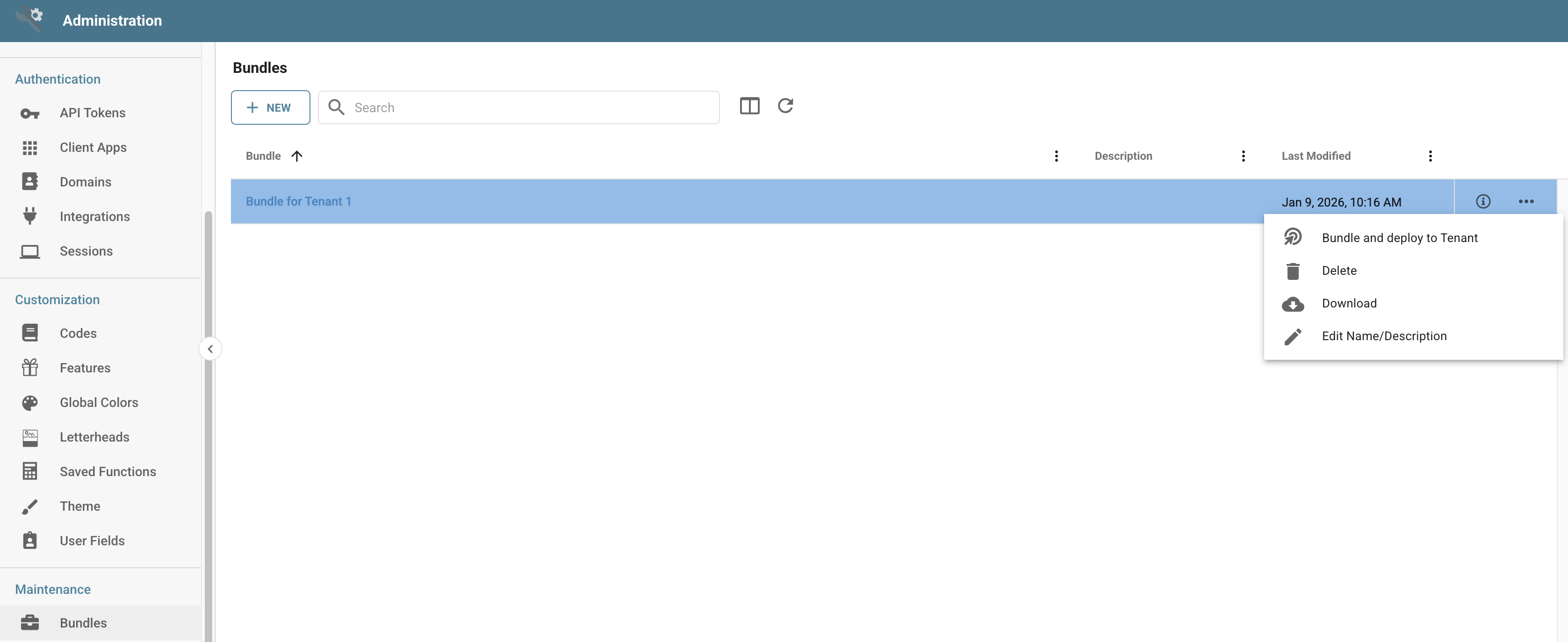
Bundle and deploy to Tenant
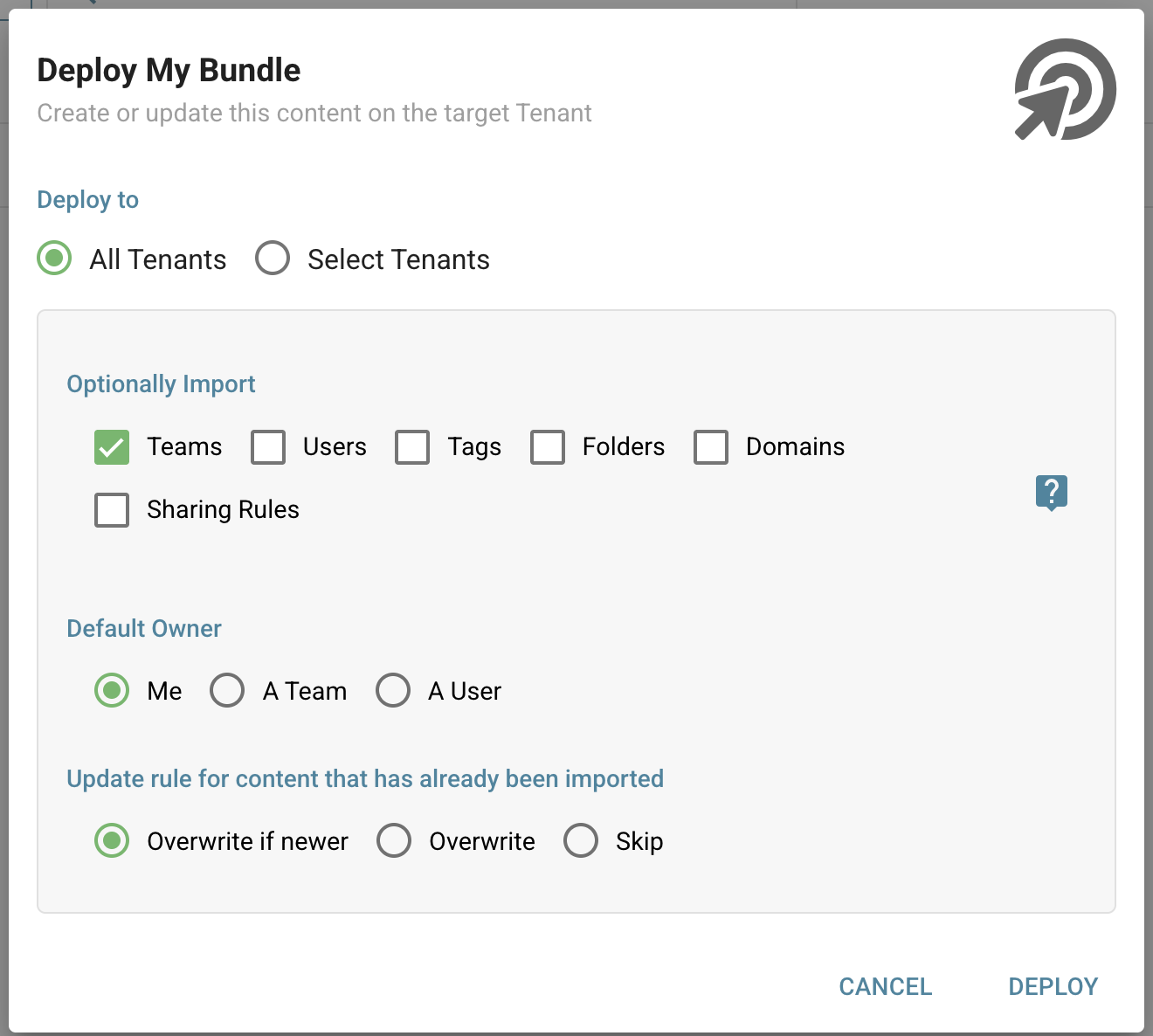
When deploying a Bundle, you can configure several options to control how the content is imported:
- Deploy to: Choose whether to deploy the content to all Tenants or to selected Tenants for targeted deployment.
- Optionally Import: Beyond the core Bundle content, choose to import additional organizational elements including Teams, Users, Tags, Folders, Domains, and Sharing Rules. These are not required, but help maintain a complete organizational structure.
- Default Owner: Specify who should own the imported content when the original owner does not exist in the target Tenant. Assign ownership to yourself (Me), a specific Team, or a specific User.
- Update rule for content that has already been imported:
- Overwrite if newer: Only replace existing content if the Bundle version is more recent.
- Overwrite: Always replace existing content with the Bundle version.
- Skip: Leave existing content unchanged.
Delete
Deletes the selected Bundle.
Download
Generates a .tgz file that can be imported into another instance of Informer.
Edit Name/Description
Rename the Bundle or change its description.
Create a Bundle
To create a new Bundle, click New Bundle, enter a name and optional description, and click Save.
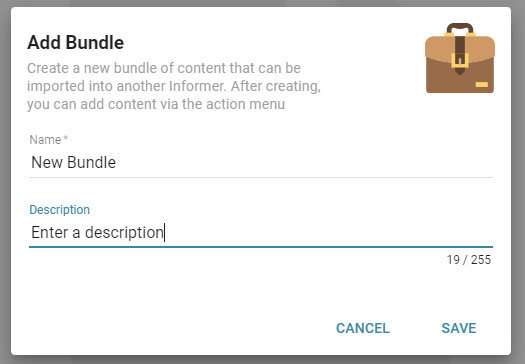
Click + New to add selections to this Bundle. Add one or more entries from the available options.
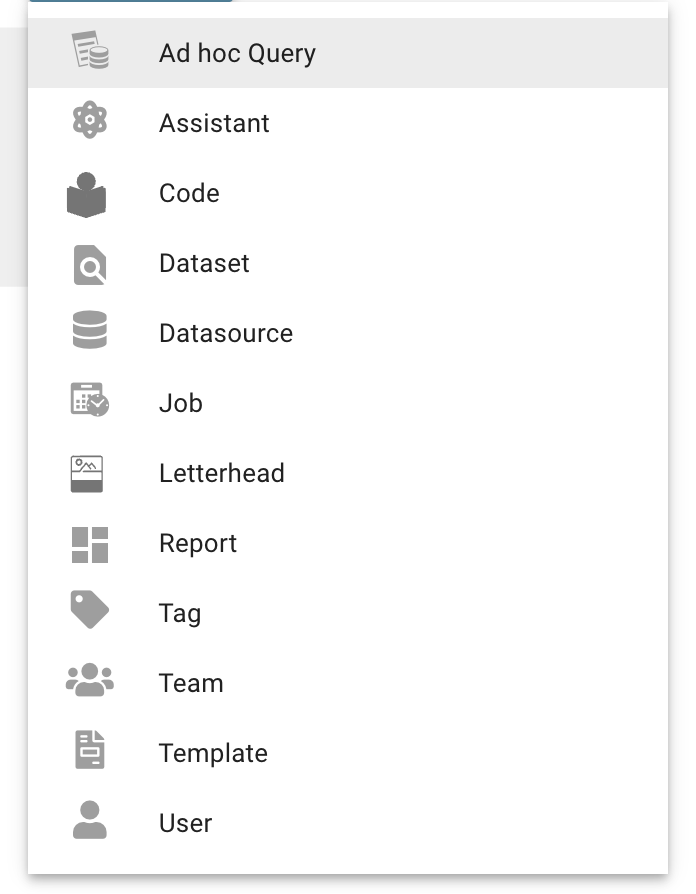
Available choices include:
- Ad hoc Query - select one specific Query.
- Code - select one Code.
- Dataset - select one specific Dataset.
- Datasource - select one Datasource and which items to include: Datasets, Ad hoc Queries, and/or Reports.
- Job - select one specific Job.
- Report - select one specific Report.
- Tag - select any content marked with the provided Tag.
- Team - select any content assigned to the selected Team, including Datasets, Ad hoc Queries, or Reports.
- User - select any content assigned to the selected User, including Datasets, Ad hoc Queries, or Reports.
Alternatively, add items to a Bundle via the Actions menu for each available component (Reports, Datasets, Datasources, Teams, Users, Jobs).
Click Download at the top to generate the file for the Bundle from the Add Bundle page, or download the Bundle from the Bundles listing page.

Import a Bundle
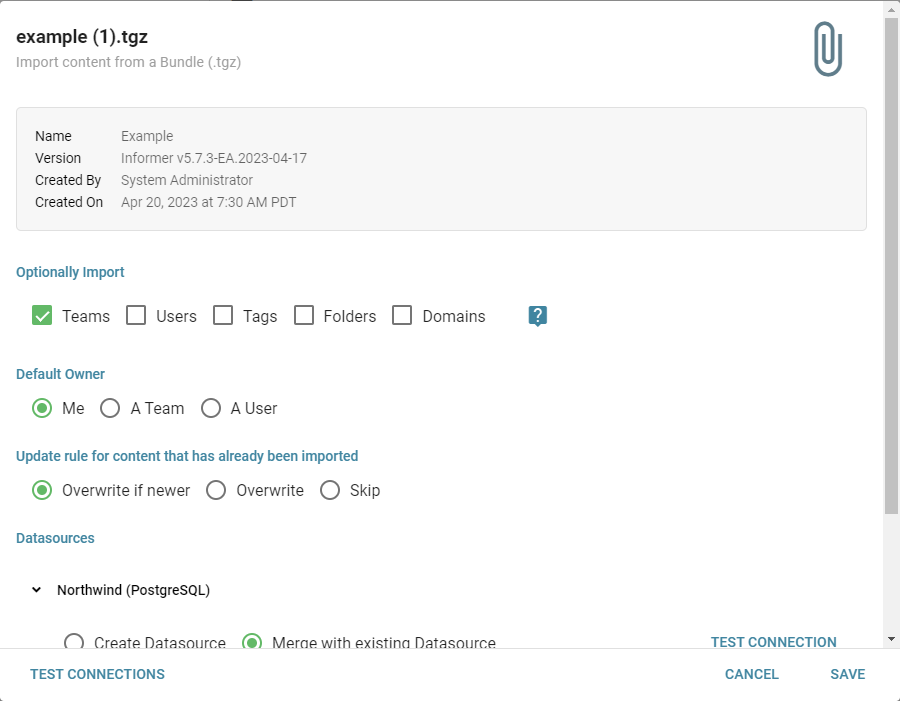
To import a Bundle, drag and drop the file into Informer. Select the appropriate options during the import process:
- Optional Import - Choose specific items to include from the Bundle. Importing Users and/or Teams preserves their ownership of other content in the Bundle (such as Reports, Datasets, and Datasources).
- Default owner - Change the default owner for the content. Leave the default of Me (the User importing the Bundle) or select a User or a Team.
- Update rule - Options to overwrite content that has already been imported:
- Overwrite if newer: Only replace existing content if the Bundle version is more recent.
- Overwrite: Always replace existing content with the Bundle version.
- Skip: Leave existing content unchanged.
- Datasources - Choose to merge content with an existing Datasource or create a new one.
Note: Bundles from a newer version of Informer will not import into an older version. Bundles from an older version import into a newer version, but there is no backward compatibility.