Checking Log Messages
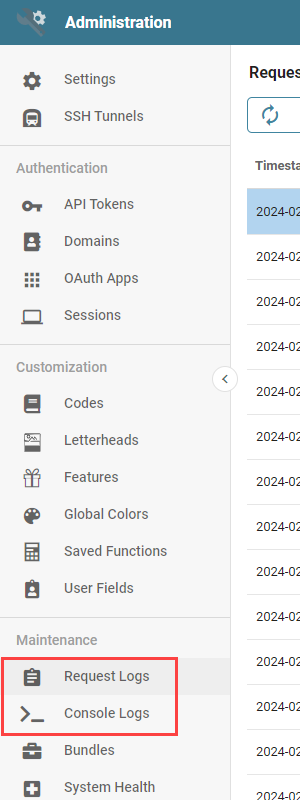
Navigate to the Request or Console logs from the Administration page and click either Request Logs or Console Logs in the Maintenance section of the navigation panel. Request Logs are the recent API requests made on the system, with detailed information on each one. Console Logs are a live feed of the API requests Informer makes in real time.
Request Logs
The Request Log listing page shows each API request Informer makes, with information on each one. Successful requests are black on the listing page; unsuccessful requests are red. Left of the search bar are controls to:
- Refresh: Updates the log list.
- Clear: Removes all log entries from the list.
- Download: Generates a file of the current list of log entries.
- Settings: Sets the logging parameters and the level of detail. See Changing Log Settings.
- Search Bar: Search through the logs for keywords to find specific requests.

Filtering logs
Filters for the Request Logs are found to the right of the search bar:
- Areas: Filters the logs by the underlying area of the application, for instance "Browser Instance" or "System application logic or events."
- User Address: Filters by the IP address of the request. The current User's IP address is listed first, preceded by "Yours."
- Routes: Filters for specific routes or API requests. Useful to locate parts of the Informer API that may have issues.
- Method: Filter by the API method used. See HTTP request methods.
- Status: Filter by specific HTTP status codes. Useful to filter out successful 200 codes. See HTTP response status codes.
- Result: Filter by the final result of the request: Success, Cached (temporarily saved in Informer), or Client Error (failed or errored).
- Tags: Filter by tags Informer automatically assigns to requests. These differ from the User-assigned Tags for content.

Log information
Click the i icon at the end of a request to open a panel with detailed information:
- Tags: Indicates the type of request and is available as a filter.
- Information
- Timestamp: When the API call occurred.
- Instance: Build information for the Informer instance.
- Source
- Referer: The specific URL in Informer that made the API call.
- User Address: The IP address of the User that made the call.
- User Agent: Browser information of the User that made the call.
- API
- API Route: The API call made to Informer.
- Method: The HTTP method for the call.
- Status Code: The HTTP status code indicating whether the request was successful.
- Response Time: The amount of time the request took to process, in milliseconds.
- Response Sent Time: The amount of time Informer took to send the request, in milliseconds.
Timeline
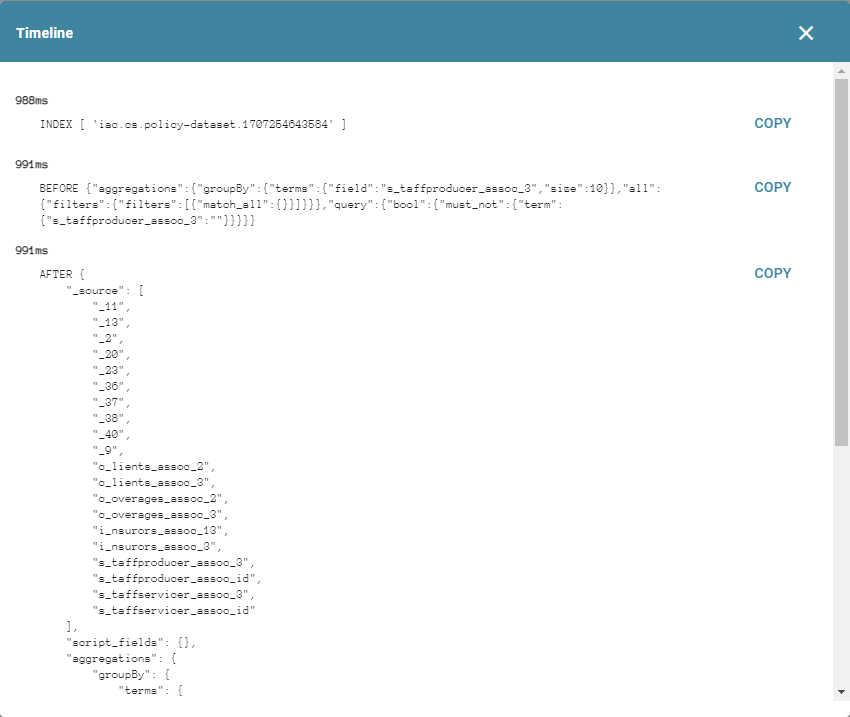
Certain API requests include a timeline of their components. Click the magnifying-glass icon at the end of a log entry to open the timeline.

Request timelines include timestamps, in milliseconds, of when each request component ran. Use the Copy button to copy a particular timeline component to the clipboard.
Console Logs
Console Logs are a live feed of the API requests Informer is making. The Console Log options function the same as the Request Log options, with the addition of a Pause/Play button. Click Pause to stop the live feed of requests, or Play to resume. The bottom of the page indicates whether the feed is live-scrolling or paused.