Changing Log Settings
Informer can create logs of all queries against the internal Informer PostgreSQL database, or log all Queries run against Datasources added to the system. To configure log settings, go to the Administration page and click the Log icon in the navigation panel.
Click the Settings button in the bottom-right corner to open a window with settings for each type of log message that can be recorded. Use the dropdown menus to select the granularity of logging for different areas of the system.
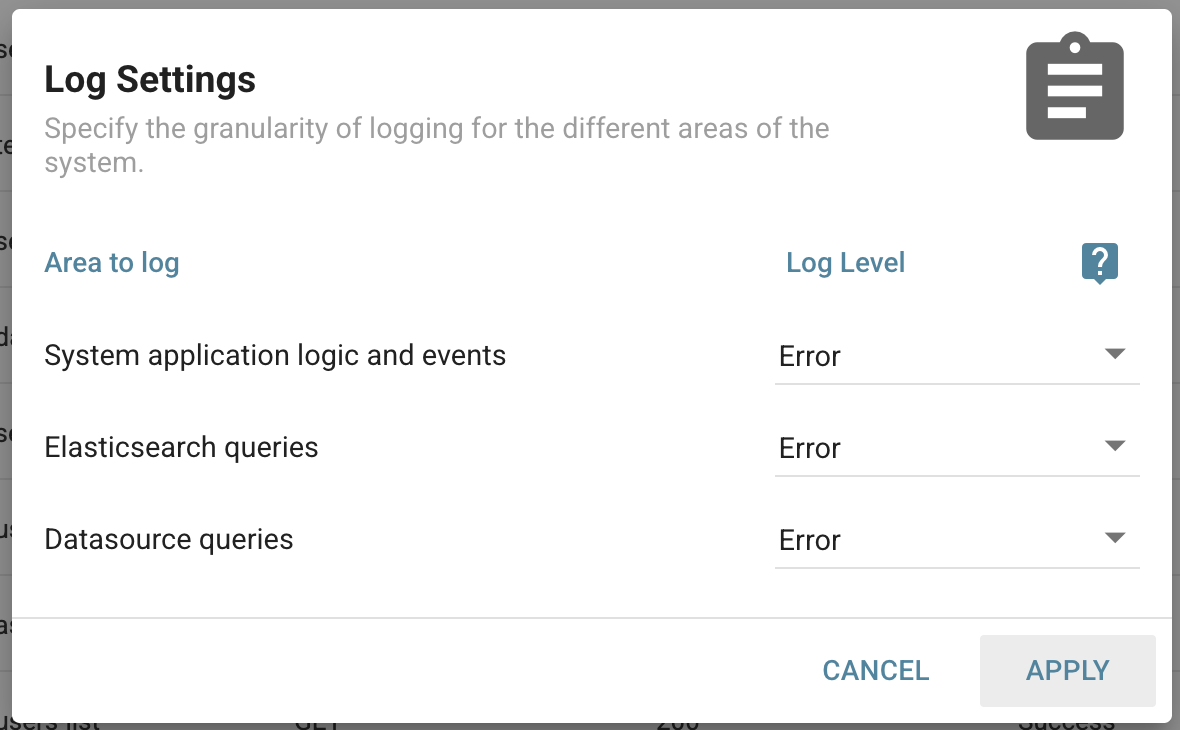
The log level is the specificity at which the system captures events. Each level contains the logs that came before it (for example, Info contains the logs recorded by Warn and Error). Trace shows the maximum level of logs, containing all of the information from Debug and below, while None shows no log files from the selected area. There are six levels of logging:
- None: Collects no logs for the selected area.
- Error: Shows only error messages. Logs capture when an error prevented an action from completing.
- Warn: Outputs all warnings and error messages. Warn logs any time something unexpected happened that Informer could handle.
- Info: The lowest level that includes successful requests and logs. Info also includes all warnings and errors.
- Debug: The second-highest volume of logs. Contains all debugging information that helps diagnose where an error occurred.
- Trace: The highest level of logs. Shows everything for the selected area and gives a detailed account of exactly what is happening in Informer.
Note: Logging can significantly impact system and query performance (Trace in particular). Log settings should be turned off unless you are actively logging errors.
It is not recommended to enable Debug or Trace for day-to-day operations, as they produce high volumes of logs that may slow down Informer. Informer support may request that you enable Debug or Trace for support and development purposes when a problem is reported. For daily operations, Warn and below are most useful, as they gather information any time Informer encounters a problem or something unexpected.
Note: The System Queries and Datasource Queries options can also be modified from the Settings page.
Browser logging settings
Informer also collects logs from Users' browsers to help find errors and bugs related to specific browsers. These log levels are the same as the levels found in Informer. Find these settings by navigating to the User Profile page (click the profile picture in the top right of Informer and choose Profile), then click Logging on the left side of the screen.
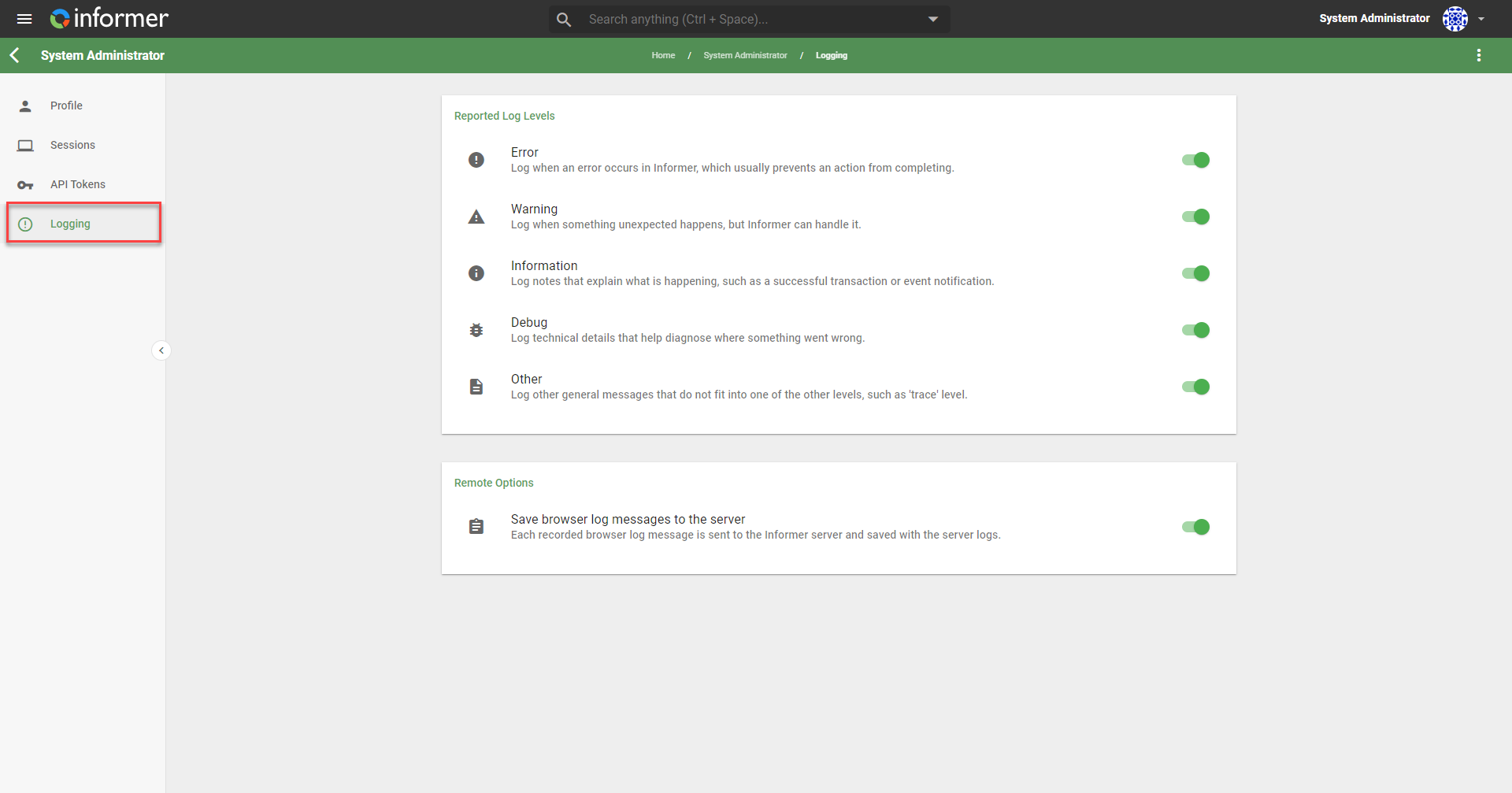
In addition to the log levels, Users can enable Informer to send browser log messages directly to the Informer server to be saved with the server logs.