Job Workers
The Job Workers feature provides a management interface that shows real-time status, memory usage, and Job execution counts for each configured Job Worker thread across the Informer cluster. This gives administrators increased visibility, along with some temporary, limited control over background Job processing.
Note: Job Worker threads are configured at the deployment level along with the rest of the server thread options.
Job Worker management
To access Job Workers, navigate to the Administration section of Informer and click Job Workers. Each row shows:
- Status: The Worker's current operational state (Idle/Polling, Running, Stopping, Stopped, Unknown).
- Job Worker: A unique identifier for the Job Worker.
- Jobs Running: The current number of Jobs running versus the capacity.
- Last Job Started At: When the last Job started running.
- Uptime: How long the Worker has been running.
- Process Memory: Current process memory consumption.
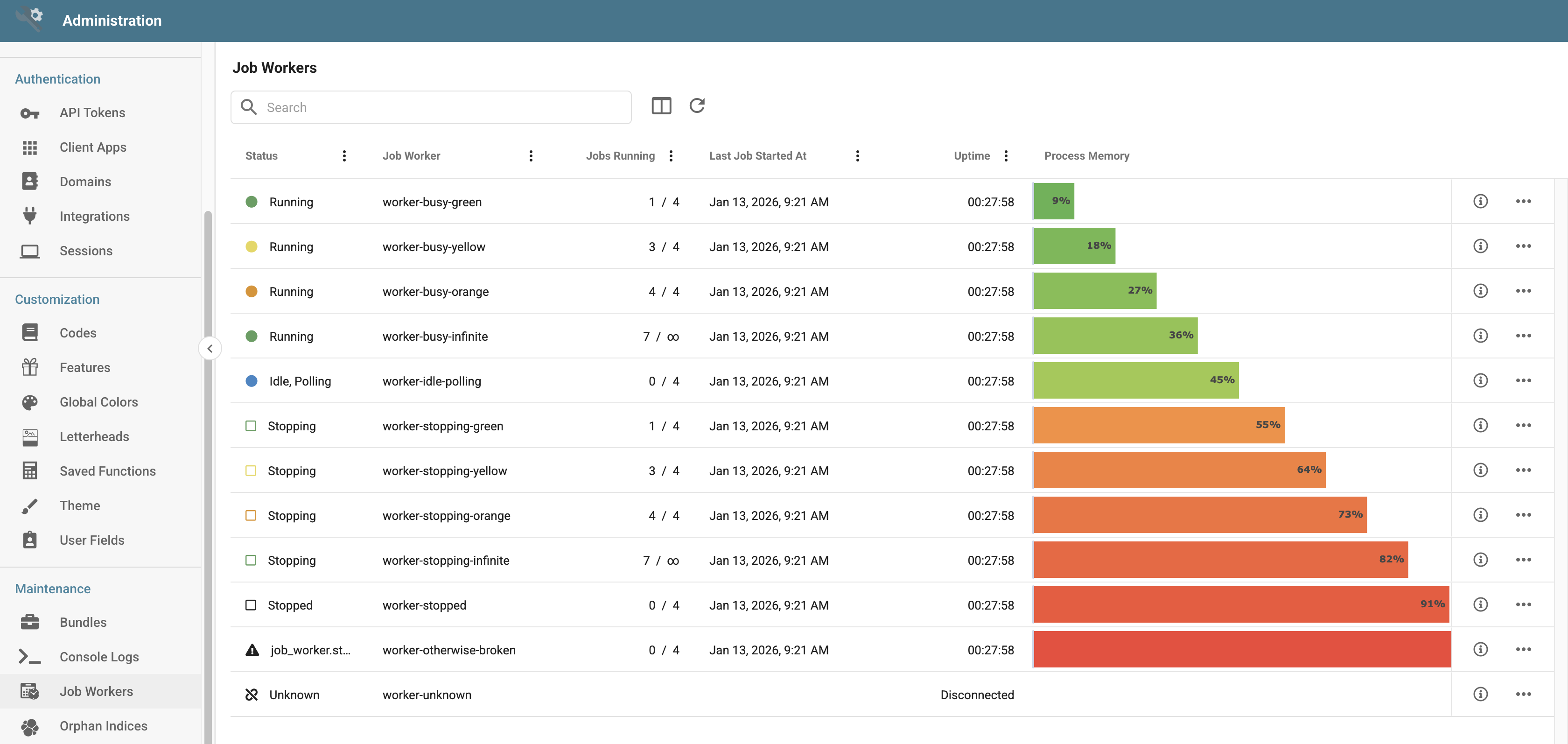
Worker status meanings
- Running: The Worker is actively polling for and processing Jobs.
- Idle/Polling: The Worker is running but not actively processing Jobs.
- Stopping: The Worker has been signaled to stop and is finishing its current Jobs.
- Stopped: The Worker has stopped processing Jobs.
- Unknown: The Worker status cannot be determined.
Actions
To access the Actions menu, select a Job Worker in the list and click ... on the right of the row.
Configure
The Configure action lets administrators temporarily modify the settings of a Job Worker. The changes last only until the worker process shuts down; permanent changes are made via deployment configuration. The dialog shows:
- Worker Identification: The Worker ID and Host information for the Job Worker.
- Max Active Jobs: An adjustable setting controlling how many Jobs the Worker can process concurrently. Set a number, or choose Unlimited to remove the concurrency limit.
Start Polling
Tells the Job Worker to start actively checking for and executing scheduled Jobs. This action appears when the Worker has been stopped and is not currently polling.
Stop Polling
Tells a Job Worker to stop looking for new Jobs while allowing currently running Jobs to finish. This action appears when the Worker is connected and actively polling.