Models
The Models page is where an administrator manages the AI providers and models available across the organization: which AI engines users can pick, which model each tier maps to, and, when you bring your own keys, how Informer connects to your provider accounts.
Reach this page from Settings in Informer GO, or from AI & Billing in the classic web client's top navigation.
Providers
A provider is an external AI service (such as OpenAI, Claude, or AWS Bedrock) or a custom, self-hosted LLM endpoint. How providers behave depends on your license:
- On a managed license (the default): the provider keys are supplied by Informer, AI calls draw from your credit pool, and the Providers section is hidden because there is nothing for you to configure.
- When you bring your own keys (BYOK): you add providers and set each one's API key. The Providers list shows each provider's status, Connected or Needs API key, with Set key or Edit key to manage it. A provider with no key set falls back to Informer credits; with a key, its AI calls are billed directly to your provider account and do not draw from the pool. API keys are stored encrypted on your server and are never shown again after they are saved.
Use + New to add a custom provider, and the row's menu to Edit or Delete one. Built-in providers can have their key updated but cannot be renamed or removed.
Tier defaults
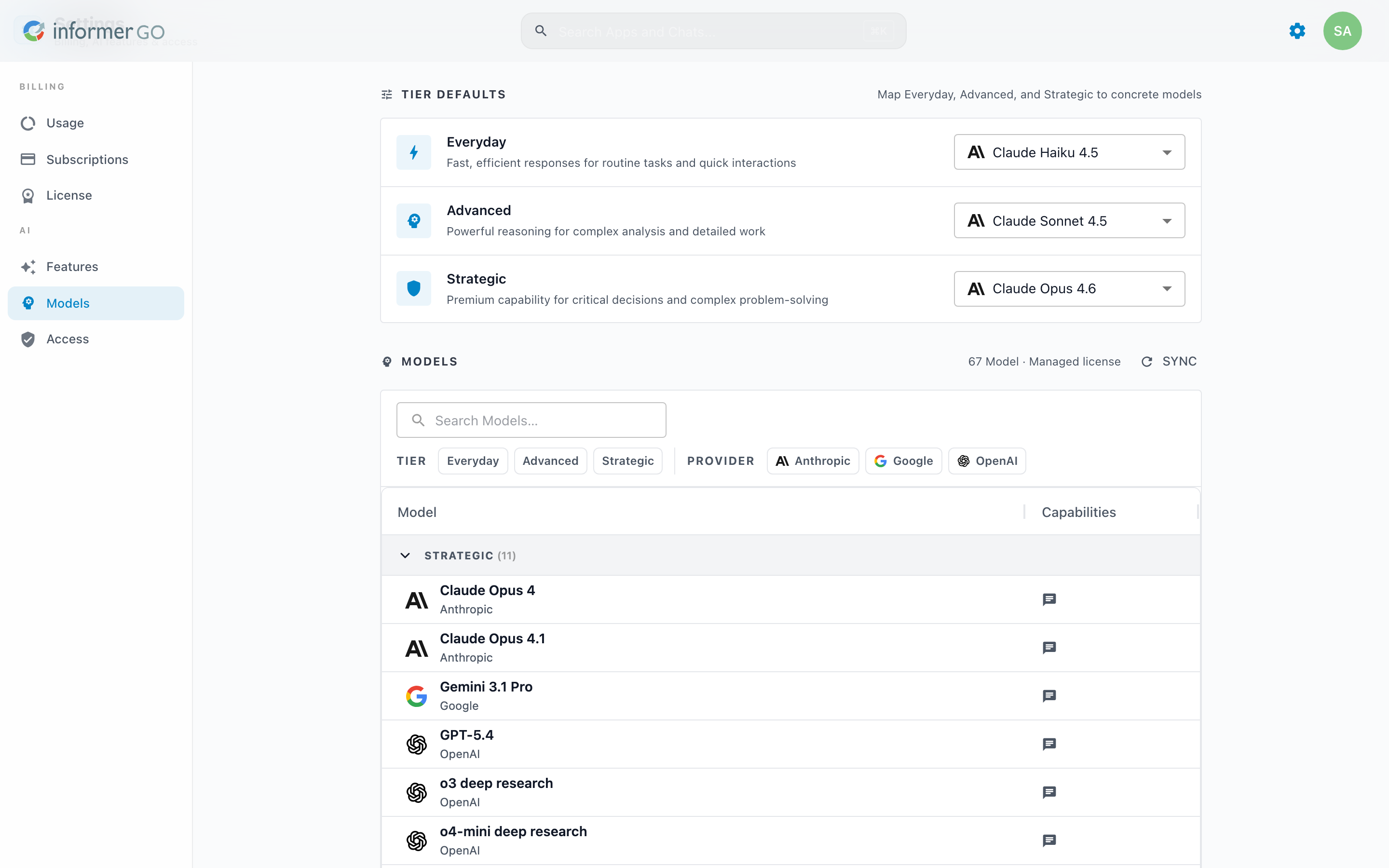
Informer groups models into three tiers, Everyday (fast responses for routine tasks), Advanced, and Strategic. The Tier defaults card maps each tier to a concrete model, so users can choose a tier without knowing model names. A tier you have changed from the shipped default shows a Customized chip with a Reset to default option.
The Models table
The Models table lists every available model, grouped by tier, with badges for what each one can do: Chat, Web, Attachments, Generate Image, and Embeddings. Filter the list with the search box or the tier and provider chips. When you bring your own keys, you can add, edit, and delete your own models; models supplied by a managed license are read-only.
Providers, tiers, bring-your-own-key, and multiple models are new in 2026.1. Before, AI was managed under Administration in the classic web client, with a much simpler model choice. The classic AI settings are described in the AI page.