System Health
The System Health feature lets Users see information on Datasets and ElasticSearch indices. This information helps administrators understand what is happening in ElasticSearch from Informer, giving insight into the system's health. Navigate to this feature from the Administration page and click System Health under the Maintenance heading.
Unindexed Datasets
An unindexed Dataset is a Dataset that has no data, either because it has not been refreshed or because its data has been cleared. A Dataset can also be missing an index if the index is deleted or corrupted at the ElasticSearch level. The Unindexed Datasets section of System Health shows the number of these Datasets.
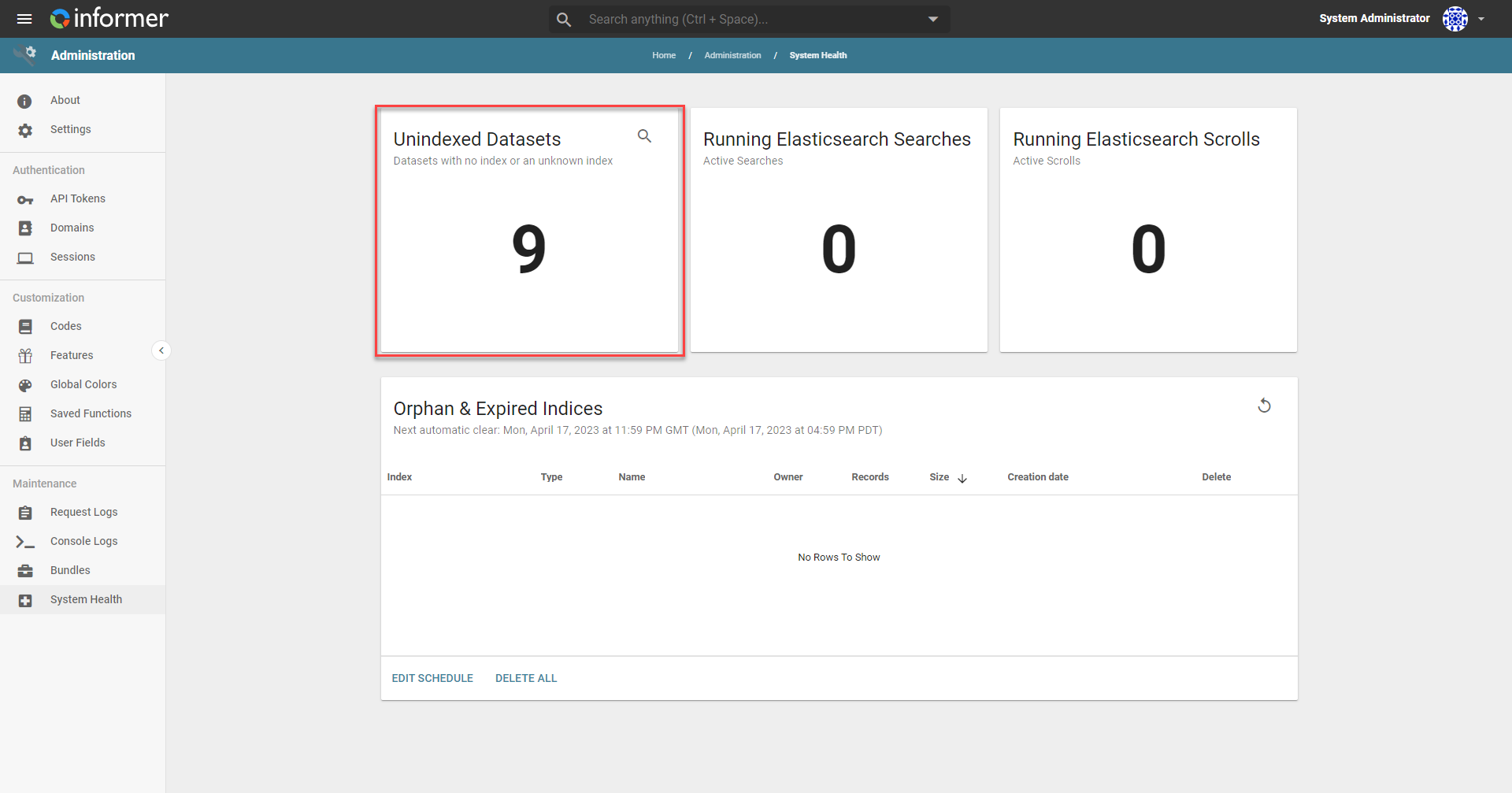
This helps determine which Datasets are empty and need their data refreshed, or need to be inspected for additional errors.
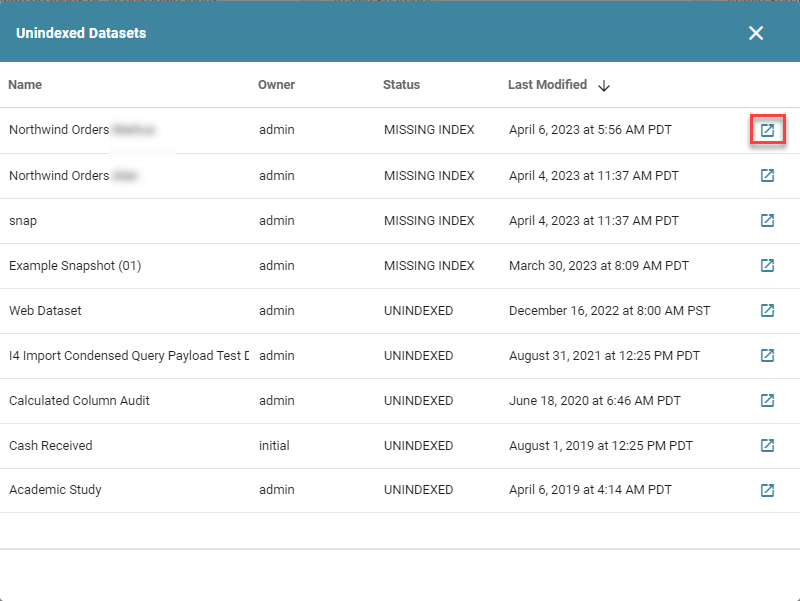
Clicking the magnifying glass in the upper-right corner of the Unindexed Datasets panel opens a window showing the specific Datasets that are unindexed or have missing indices. From this window, click the button on the right side of a row to open that Dataset.
Running ElasticSearch searches and scrolls
Informer pulls data from ElasticSearch in two ways: searches and scrolls. A search returns search hits that match the query defined in the request. A scroll retrieves a stream of search results matching the query. High numbers of searches and scrolls can result in performance issues with Informer. The System Health page shows the current counts for both.
Orphan and expired indices
Orphaned indices are indices that do not have an associated Dataset or Report. Expired indices are indices that have exceeded their time to live but still exist on the cluster; these are associated with Ad Hoc Queries rather than Datasets, since Dataset indices do not have a time to live. These indices are normally removed by the Auto System Cleanup Job. However, to manually delete an individual index, click the checkbox on the left side of the row and then Remove Selected. To delete all indices, click Select All and then Remove Selected.
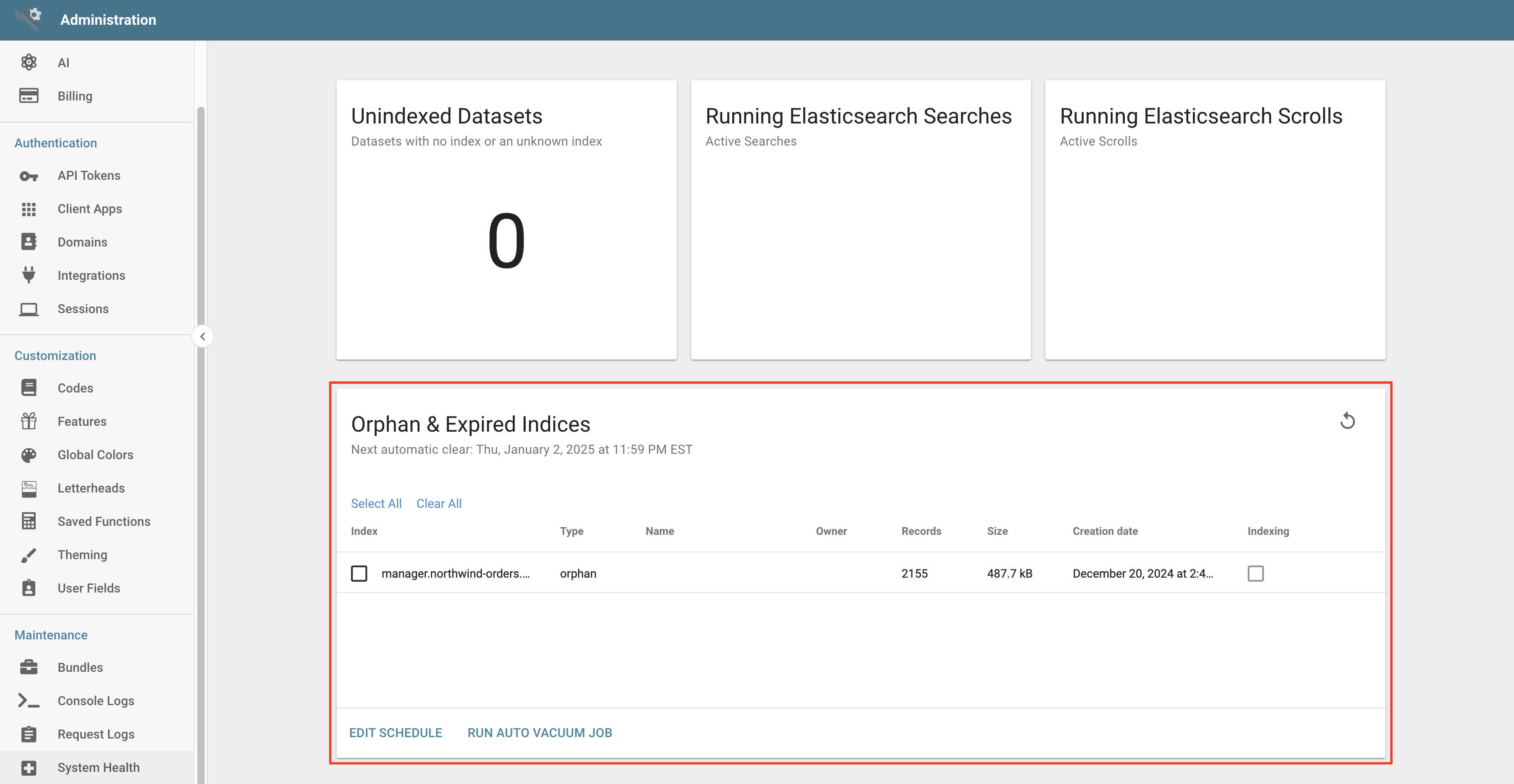
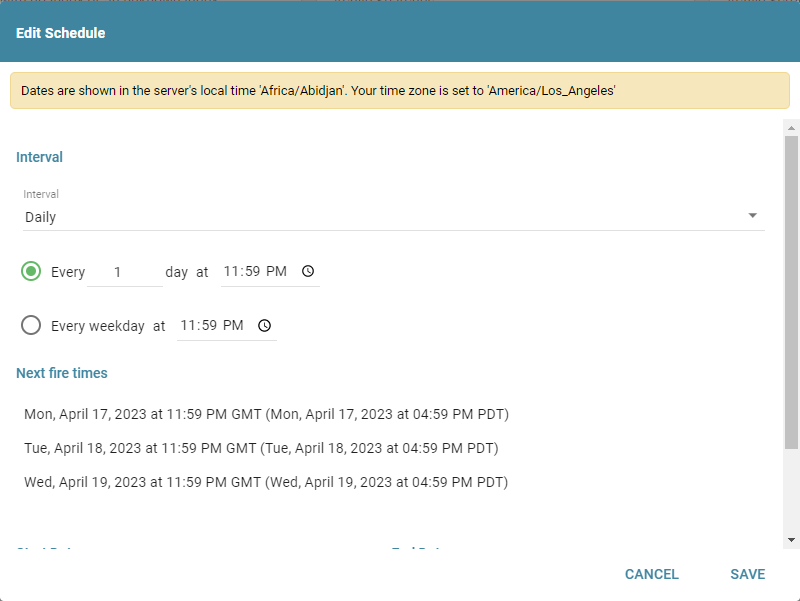
Use the Edit Schedule button at the bottom of the panel to alter the schedule of the Auto System Cleanup Job.