U2 Criteria options
U2 Datasets have functionalities that let you query data in ways other data cannot: WHEN Group, Select Returning, TCL/ECL Block, and GET.LIST.
WHEN Group
A common case when working with multi-valued data is wanting to select only one value from a multi-value set. For example, selecting only the values associated with a date within the last twenty years on a multi-valued Start Date Field that goes back fifty years. The WHEN Group does this.
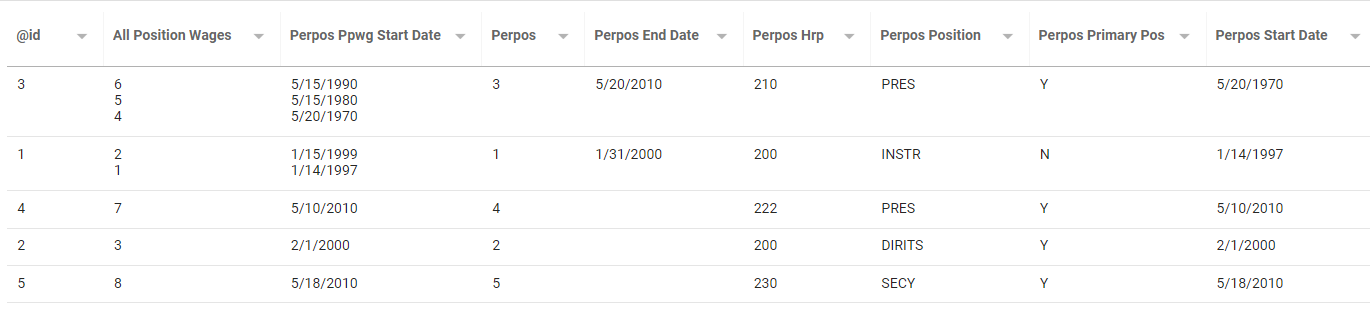
Add a WHEN Group from the Query's Edit page. Click Criteria in the left panel and add a WHEN Group.
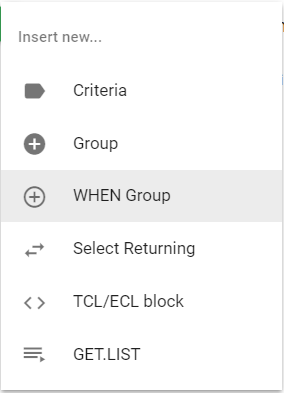
Add a Criterion inside the WHEN statement.
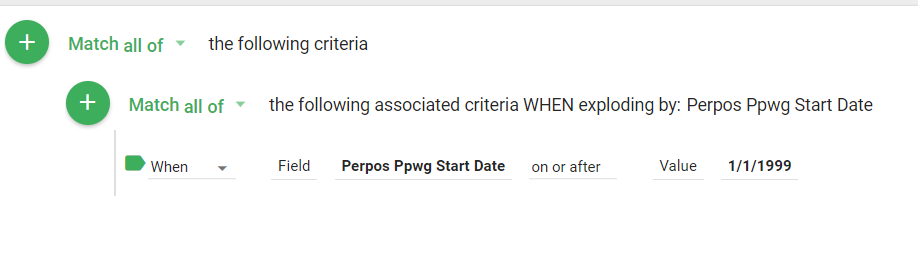
When running the Query, Informer explodes by and returns only the values from the multi-value set that meet the Criterion. Without the WHEN Group, the result set would include all the multi-values in a record if any of them met the Criterion.

If the Criteria in a WHEN Group are invalid, a warning appears next to the remove button, and you cannot save the Criteria. The Criteria are not used while invalid. A similar warning appears if there are no eligible Fields or Custom Expressions in the group for the WHEN Group to resolve the exploding Field.

Select Returning
U2 databases have limitations that prevent a criterion from using virtual fields in a linked Mapping. The Select Returning Criteria type works around this using i-descriptors from other files where a link exists.
Add a Select Returning Criterion from the Query's Edit page: click Criteria, add a new Criterion, and choose Select Returning. Select the originating and returning Mappings from the dropdown.
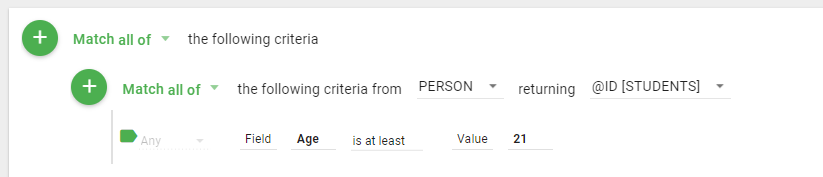
The Query changes to use a different Mapping, and you can add Criteria using the new file, including virtual fields.

After making this adjustment, add Criteria as needed inside the Select Returning Criterion.
TCL/ECL Block
A TCL/ECL Block supports using database commands. This is helpful when you have a specific SELECT statement and would rather specify it than build the Criteria with Informer.
Informer does not check the syntax of statements or verbs. You can type anything in this block.
Add a TCL/ECL Block by choosing TCL/ECL block from the new-criteria dropdown. Click the TCL/ECL Commands box to start entering criteria, and click Add Command or Insert Command to add more code blocks.
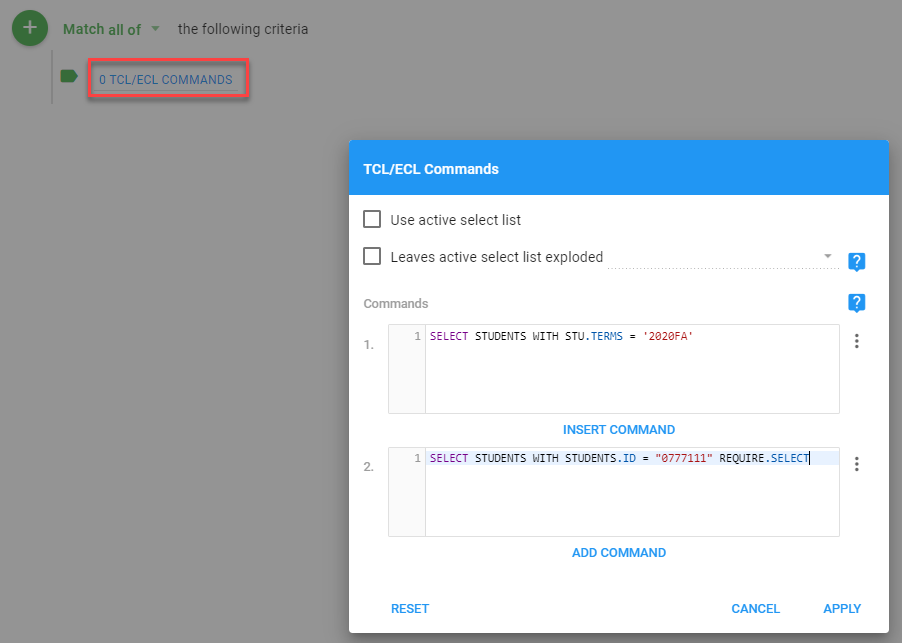
There are additional options for TCL/ECL Commands:
- Use active select list
- Leaves active select list exploded: enable this if executing these commands leaves the active select list in an exploded state, so Informer lists those exploded records. Choose which active select list value level the last command explodes to.
- This is an advanced option. When using it, all selection criteria (and other commands) should be within this list of TCL/ECL commands rather than the other criteria editors. The last command must leave the active select list (list 0) in an exploded state. Never use AND/OR statements to connect an exploded TCL/ECL command list to other criteria; those list operations do not work with exploded select lists.
- Enabling this option may make live samples take longer due to the overhead required for accurate data, depending on the data volume. Disable live samples if this becomes an issue.
- Commands: all inputs referenced in commands must be configured as required. Account for any necessary formatting or conversions.
- Text values should be double-quoted around the input, for example
...WITH FIRST.NAME = "$myInput". - Input values for linked Date/Time Fields must be in internal numeric format unless converted, for example
...WITH EVAL "TRANS(<dateField>)" < "$internalDateFormat"or...WITH EVAL "TRANS(<dateField>)" < EVAL "ICONV('$normalDateFormat', '<convCode>')".
- Text values should be double-quoted around the input, for example
Add prompts to TCL/ECL blocks using Inputs. See Adding an Input for more.
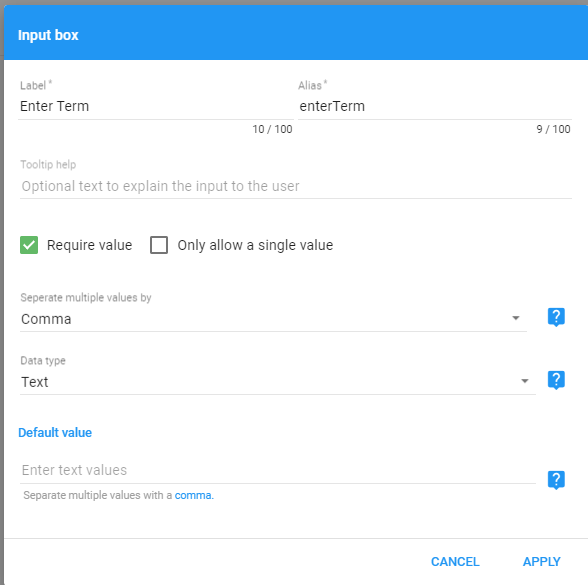
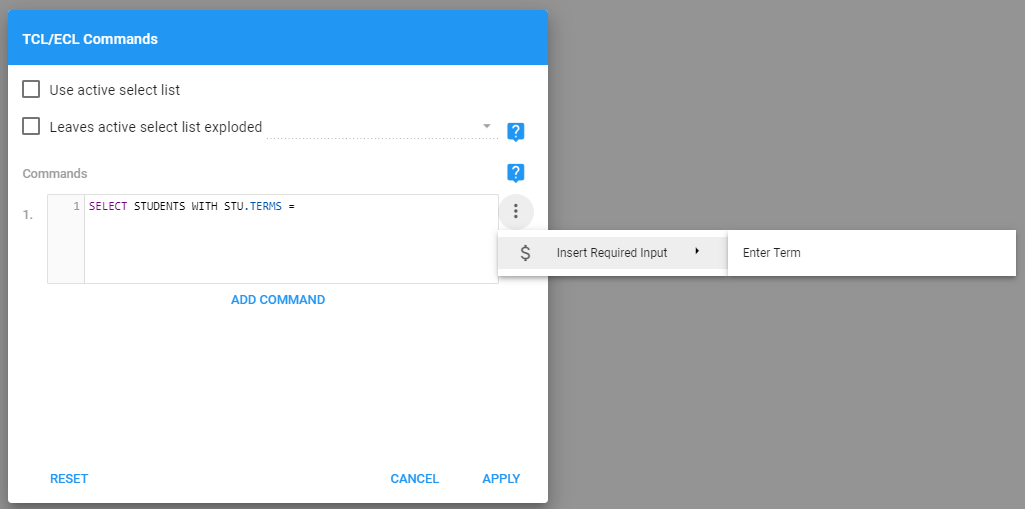
After creating a required Input, use it in the command by clicking the three vertical dots to the right of the command box.
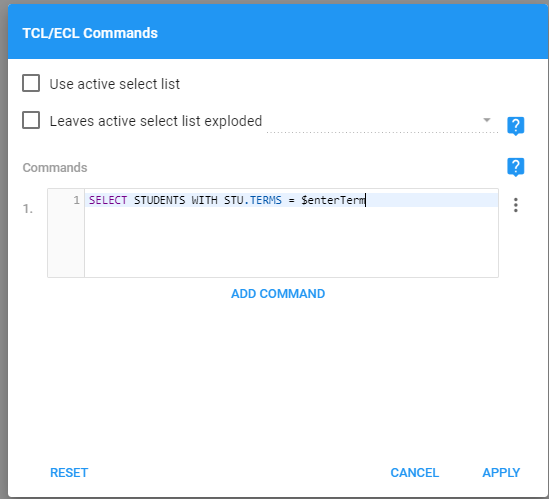
With the Input in the command, the end user is prompted for the term when the Query runs.
Adding or editing a TCL/ECL Block may require Full Access to the Datasource being queried, depending on the Allow TCL/ECL commands setting configured by your administrator. If you do not have sufficient access, the TCL/ECL block option does not appear in the new-criteria dropdown, and any existing TCL/ECL Block opens read-only with a warning. See System settings for details.
GET.LIST
The GET.LIST Criteria type selects records based on an existing list of IDs in a SAVEDLIST file. The SAVEDLIST file should be a list of primary key values for the Query's underlying table.
Enter these values in uppercase.
Add a GET.LIST Criterion by choosing GET.LIST from the new-criteria dropdown. There are two options:
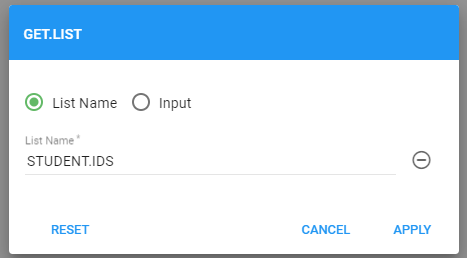
- List Name: enter the name of an existing SAVEDLIST.
- Input: create an Input to prompt the user for the list name. You must create the Input first.