Benchmarking
The Benchmark feature helps identify bottlenecks in a Query's performance. It can test three parts of the refresh: Query, Flow Steps, and Index Results. Benchmark refreshes do not show or save the results, even when testing Index Results.
From the Results page
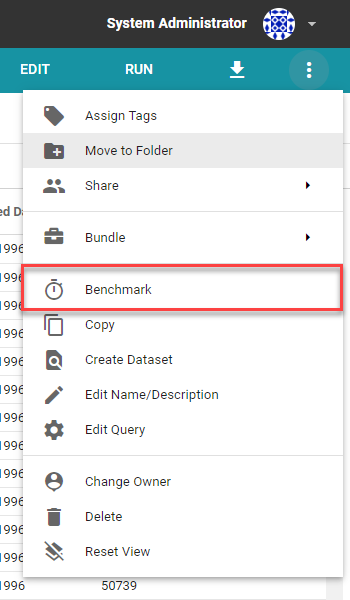
Open the Query and click the three vertical dots (Actions) in the top-right corner. Select Benchmark, choose whether to run with Flow Steps and Index Results, and click Run.
From the Edit page
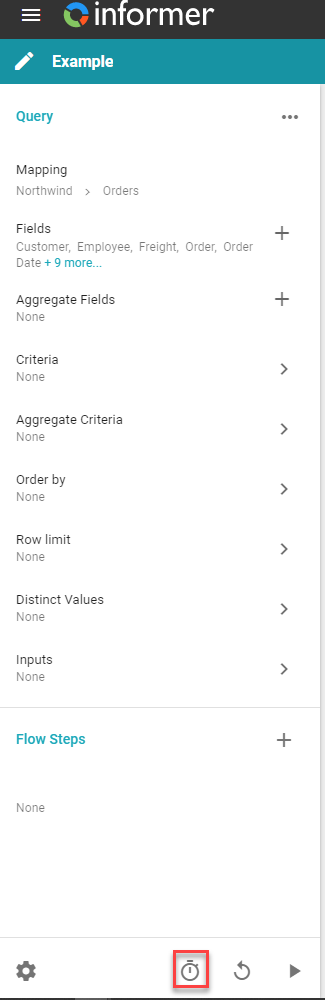
On the Edit page of a Dataset or Ad hoc Query, click the stopwatch icon, choose your configuration, and click Run.
It is useful to run a Benchmark multiple times, once with each option, to see how the Flow Steps and indexing steps affect the refresh.
Also available through the REST API
Everything on this page is built on Informer's public REST API, the same one the product uses, so your scripts and integrations can do it too. Developer reference: Queries.