Creating a Web Query Dataset
Query REST endpoints through a Web Datasource in Informer. Create a Web Query Dataset by clicking the + New button and selecting Web Query Designer under Dataset. Enter a name for the Dataset and a Web Datasource to query, then click Save.
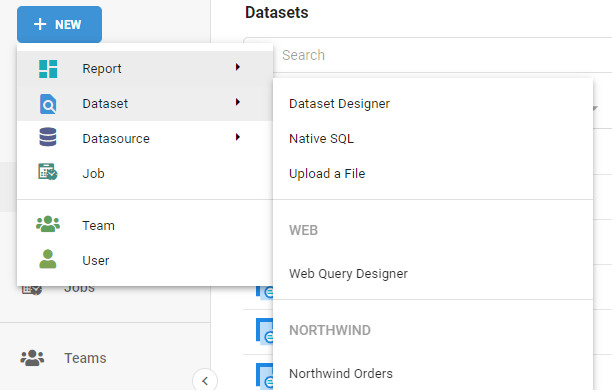
Web Query Designer
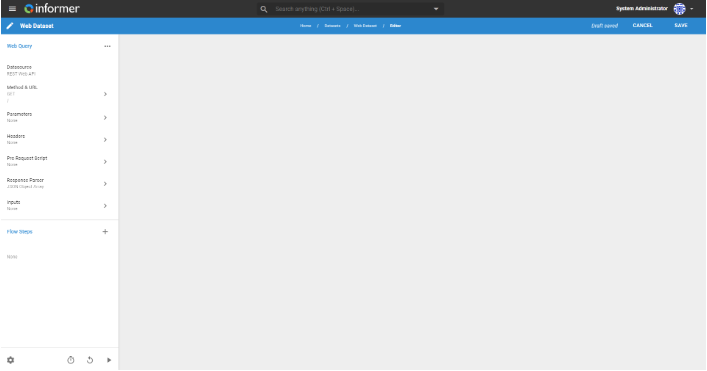
Instead of adding Fields and criteria like the standard Dataset Designer, use the Web Query Designer to build an HTTP request to issue to the appropriate REST route.
-
Method: choose between GET or POST, if the Datasource allows POST requests.
-
URL: choose the route Informer issues the request to. The Base URL is already populated, and the Authorization Method is already provided at the Datasource level.
-
Response Handler: choose JSON Object Array or Custom Script. Informer expects an array of JavaScript objects as the response and forms each object into a row of data.
- In many cases a REST API delivers the desired data nested in other JavaScript objects. In those cases, choose Custom Script and write a Response Handler in the new tab that appears.
- When writing a Response Handler, use JavaScript to manipulate the data in the response object. The Response Handler needs to call the
pushmethod on an array of objects. - The Raw Response Preview can be resized by clicking the two vertical lines and dragging, or hidden by clicking the > near the top of the preview. When the Raw Response Preview is hidden it does not load, which speeds up editing the Response Handler.
-
Parameters: specify any query parameters the REST API expects.
-
Headers: specify any header entries the REST API expects.
-
Pre-Request Script: written in JavaScript and executed before the initial request is sent. It replaces all input references within the request config with their values and makes any other final changes to the request. The script executes only once.
-
All querying keywords, like
lastQueriedAt, are available in the pre-request script via query options. -
Additional variables are available:
query(the current Query object containing the request) anddatasource(the underlying Datasource object). -
For example, the following script passes a parameter as an Input:
query.payload.params.parameterAlias = query.params.inputAlias;
-
-
Preview: see a preview of the response object.
Inputs and Flow Steps function the same as they do for other types of Datasets and Queries.
Custom Response Parser
The Custom Script handler is written in JavaScript and is executed after a response is received from a request. It processes each received response for useful information and performs actions such as pushing rows of data downstream, configuring result metadata, and scheduling another request (useful for paged data responses). For more in-depth information, see the Code Appendix.
There is also an input box to configure the parser's maximum allowed time, in milliseconds, for a single script execution. This option prevents the response parser from timing out too soon or running indefinitely. The default timeout is 10000 ms (10 seconds).
Available variables:
response: the complete response object received from the most recent request.response.data: the response payload data object.response.config: the config used to send the most recent request.
requestNum: how many responses have been processed so far (0-based).
Available functions:
push(Object[] rows): push rows of data downstream.next(Object requestConfig): schedule another request to be sent using the provided requestConfig.isFirstResponse(): returns whether the parser is currently processing the first response.setFields(Object metadata): configure metadata about the Fields of the streaming data using an object keyed by Field alias. Optional, and only works while processing the first response.
Utilities:
_: collection utilities.moment: date utilities.inflect: text, readability, and labeling utilities.logger: logging (use thetrace,debug, andinfofunctions to log messages).xml: XML parsing utility. Usenew xml.XMLParser().parse(xmlString)to parse an XML string.