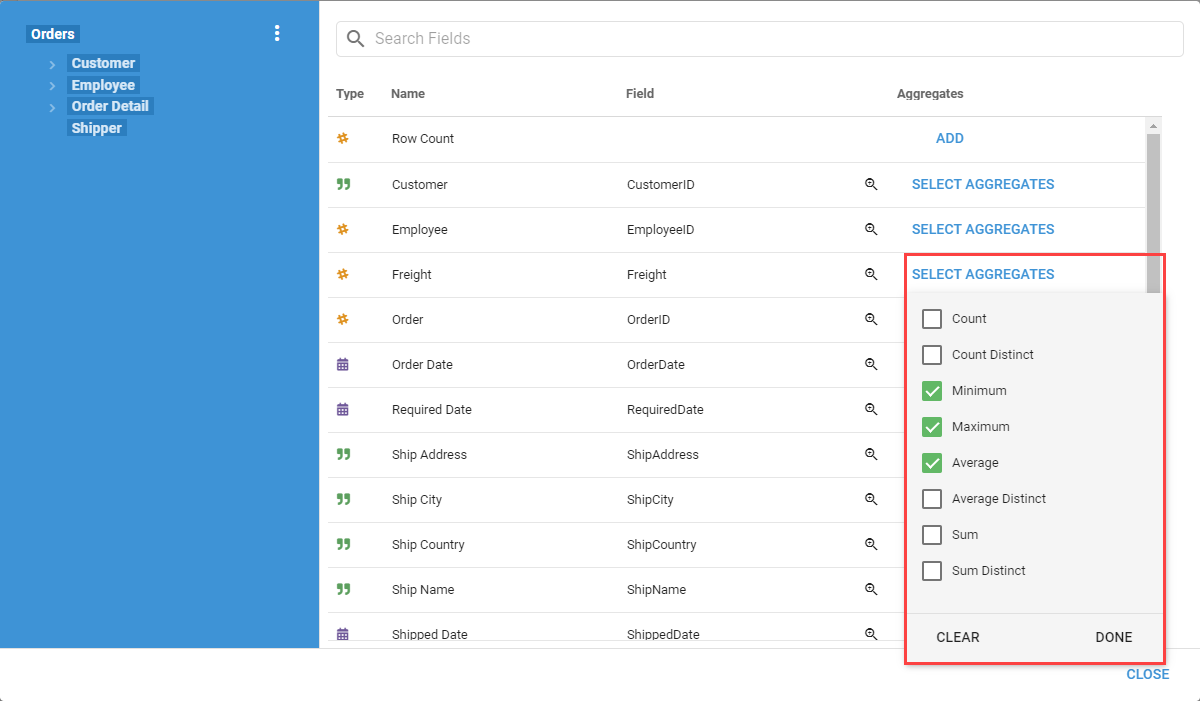
Aggregate Fields
Aggregate Fields are only available for SQL Queries. Use them to calculate aggregations at Query runtime.
Adding Aggregate Fields
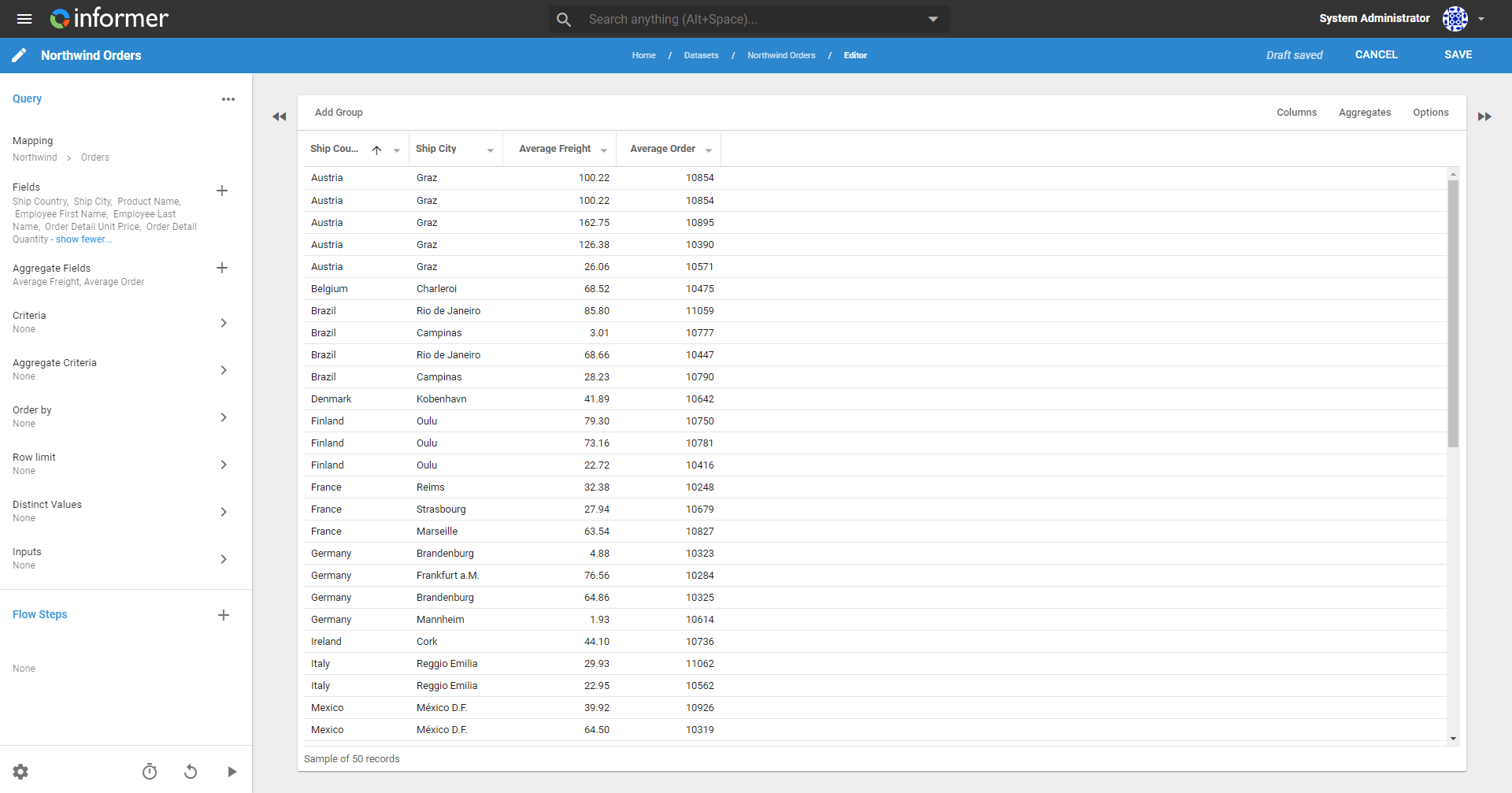
Using Aggregate Fields with regular Fields displays unique grouping aggregations in line with them, as if these aggregated values were Fields in the database. In the example below, the regular Fields are Ship Country and Ship City, so the Query groups by both and displays the Average Freight and Average Order for each city. If the only regular Field were Ship Country, the aggregate amounts would change to reflect amounts per country instead of per city.
Click the + icon next to Aggregate Fields in the left panel when editing a Query to display a panel listing the Fields in the Mapping.
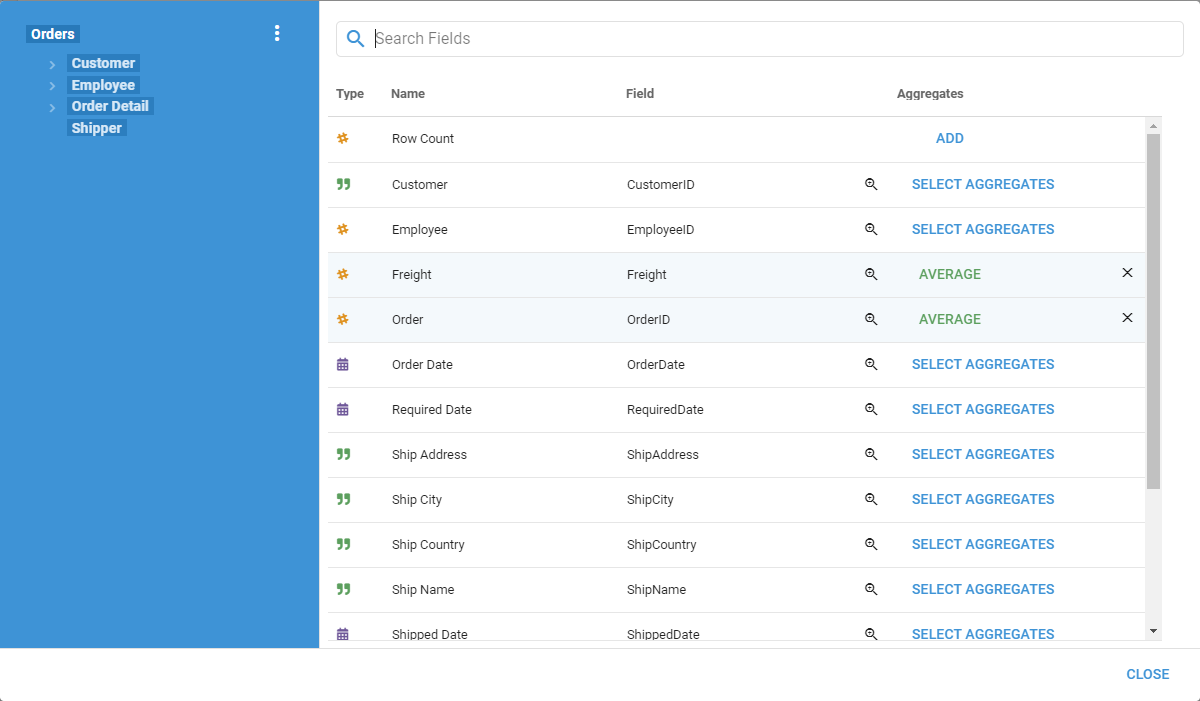
Add an Aggregate Field by clicking Select Aggregates next to a Field. Choose one or more aggregate functions (count, minimum, maximum, average, and so on) to add to the output as a new column. A Query can have more than one Aggregate Field.