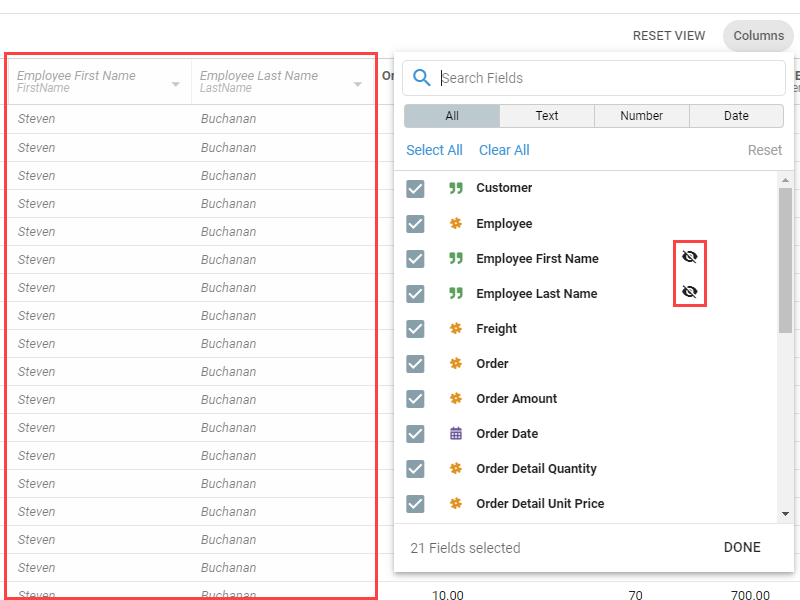
Hiding vs. unselecting Fields
While editing or viewing a Query or Dataset, you can Select/Unselect or Hide/Unhide Fields in the data grid. They look similar but behave differently.
Unselect and Select are for building a view from scratch, when you do not need to keep the original column ordering:
- Unselect: removes the column from the grid and the underlying ElasticSearch query. The column's position is lost.
- Select: adds a column back to the grid and the query. It is placed as the right-most column.
Hide and Unhide are for temporarily removing Fields more selectively, while keeping them in the query:
- Hide: removes the column from the grid but retains its position.
- Unhide: adds the column back in its original place.
Use Reveal hidden fields to show hidden columns as italicized, grayed-out text. Hidden Fields are marked with an eye icon in the Column Chooser.