Creating an Ad hoc Query
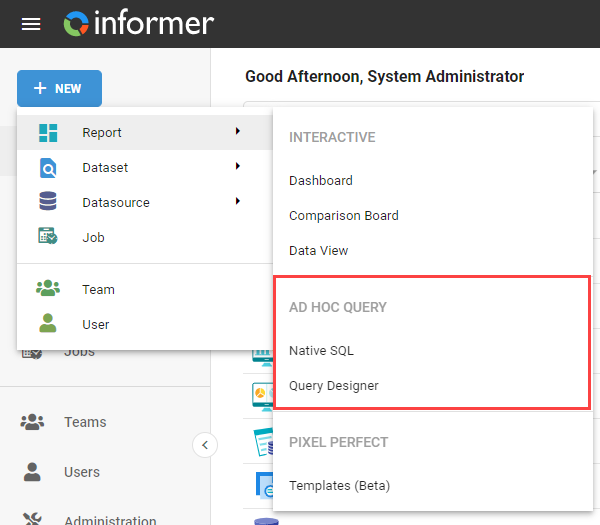
Create an Ad hoc Query by clicking the + New button in the upper-left of Informer, hovering over Reports, and selecting either Native SQL or Query Designer under the Ad hoc Query heading.
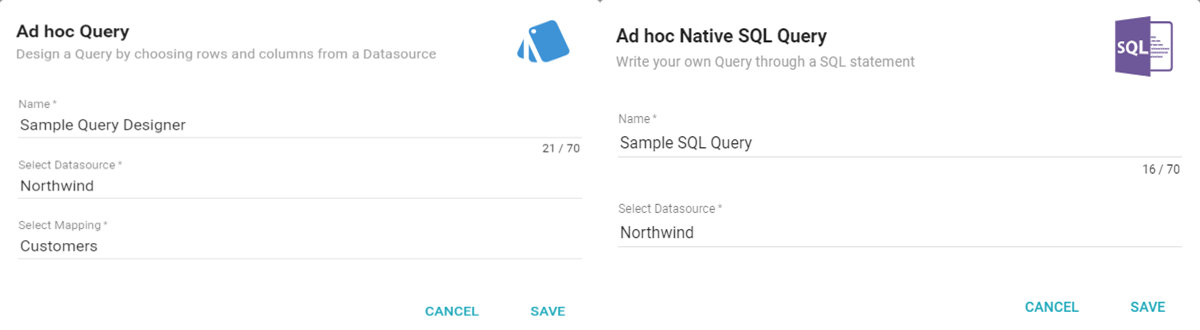
A dialog opens, depending on the Query type. Enter a name and select a Datasource. If you are using the Query Designer, also select a Datasource Mapping.
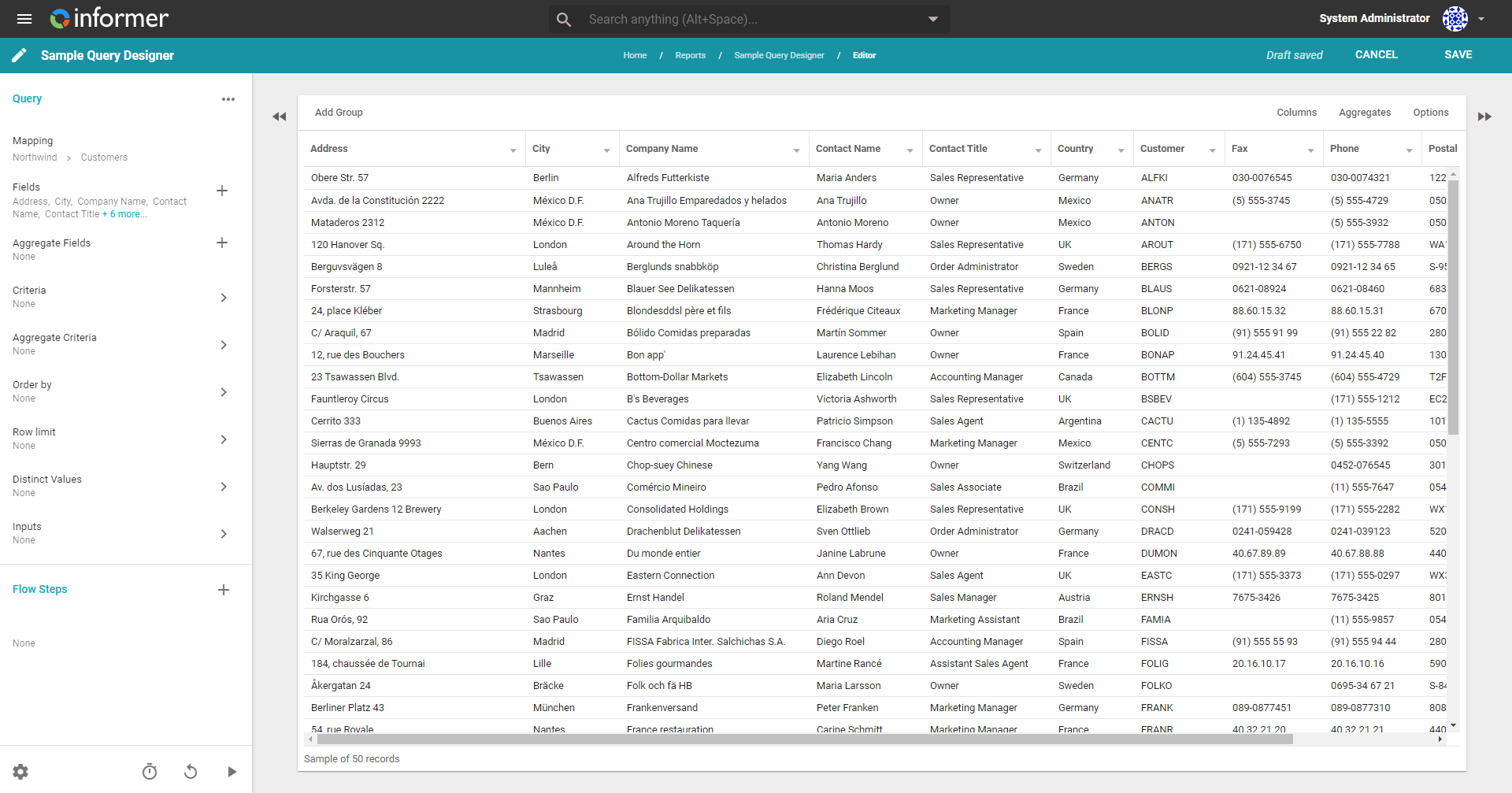
Click Save to build the Ad hoc Query and move to the Query editor. The Query build process is the same as the one covered in the Queries section of the Help Center. Refer to that section for more on building Queries.
Also available through the REST API
Everything on this page is built on Informer's public REST API, the same one the product uses, so your scripts and integrations can do it too. Developer reference: Reports.