Setting the ElasticSearch max bucket aggregation
The Distinct Value filter has a default maximum of 65,536 values. Filtering a Dataset or Query (or any ElasticSearch request) that tries to exceed this maximum returns an error.
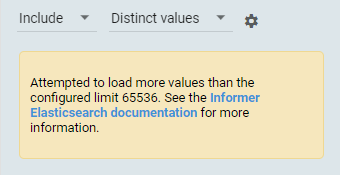
This maximum is an ElasticSearch server-level setting (search.max_buckets), so raise it on the ElasticSearch server. See the ElasticSearch search settings documentation.
Windows
- Stop the Informer 5 and ElasticSearch 8 Windows services.
- From the root Informer install, go to the ElasticSearch config directory, for example
elasticsearch\elasticsearch-8.x.x\config. - Add this line to the bottom of
elasticsearch.yml, replacing the value with your new maximum:
search.max_buckets: 200000
- Save the file and restart the Informer 5 and ElasticSearch services.
Docker
- Bash into the ElasticSearch container (the container is usually named
elasticsearchorelasticsearch8):
docker-compose exec elasticsearch8 bash
- Run this request, replacing the value with your new maximum:
curl -XPUT http://localhost:9200/_cluster/settings -H 'Content-Type: application/json' -d '{ "persistent": { "search.max_buckets": 200000 } }'
- Exit the container.