How credits are spent
Every billable action in Informer is attributed to a resource type, priced by your plan's rate card, and drawn from the shared Credit poolYour organization’s shared balance of unexpired credits. Everything billable draws from the one pool, and spending always burns the oldest-expiring grant first.. This page explains what draws credits, what is metered without being billed, and how grant expiration works.
What draws credits
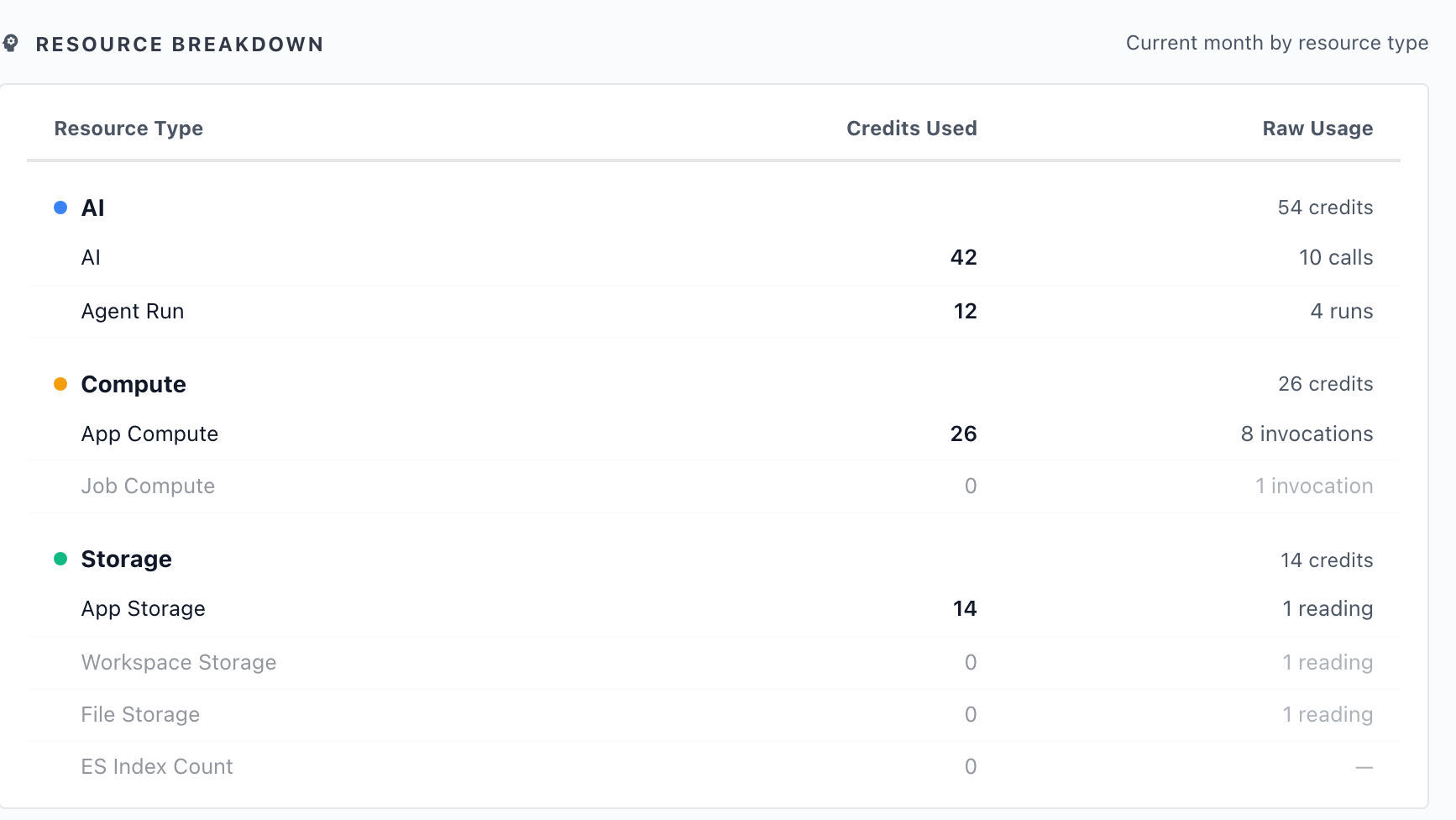
Four resource types consume credits. On the Usage page they roll up into the three categories on the pool card's segmented bar: agent runs count inside AI, so the bar's AI segment covers both.
| Category | Resource type | What it meters |
|---|---|---|
| AI | AI | The model calls behind chats, Copilot, Assistants, and Magic Visual. Metered on what each call costs, so a short question on an Everyday model draws far less than a long analysis on a Strategic one. |
| AI | Agent Run | Each run of an App's agent, metered per run. |
| Compute | App Compute | Server time your Apps spend running, metered by the second. |
| Storage | App Storage | Data your Apps keep, measured as point-in-time readings rather than a running total, so it reflects what you are holding right now. |
Two things follow from that table.
AI cost tracks the model, not the message. The Model tierA quality level for the AI model behind a chat: Everyday for fast, lightweight tasks, Advanced for challenging multi-step work, and Strategic for the most complex jobs. Higher tiers reason more deeply; lower tiers respond faster and use fewer credits. is the main lever: Everyday answers quickly and cheaply, Advanced reasons through multi-step work, and Strategic costs the most because it thinks the hardest. If AI is the bulk of your spend, tier policy is where you change it, and that is set per profile on the Access page.
Storage behaves unlike the rest. AI calls and compute seconds accumulate as they happen. Storage is sampled, so it goes up and down with what your Apps actually hold, and deleting data lowers it.
Metered, not billed
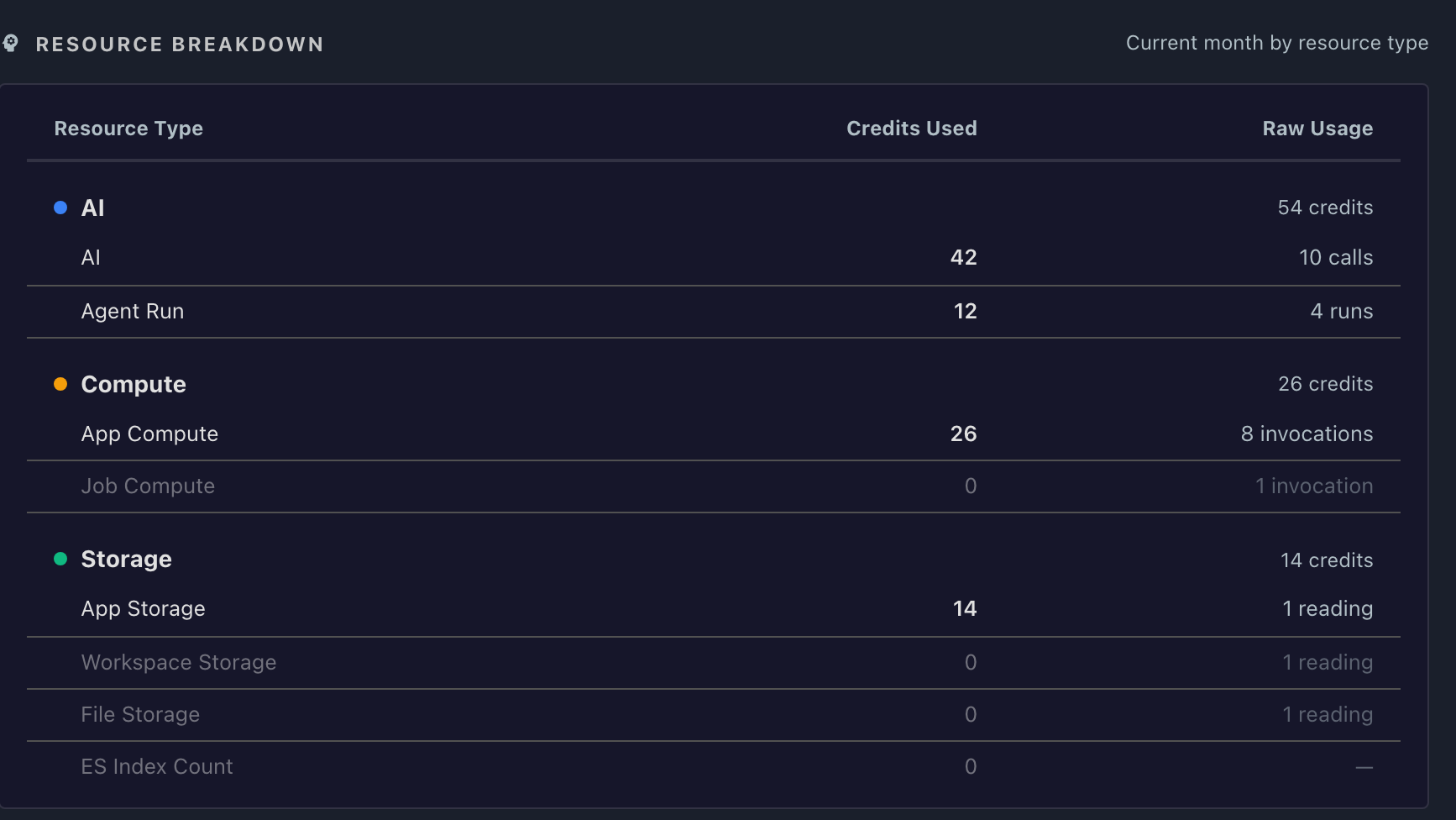
Informer records more activity than it charges for. The Resource Breakdown table also lists Job Compute, Workspace Storage, File Storage, and ES Index Count: these are metered so you can see the activity, but they do not draw credits. A row that drew no credits this month appears dimmed rather than hidden, with its Raw Usage still counted.
The Raw Usage column counts the metered events behind each row: AI calls, agent runs, compute invocations, and storage readings. It is the measurement; Credits Used is what that measurement cost at your plan's rate.
Where you run changes what is billed
- AI always draws credits, wherever Informer runs, because AI calls go through Informer's own providers. (The exception is bringing your own keys, which bills your provider account instead.)
- In Informer Cloud, App Compute, App Storage, and Agent Runs draw credits too, because they run on Informer's hardware.
- On your own servers, compute, storage, and agent runs are metered but never billed. You will still see their activity on the Usage page, at zero credits. That is expected, not an error.
- Enterprise licenses do not draw from a credit pool at all. The Usage page replaces the pool card with a notice: "Enterprise mode — using your own API keys. Usage is tracked below but not billed against a credit pool."
Grants and expiration
Credits arrive in grants, and every grant has an expiration date. The pool card spells out the rule in the "How is this number calculated?" hint:
Total of credits that haven't expired yet. Spending always burns the oldest-expiring grant first; any unused credits forfeit at expiration. Adding more credits just opens a new grant — older ones still expire on their own clock.
The practical consequences:
- Oldest first. Informer always spends the grant closest to expiring, so credits are used in the order most likely to keep them from being wasted.
- Topping up does not extend anything. A mid-year purchase opens a new grant with its own date. It does not rescue an older grant that is about to lapse.
- Unused credits forfeit. They do not roll forward past their expiration.
How long a grant lasts depends on how it arrived. A subscription's annual credits land up front and last until the plan renews. A one-off or pay-as-you-go purchase lasts twelve months from the purchase date, and the purchase dialog shows the exact expiry ("Credits expire ...") before you pay.
When at least one grant is still live, the pool card shows an "Earliest credits expire" line with the date. If you are sitting on a large unspent balance, that is the date to watch.
Troubleshooting
- Compute or Storage shows activity but zero credits: you are running on your own hardware, where those types are metered for visibility and never billed. Only AI draws credits on premises.
- The AI card reads zero but people are clearly using AI: look for the BYOK chip on the card. Its hint explains: "Bring Your Own Key — AI calls are billed directly to your provider keys, not from this credit pool. The other categories (Compute, Storage) still draw from credits."
- An App is busy but shows no usage: agent runs and compute are attributed to the App, while AI called from a person's own chat is attributed to that person. Check Top Users alongside Top Apps on the Usage page.
- The balance looks out of date: opening the Usage page re-syncs with the license server automatically. A persistent banner there means the sync is failing, not that the balance is wrong; see Limits and running out.