Working with Toolkits
A ToolkitA bundle of tools an AI chat or Assistant can call, either built into Informer or connected from an external service via MCP. is a named bundle of tools that AI can call on your behalf. Where DatasetsA saved, queryable collection of data pulled from one or more Datasources. Datasets are the foundation for reports, dashboards, and AI data analysis. and LibrariesA managed collection of files (documents, spreadsheets, PDFs) that Informer indexes so Assistants and chats can use them as knowledge. let AI read, a Toolkit lets it act: file a ticket, look up a record in another system, query Informer's own API.
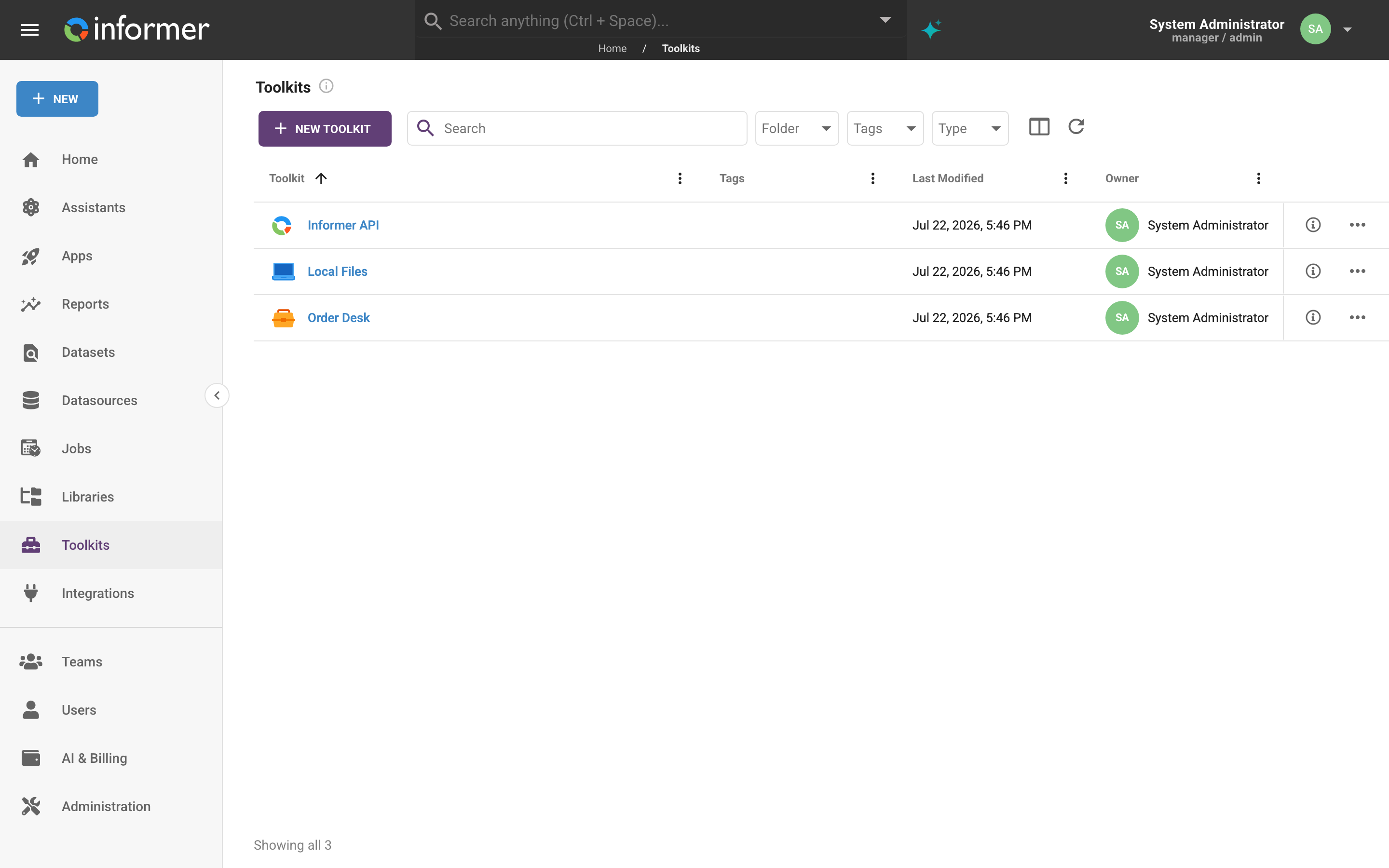
Why Toolkits exist
An AI that can only talk is limited to what you paste into it. The moment it can call a tool, it can finish the job: "open a Zendesk ticket for this failed Job and link the run history" becomes one sentence instead of a tab-switching errand. A Toolkit is how you decide, deliberately, which of those doors are open, and it is a shared object rather than a personal setting, so one person can wire up a connection and a whole Team can use it.
Toolkits are opt-in everywhere they appear. Creating one does not give any chat access to it; someone still has to turn it on for a conversation, attach it to an AssistantA configured AI persona with its own instructions, knowledge, and tools. Chats can be powered by an Assistant tailored to a specific job, like answering HR questions or analyzing sales data., or bind it to an App's agent.
The kinds of Toolkit
Informer's New menu offers three starting points, which resolve to four underlying types:
| You choose | What it is | Where the tools run |
|---|---|---|
| MCP Server (remote) | A Model Context ProtocolModel Context Protocol, an open standard for connecting AI to external tools. Informer uses it to bring outside services into a chat as Toolkits. server reached over HTTP or SSE. Configured with a URL, and optionally an IntegrationA connection from Informer to an external service such as Google Drive, Gmail, or Salesforce, used by Apps, chats, and jobs to act on your behalf. for authentication. | On the Informer server |
| MCP Server (local) | A Model Context Protocol server launched as a local command on your own machine. | On your device, in the Informer GO desktop app |
| Integration Toolkit | API request tools you define yourself, each a small script that returns a request. Usually paired with an Integration that supplies the credentials. | On the Informer server |
| Informer API Toolkit | Access to Informer's own API, authenticated as you. | On the Informer server |
You do not pick "remote" or "local" directly. Both come from the MCP Server choice, and Informer decides which one you meant from the configuration you paste: a url produces a remote Toolkit, a command produces a local one.
The distinction matters in practice. A server-side Toolkit keeps working after you close your laptop, which is what a scheduled prompt needs. A local Toolkit can reach things only your own machine can see, but only while the desktop app is running: its detail page says Desktop Application Required, and its tools stay unknown until it has been used at least once in Informer GO.
Tool names are prefixed
Every Toolkit has a Slug, and the tools it contributes are exposed to AI as slug_toolname. A Toolkit slugged zendesk offering createTicket reaches the AI as zendesk_createTicket. That prefix is what keeps two Toolkits with a similarly named tool from colliding, so the slug is worth choosing deliberately: it must start with a letter and contain only lowercase letters, numbers, and underscores.
Where Toolkits get used
- Chats in Informer GO, through Settings & Tools then Toolkits. See Toolkits & features.
- Assistants, by attaching a Toolkit to the Assistant so every conversation with it has those tools.
- App agents, bound when the App is deployed.
What you need
Three things gate Toolkits, and they fail in different places:
- AI must be enabled for the system and for you. Without it the Toolkits item does not appear in the navigation at all.
- Creating a Toolkit requires the Data Wizard role (see Roles).
- Creating also requires a Pro plan or higher. Administrators are exempt. If your plan is below that, Informer refuses with "Creating toolkits requires a Pro plan or higher".
Using a Toolkit that someone shared with you needs none of the last two.
In this section
| Article | In one line |
|---|---|
| Creating a Toolkit | The three starting points, and what each one asks for. |
| Managing a Toolkit | Tools, AI instructions, read-only access, sharing, and the Actions menu. |
Where do I look when...
| You want to... | Where |
|---|---|
| Connect an MCP server | Creating a Toolkit |
| Write your own API tools | Creating a Toolkit |
| Let AI drive Informer itself | Creating a Toolkit |
| See which tools a Toolkit actually provides | The tools list |
| Refresh the tool list after the remote server changed | Reload Tools |
| Steer how AI uses a Toolkit | AI Instructions |
| Stop a Toolkit from changing anything | Read Only |
| Let your Team use a Toolkit | Sharing a Toolkit |
| Turn a Toolkit on for one conversation | Toolkits & features |