License
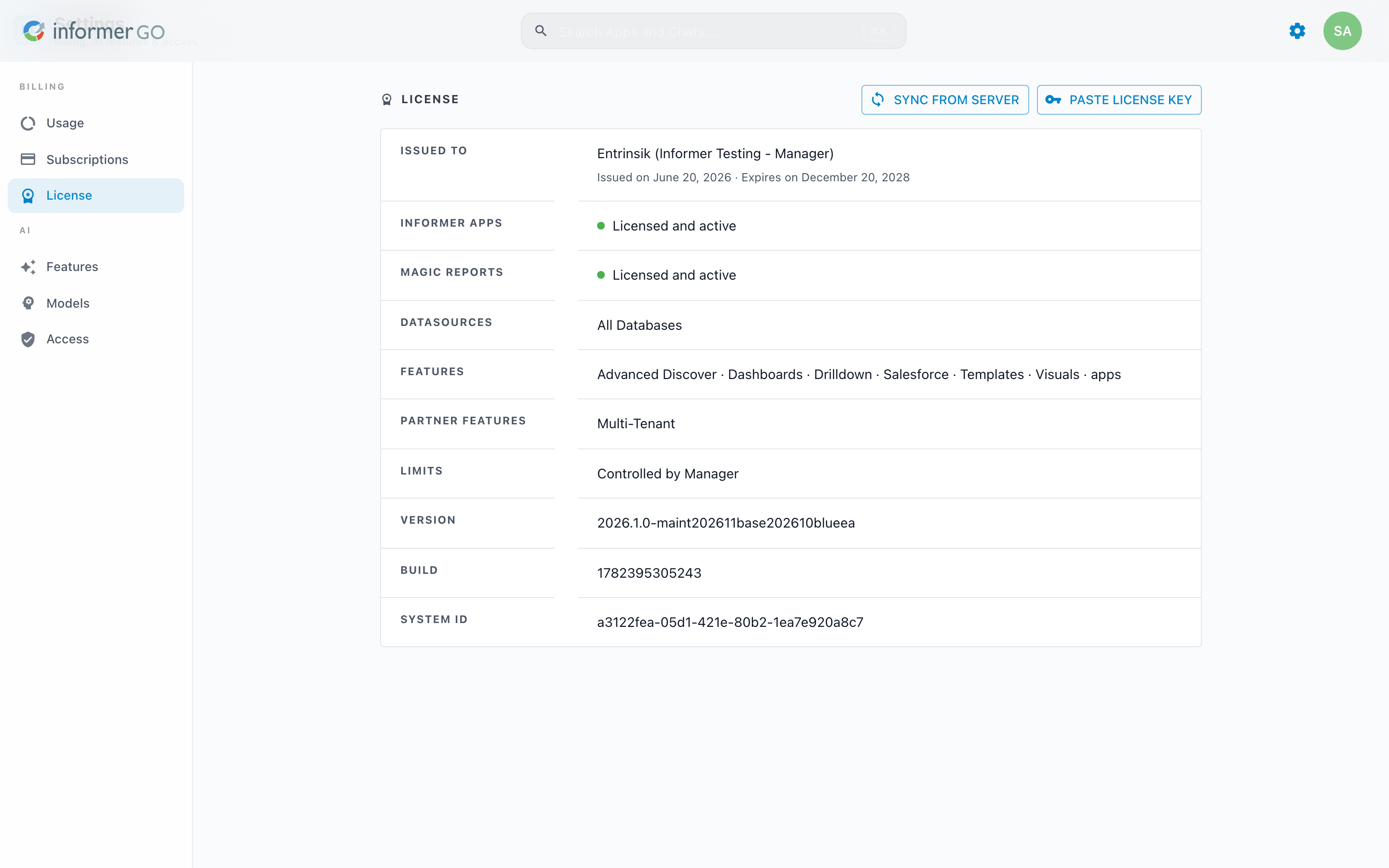
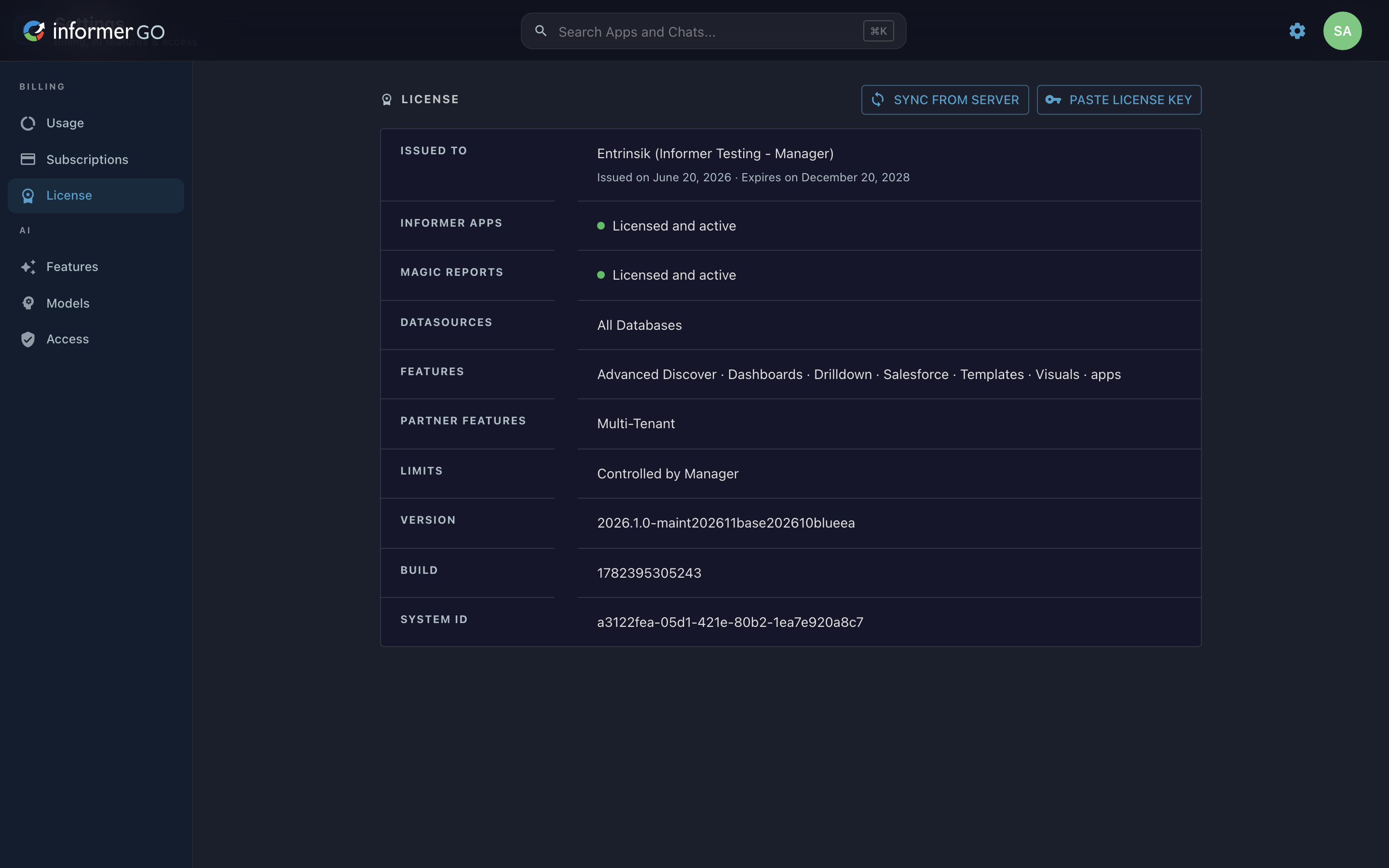
The License page shows what your Informer installation is entitled to, who it is issued to, and when it expires, and lets a Super User refresh or replace the license.
Reach this page from Settings in Informer GO, or from AI & Billing in the classic web client's top navigation.
License details
The details card lists, where present:
- Issued to: the license holder, with the issue and expiration dates.
- Informer Apps and Magic Reports: whether each is licensed and active, with a Contact sales link when it is not.
- Named Users: the licensed user count, if your license is user-based.
- Datasources: the Datasource families your license allows, or All Databases. U2 entries also show the serial number, user count, and pooling.
- Features: the licensed features (for example AI Assistant, Dashboards, Live Excel, Templates, Visuals), or All features.
- Token Types, Partner Features (such as Multi-Tenant), and Limits (such as Max Concurrent Jobs, or Controlled by Manager on a Tenant).
- Version, Build, and the installation's System ID.
Updating the license
When a Super User opens this page, Informer checks with the Entrinsik license server first, so the details above reflect a license that was changed on the server side (for example switching Informer Apps on) without anyone having to ask for it. That check is silent, and the page still shows the last known license if the server cannot be reached. The page also says so whenever what is on screen might not be current, rather than passing stale values off as fresh:
- If the details card cannot be re-loaded, a warning reading "Couldn’t load the latest License details — showing the last known License." appears above the card until a re-load succeeds.
- If the details cannot be loaded at all, the card shows "Couldn’t load the License details." with a Retry button, instead of appearing unlicensed. If the server refuses because the License itself has expired or is invalid, the card shows the server's message instead, and Super Users get an Update license button to paste a replacement.
- If Informer is healthy but the license server cannot be reached, a notice reads "Couldn’t reach the License server — the entitlements shown may be out of date." (Installations configured to run offline never show this.)
- If the license server answers but no longer recognizes this installation, the notice instead reads "The License server didn’t recognize this installation’s License — it may have been replaced or revoked. The entitlements shown may be out of date." That is a sign the License was replaced or revoked rather than a network problem, so checking a firewall or proxy will not help: get a current License and paste it in.
- If the license server answers with a problem of its own, the notice reads "The License server reported a problem while checking this License — the entitlements shown may be out of date."
- If the check fails for a reason Informer cannot pin down, the notice reads "Couldn’t check this License with the License server — the entitlements shown may be out of date." Informer deliberately does not guess between "could not reach it" and "it reported a problem" when it does not know which happened.
- When Informer checks the license as the page opens and that check does not come back, a notice reads "Couldn’t confirm this License with the License server — the details below may be out of date. Use Sync from server to try again." It clears once a sync succeeds.
Super Users also see two actions at the top of the page:
- Sync from server: re-downloads the latest license from the Entrinsik license server and refreshes entitlements. A short confirmation appears on success; an error explains if the server could not be reached. If Informer adopted a newer license but this session's entitlements cannot refresh, a notice reading "License synced from server, but some entitlements couldn’t refresh — reload the page to see them update." appears in place of the confirmation. On an installation configured to run offline, nothing is contacted and the page says so rather than reporting a successful sync: "This installation is configured to run offline, so nothing was checked with the License server."
- Paste License key: opens Update Informer license, where you paste a replacement license token and click Update license. After a successful update, Informer reloads entitlements automatically.
If the license manager does not recognize the installation's license, a notice replaces the page (AI billing, models, and related features cannot load until the license is updated); Super Users get a button to update it, and everyone gets a Retry.
The license also appears in the classic web client under Administration, alongside the system backup and restore actions. See About, Backup, and License.