Finding Apps
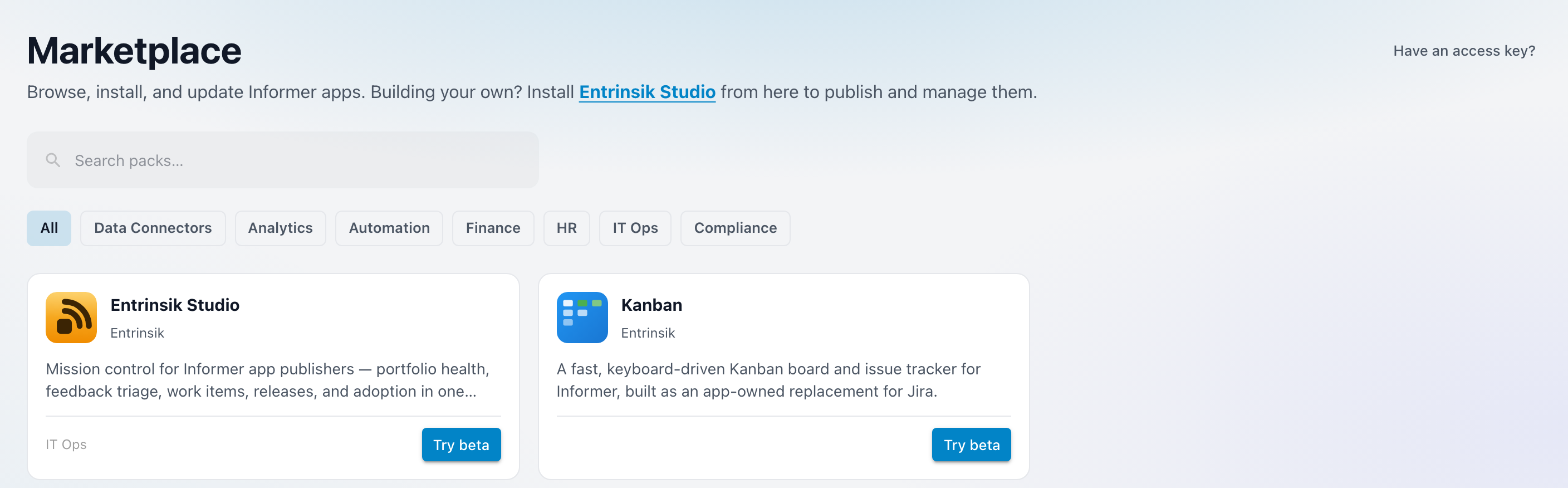
The Marketplace opens on a grid of every pack published to it. Search narrows the grid, categories filter it, and an access key unlocks the private packs that never appear in it at all.
Why it exists
Most of what you want from Informer is a shape somebody has already built: a purchasing dashboard, an advising workflow, a scorecard for a department that measures the same things every institution measures. The Marketplace is the shortcut past building it yourself, and the reason an installed App keeps improving after you install it.
The header says as much: "Browse, install, and update Informer apps."
Searching and filtering
The search box is prefilled with "Search packs…" and matches as you type. Alongside it sits a category filter that starts on All.
When a search or category combination matches nothing, the grid is replaced by "No packs match your search" and the suggestion "Try a different search term or category." A Clear filters action puts the grid back without retyping anything.
That empty result also carries a second line: "Looking for a private pack? Redeem an access key." It is there because a search returning nothing is exactly when someone is hunting for an App that was never public in the first place.
What a card tells you
Each pack in the grid is a card, and its button is the fastest read on where you stand with it:
- Install on a pack you have never installed.
- Open once it is in your gallery and up to date. On a publisher's page the same card reads Installed instead.
- Update to v1.4.0 when the publisher has released something newer than the version you are on.
- Try beta when the publisher has only shipped a pre-release so far.
When a beta exists alongside the stable version, the card carries a beta strip instead of a second button. It reads 1.5.0-beta.1 available, 1.5.0-beta.1 installed, or Update beta to 1.5.0-beta.1; choosing it opens the beta side of the listing, or starts the update when one is waiting.
A Verified badge marks a publisher whose identity Entrinsik has confirmed.
Private Apps and access keys
Not every pack is public. A publisher can build an App for one institution, or for a pilot group, and hand out a key instead of listing it. Have an access key? in the header opens the redemption dialog, which explains the model plainly:
Private apps aren’t listed publicly — the publisher sends you a key that unlocks the app for your whole organization.
Paste the key into Access key and choose Redeem. The unlock is organization-wide, not per person: once redeemed, the pack is installable by anyone on your instance who can install Apps, and it behaves like any other listing from that point on.
Troubleshooting
- A pack you were told about isn't in the grid. It is either private, in which case you need an access key from the publisher, or it is not published to the marketplace your instance points at. Publishers can publish to more than one.
- Redeeming a key fails. The dialog shows the reason, or "Could not redeem the access key." when there is none. Check for stray whitespace from copying, then confirm with the publisher that the key hasn't already been used or withdrawn.
- The grid is empty with no search active. "Nothing in the marketplace yet" means nothing has been published, rather than that something went wrong.
Related: Installing an App for what happens once you pick one.