Assistant Advanced Settings
The Advanced section lets you choose the Model the Assistant uses to generate responses: one of the tiers your administrator configures in Settings → Models, or a specific model.
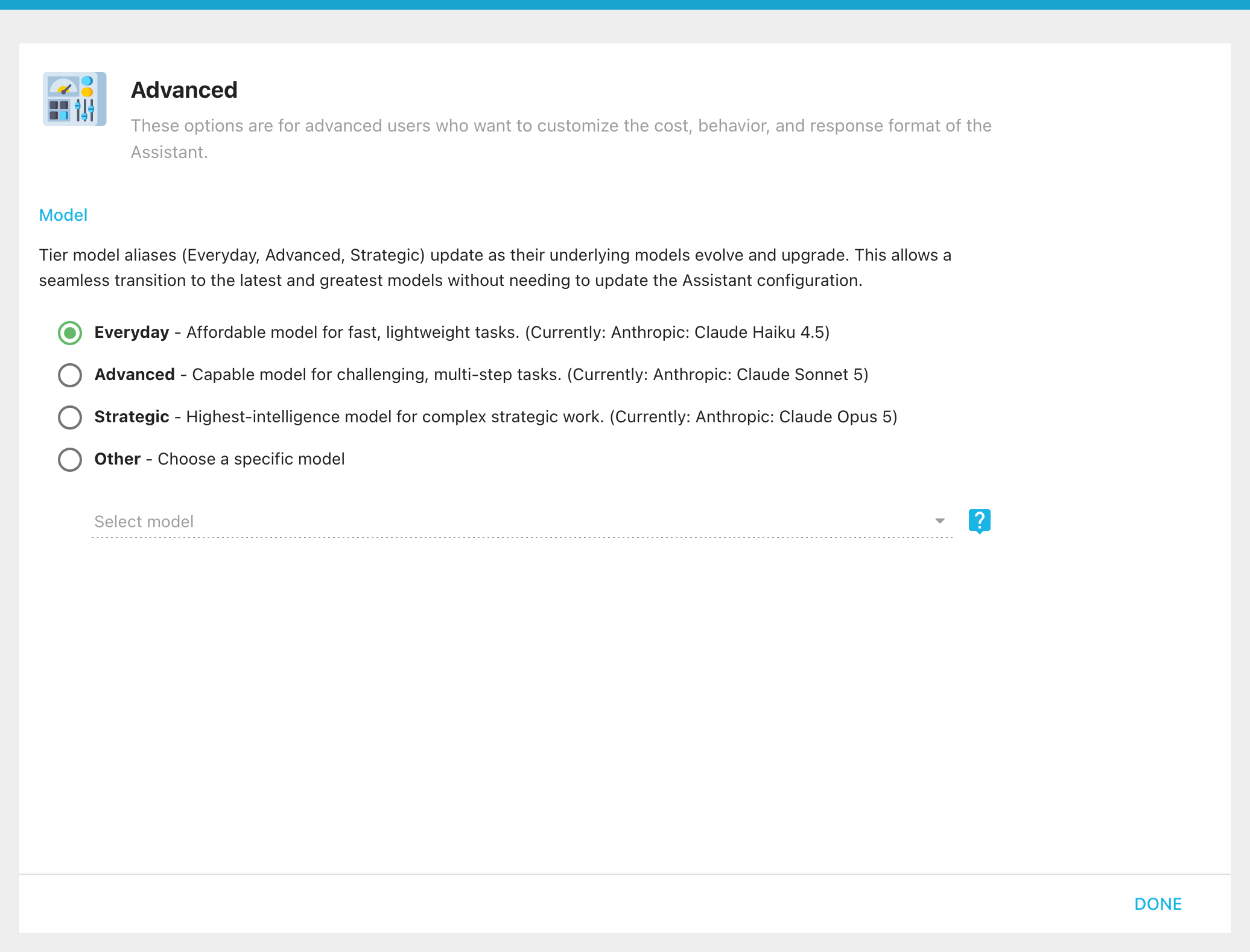
Different models trade off speed, cost, and capability. The tiers, Everyday, Advanced, and Strategic, are aliases: each shows the model it currently resolves to, and as the editor explains, "Tier model aliases (Everyday, Advanced, Strategic) update as their underlying models evolve and upgrade. This allows a seamless transition to the latest and greatest models without needing to update the Assistant configuration." Pick a tier to match how much reasoning the Assistant needs, or choose Other and Select model to pin a specific model.
Before 2026.1, the Advanced section offered several more fields, because AI ran on a single OpenAI account rather than Informer's model catalog:
- OpenAI Token: a custom OpenAI key for this Assistant, usually for usage tracking.
- GPT Model: a choice between specific OpenAI models (for example gpt-4-turbo-preview, gpt-4o, gpt-3.5-turbo).
- Temperature: the randomness of the output, from 0 (deterministic) to 2 (more creative).
- Seed: a number that fixes the starting point so the same input produces the same response.
- Response Format: text or JSON output.
In 2026.1, model selection moved to the unified Settings → Models catalog, and these per-Assistant fields were replaced by the single AI Model chooser above.