How to compare two dates in a Power Script
Comparing date Fields can be tricky with plain JavaScript. A reliable way to compare two date Fields in Informer is the built-in Moment.js library, available in scripts as moment.
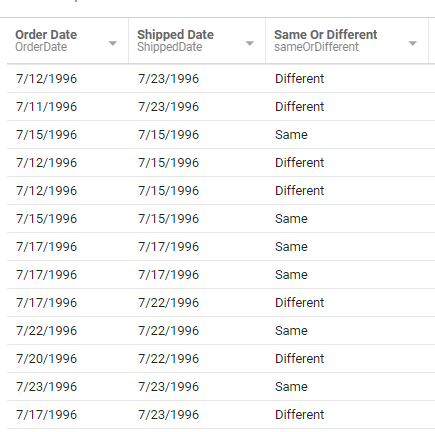
For example, this Power Script compares two date Fields and adds a new column that says whether they are the same or different:
// Replace "date1" and "date2" with your field aliases
if (moment($record.date1).isSame($record.date2)) {
    $record.newColumn = "Same";
} else {
    $record.newColumn = "Different";
}
The result includes a new column that says whether the two date Fields are the same or different:
isSame() compares down to the millisecond. If your date Fields carry times and you only care about the calendar day, compare by day instead: moment($record.date1).isSame($record.date2, 'day').
Moment.js is the recommended way to work with dates in Informer scripts. For more on Moment.js:
- Moment.js (see the "Format Dates" section)
- Moment.js full documentation
- How to compare dates, for more comparisons in a Calculated Field