How to split a multi-valued field into separate columns
Sometimes multi-valued data needs to be displayed in separate columns, rather than rows. You can do this with a Power Script Flow Step.
In the Query editor, select + next to Flow Steps, then Advanced > Power Script.
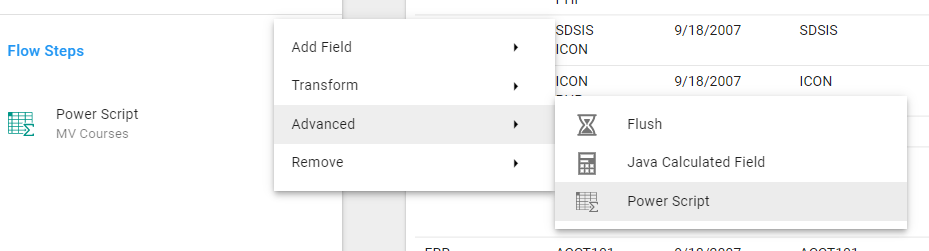
The script below spreads the multi-valued Field across new columns, naming each one "Column Header" followed by a counter. Replace multiValuedField with the alias of your Field, and Column Header with the text you want in the column headers:
var count = 1;

for (var i in $record['multiValuedField']) {
    $record["Column Header " + count++] = $record['multiValuedField'][i];
}
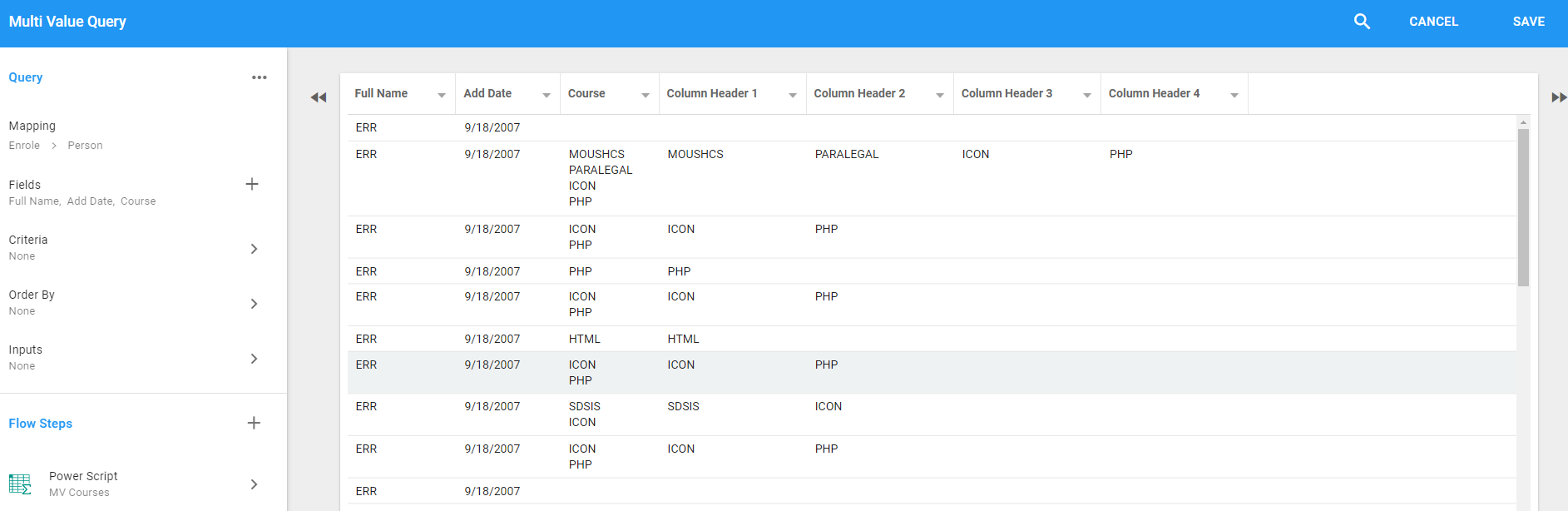
A record with three values gets three new columns, and one with a single value gets one. The result when splitting the Course column:
You can now hide or remove the multi-valued Field from your Query.