How to pivot two associated multi-valued fields
Sometimes associated multi-valued data needs to be pivoted into separate columns and values, rather than shown side by side in two multi-valued Fields. You can do this with a Power Script Flow Step.
In the Query editor, select + next to Flow Steps, then Advanced > Power Script.
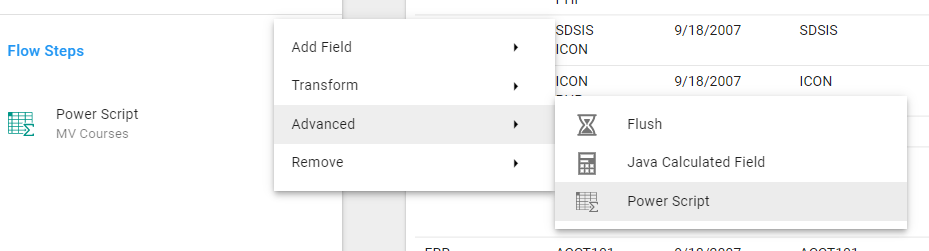
The script below pivots one multi-valued Field into a set of columns with unique headers, and fills each new column with the associated value from the second multi-valued Field. Replace multiValuedFieldOne with the alias of the Field that holds the column headers, and multiValuedFieldTwo with the alias of the Field that holds the values:
var columnHeaders = $record['multiValuedFieldOne'];
var columnValues = $record['multiValuedFieldTwo'];

for (var i in columnHeaders) {
    $record[columnHeaders[i]] = columnValues[i];
}
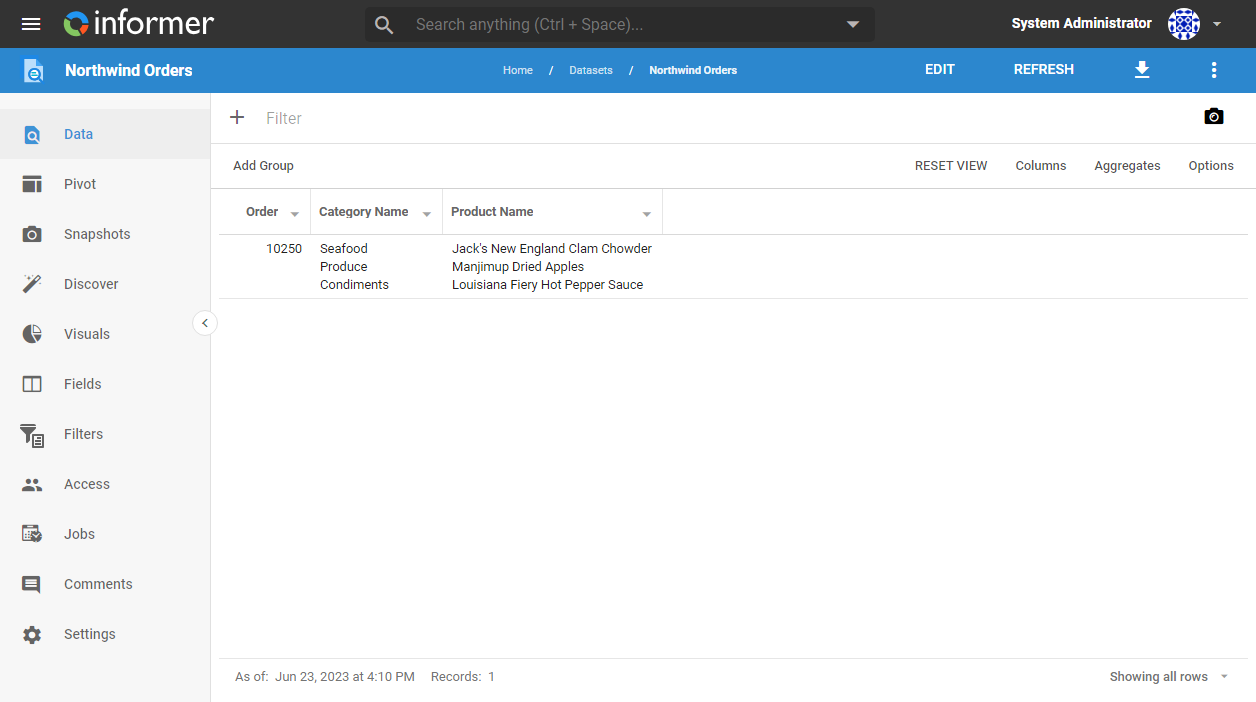
The two Fields have to be associated: the first value of one belongs with the first value of the other, and so on. Here, each Northwind order lists its products' categories in Category Name and the products themselves in Product Name:
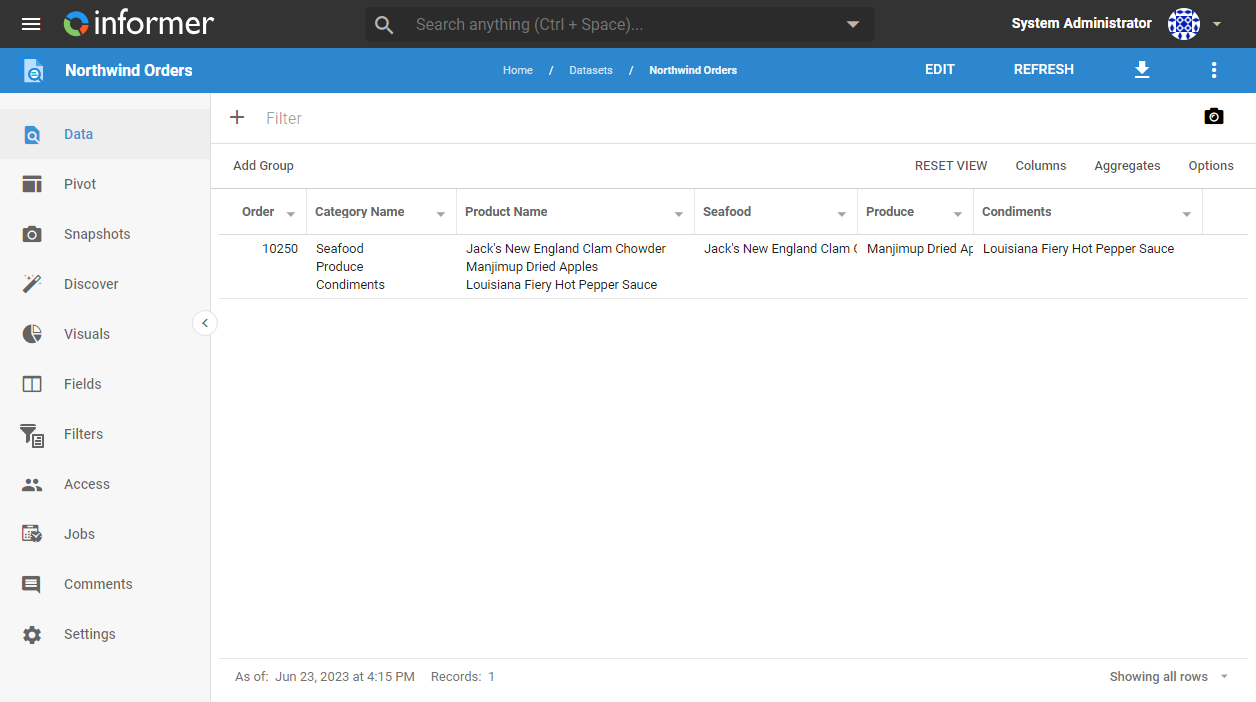
The result when pivoting on the Category Name column, using the Product Name column as the values:
You can now hide or remove the multi-valued Fields from your Query.